AI Tools for Indie Game Developers: One Godot Game, Job by Job
The first build of Kip's Climb had every asset in it and got one review:
"The goat is not touching the platforms, though. Also, the game feels boring: there are only two dynamics, the bird and the coins."Miguel, from our team, on the first build
Both were true. Kip, a mountain goat on an endless cliff, hovered above her ledges, and the only things that happened to her were a hawk and some clovers.
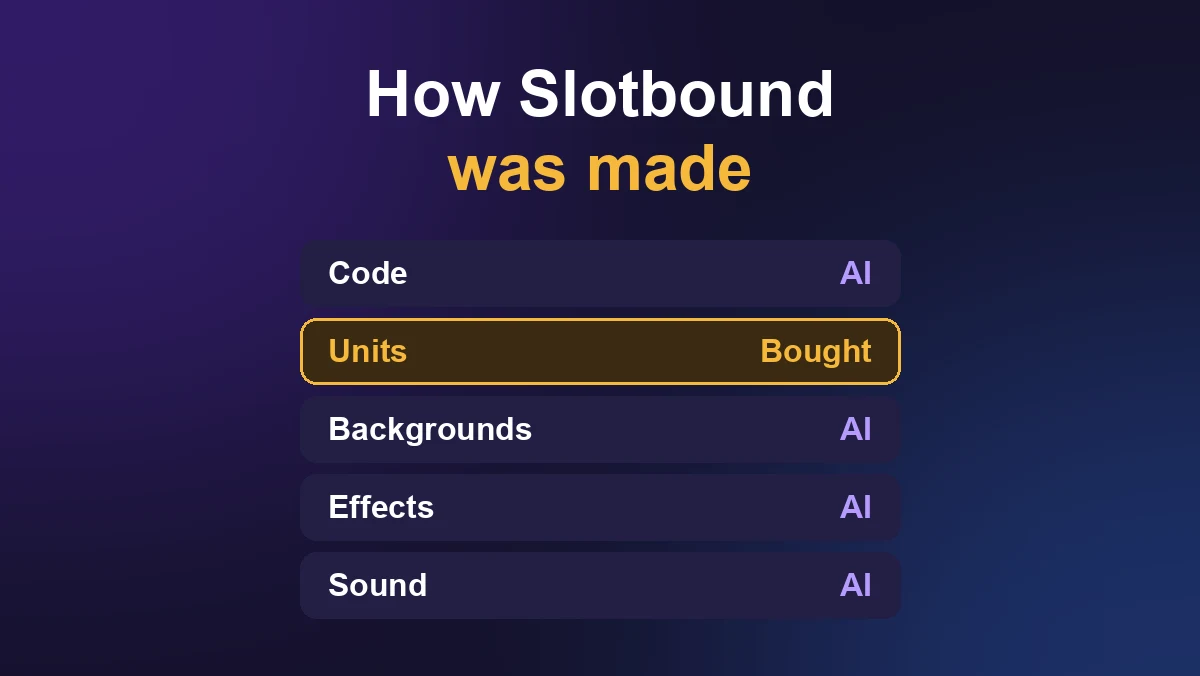
Three builds later she lands within one pixel on 402 of 404 landings, and a ram, falling rocks, crumbling ledges and a sliding plank are trying to knock her off. Every picture and sound came from Ludo.ai, the tool we build: 44 generations, including the ones we threw away. Claude Code wrote the code, in Godot. This post goes through each job, the prompt or setting that did it, what we rejected, and the free checks that caught the problems.
Which AI tools do you need to make a small game?
Three kinds: an AI asset generator for the pictures and sound, a coding agent for the code, and a game engine. In Kip's Climb those were Ludo.ai (concept art, sprites, animation, tiles, the background, icons, UI, sound effects, music and voice), Claude Code (the Godot script, over a thousand lines) and Godot, which is free. Ludo's free toolbox checked each file before it went into the engine.
This is one game and the tools it used, not a ranking. For a side by side of asset generators, see our roundup of AI tools for game assets.
Build 1: concept art, sprites and sound from 20 generations
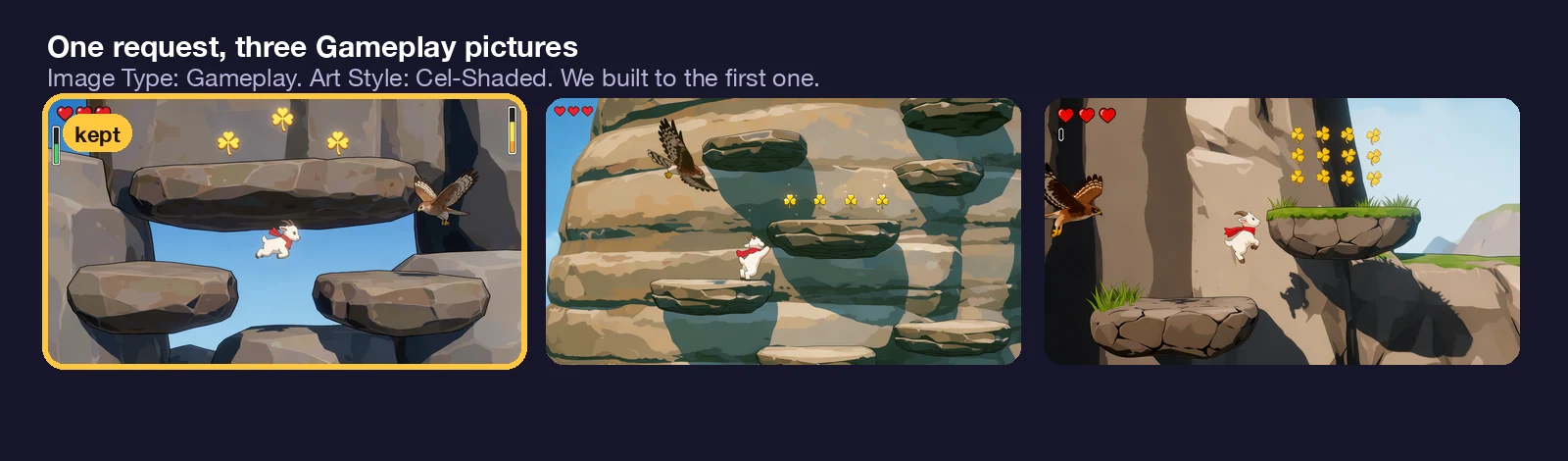
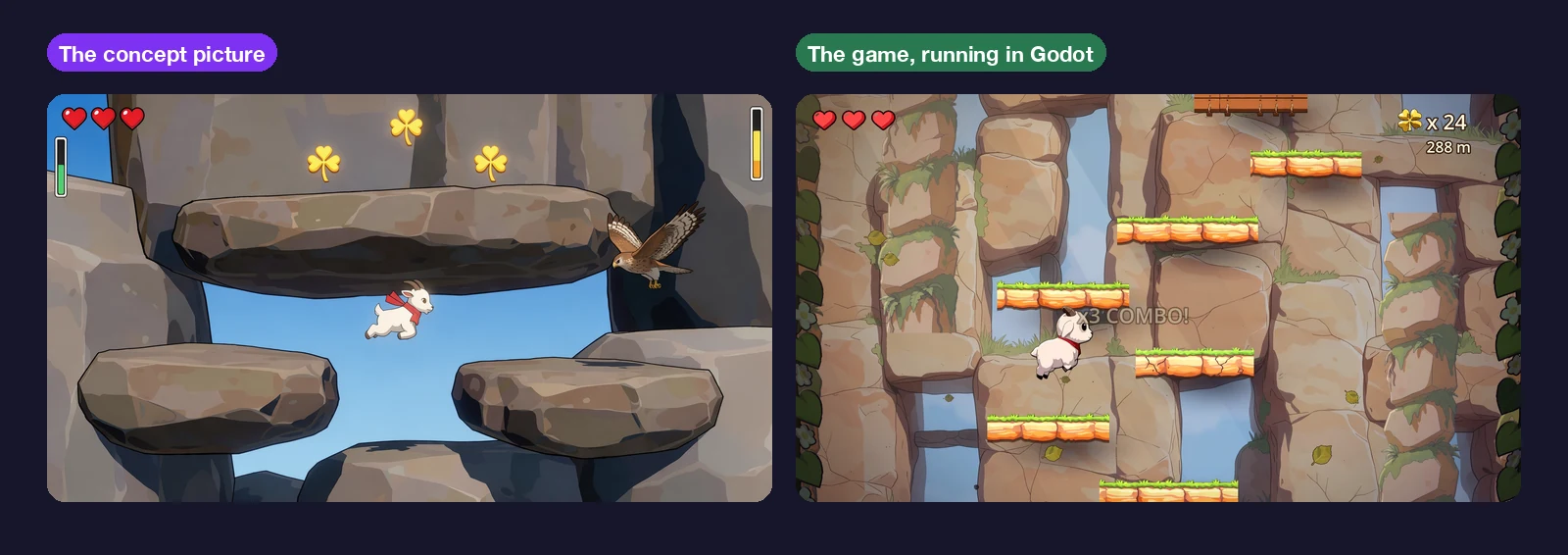
We did not start with a goat. We started with one request each for three different games, using the Image Generator's Gameplay image type, which draws a screenshot of a game that does not exist yet: a vertical climber, a lighthouse platformer and a garden defense game. The climber won. Its request returned three pictures, and we built to the first.

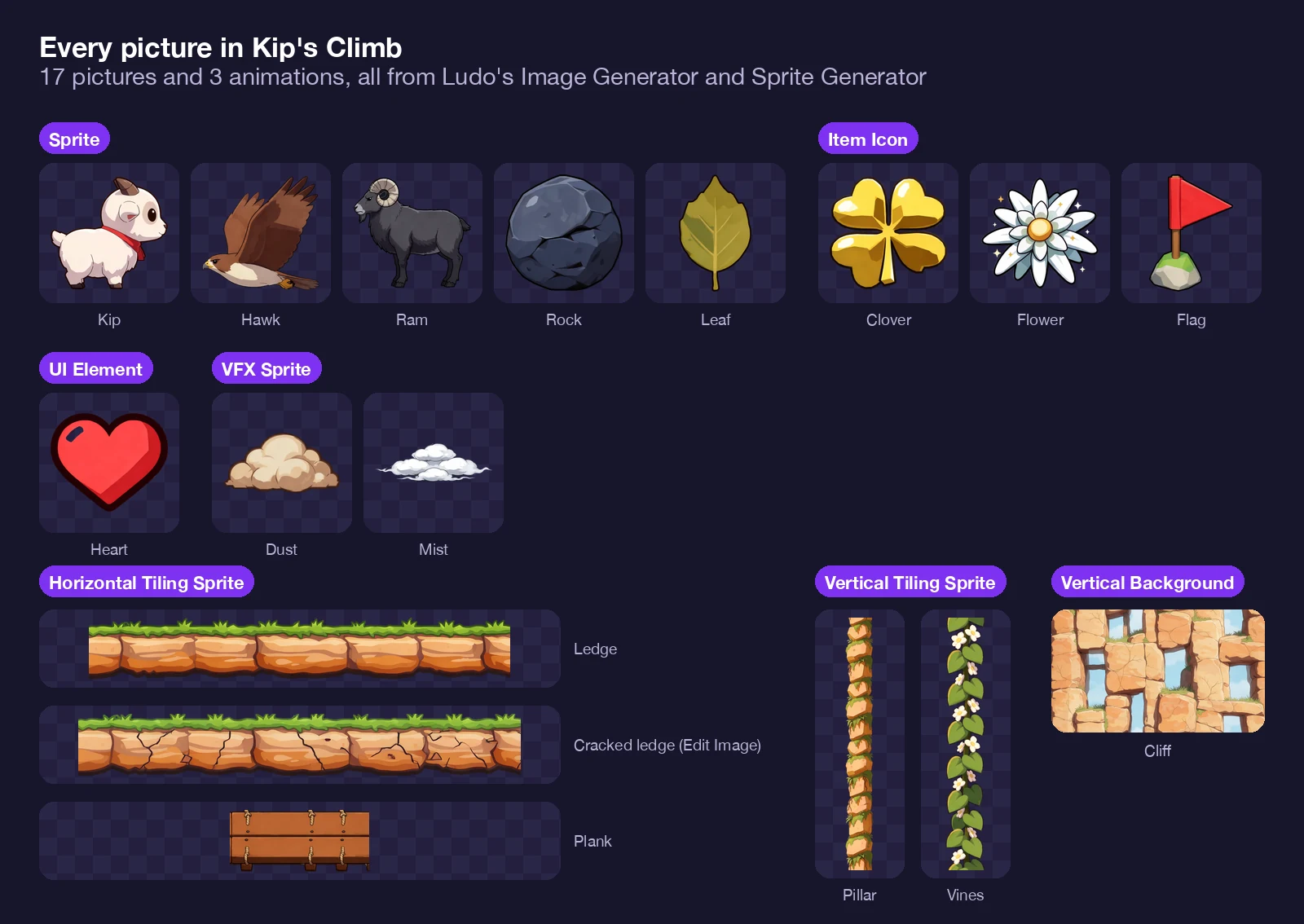
Then the asset list from that picture. Kip and the hawk are Sprites (transparent background, flat lighting), both Cel-Shaded and Side-Scroll. That pair of settings is the whole style guide: every picture in the game uses the same art style. The ledge is a Horizontal Tiling Sprite, the cliff a Vertical Background, the clover an Item Icon and the heart a UI Element. The Sprite Generator's Animate mode turned Kip's picture into a hop and the hawk's into a flap. The Audio Generator made four sound effects, a 30-second music loop and one voice line.
Three things from this round are worth knowing before you try it.
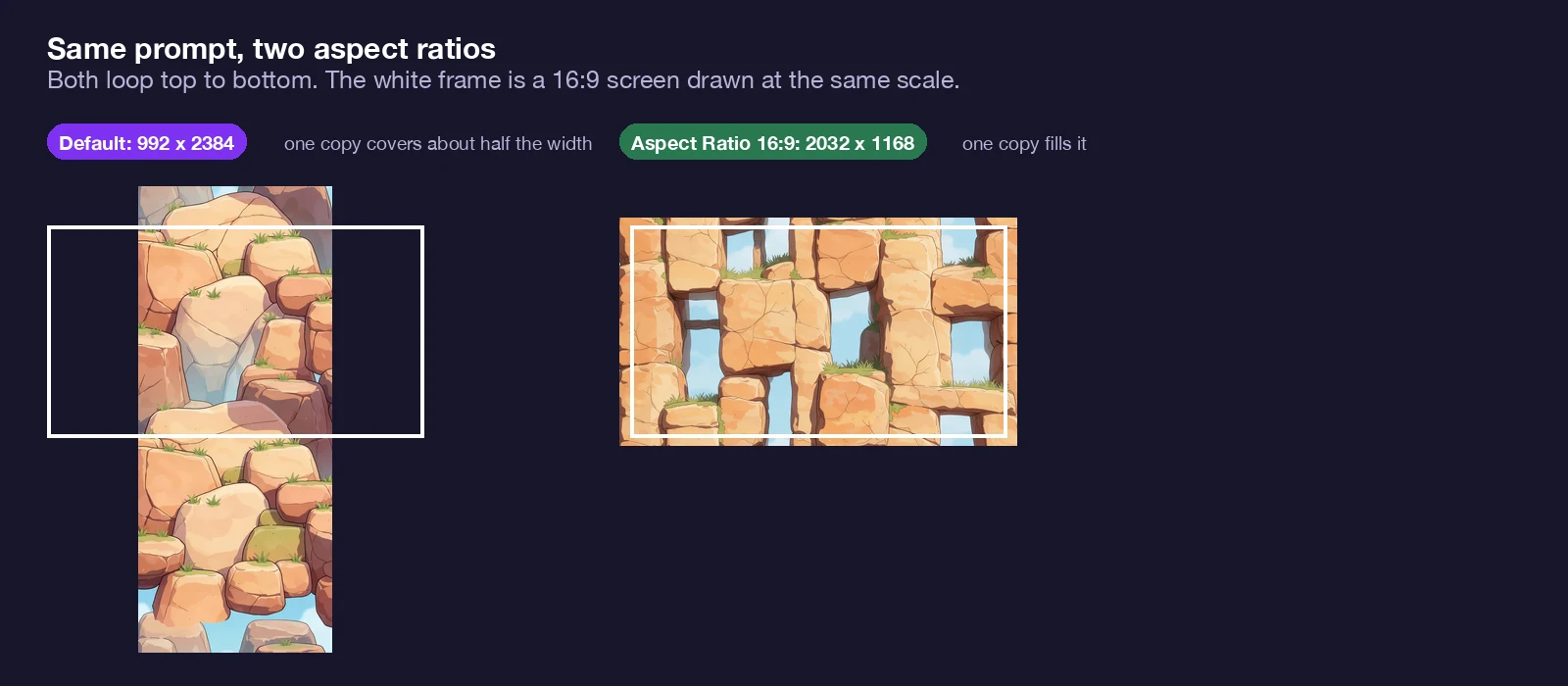
Ask for your screen's aspect ratio. The cliff's default picture came back tall and narrow, 992 x 2384. It looped top to bottom as promised, but one copy covered about half of a wide screen. The same prompt with Aspect Ratio set to 16:9 came back 2032 x 1168, still seamless top to bottom, and one copy fills the screen.
Check a tile before you trust it. The toolbox lays a strip out three times and scores the joins. This is the real output for the ledge:
$ ludo toolbox image repeat ledge.png --times 3x1
{"tile":"ledge.png","width":4704,"height":143,
 "seams":{"across":0.36,"down":0.03},
 "verdict":{"across":"seamless","down":"seamless"}}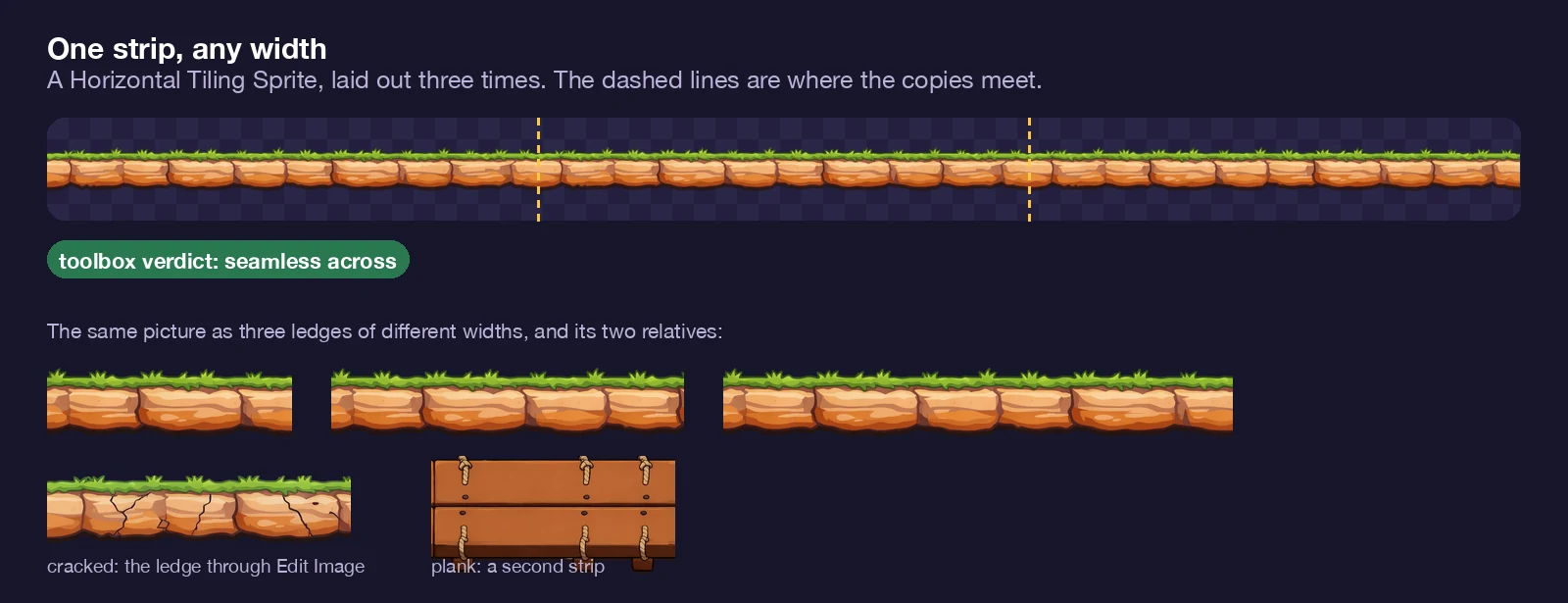
Listen to short voice lines. The announcer's first line was the single word "Higher!". A speech-to-text check heard "Hire!", and so will some players. "Higher! Keep climbing!" came through clean.
Claude Code wrote about 250 lines of Godot script around those files, and this is what came out:
Why the goat floated: sprite sheet frames and the jump arc
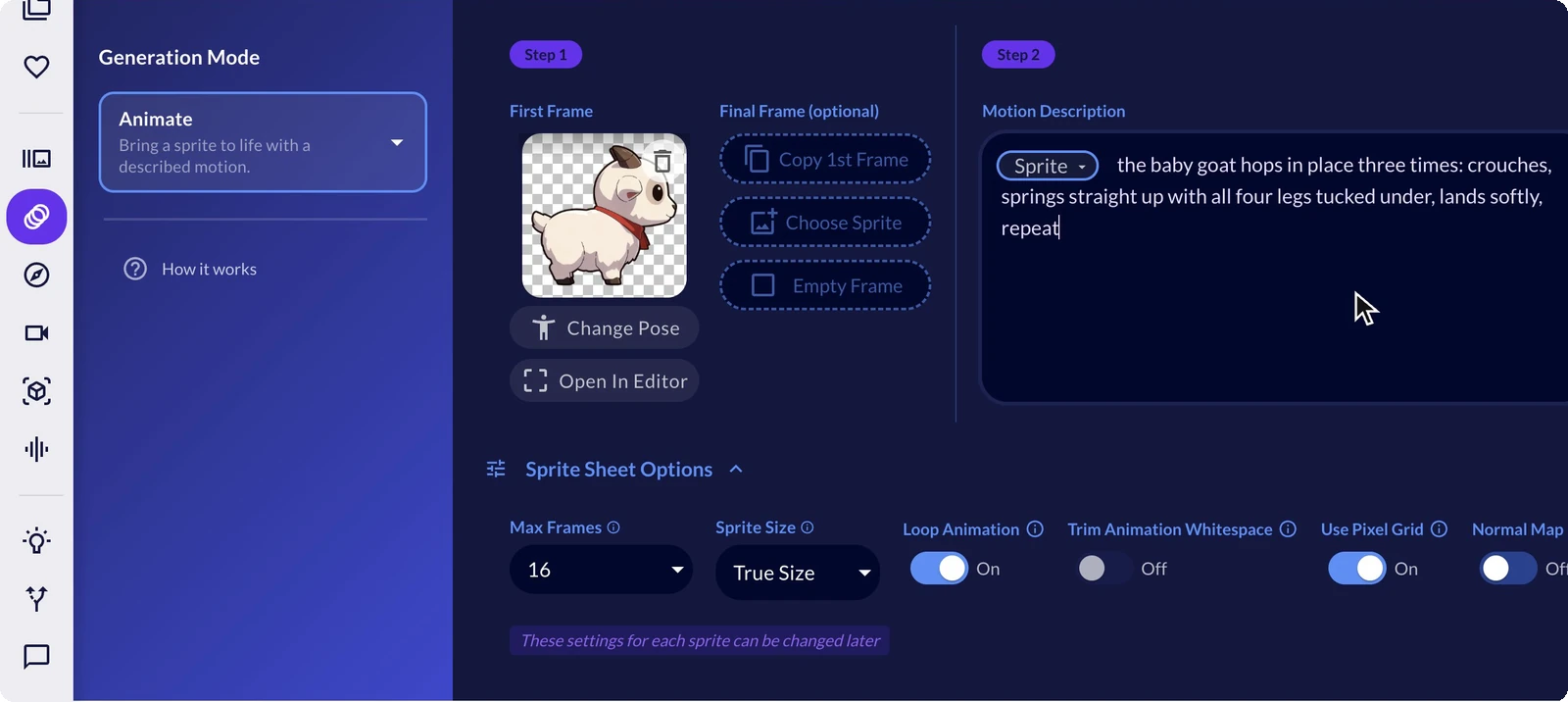
Animate mode took one picture and one sentence and returned 36 frames: three hops in place.
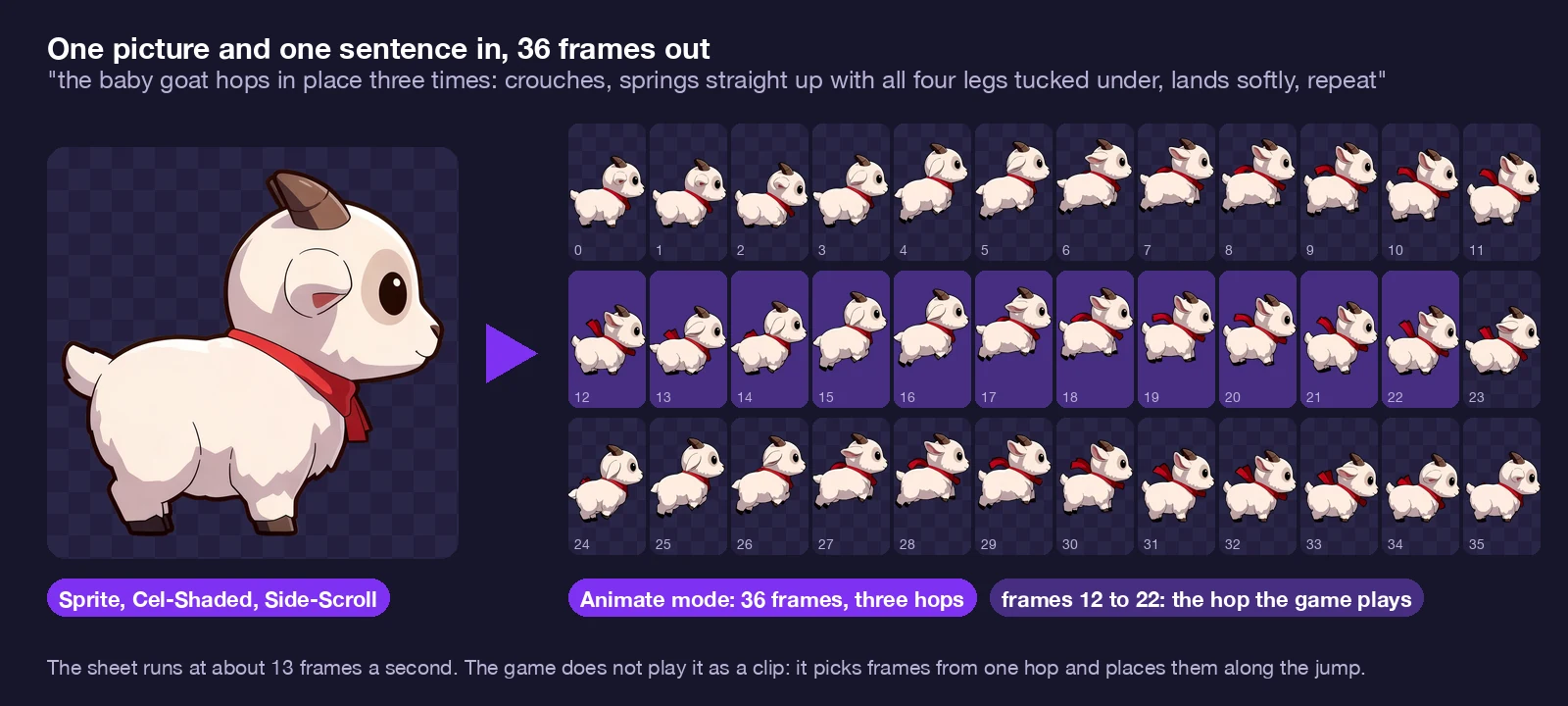
A hop in place is not a jump between two ledges. Build 1 played the whole three-hop sheet while moving her along an arc, so crouch and landing frames played in mid-air and air frames played on the ground. There is a second trap inside the frames themselves: her feet are not on the same row in each one.
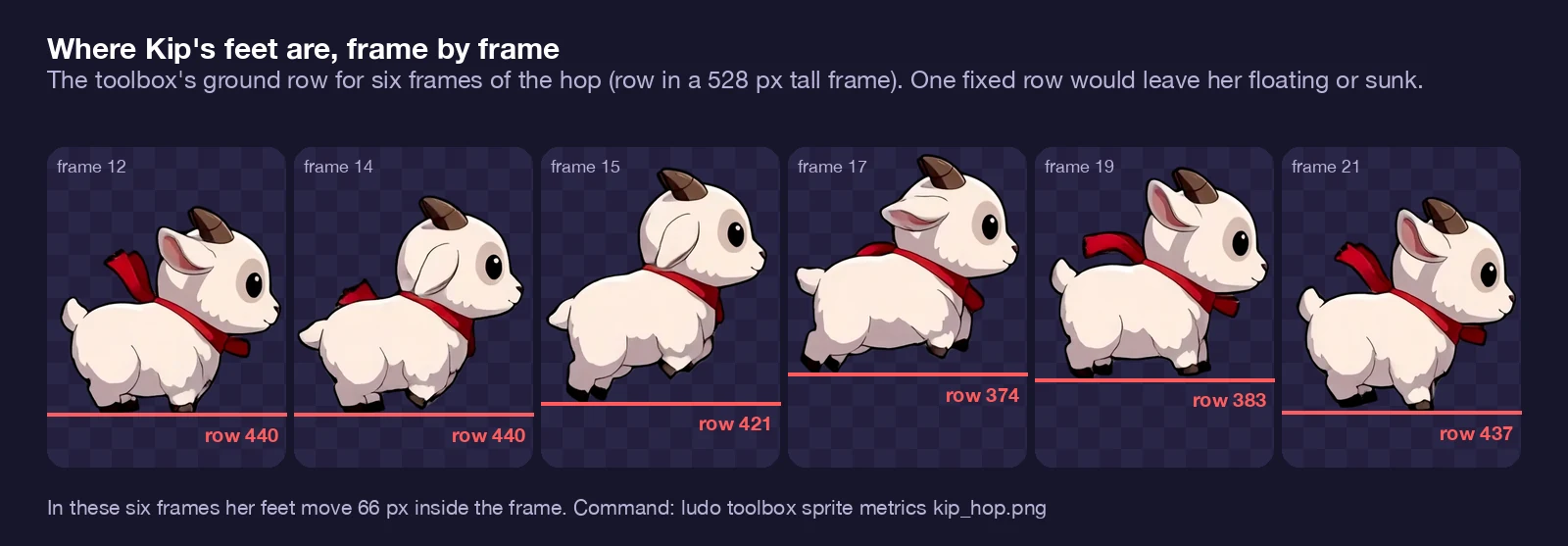
ludo toolbox sprite metrics kip_hop.png. It reports the row for all 36.The fix was two rules. Play one hop, split by what it is: crouch frames on the first ledge, the five air frames spread over the arc, landing frames on the second ledge. And every frame, hang the sprite from that frame's own ground row. These are the lines from the script (main.gd, written by Claude Code):
# in the air: u runs 0 to 1 between take-off and landing
var p := p0.lerp(p1, u) - Vector2(0, 4.0 * m.h * u * (1.0 - u))
return {"p": p, "f": r[3 + min(4, int(u * 5.0))], "left": left, "ground": -1, "to": m.b}

# every frame: the toolbox's ground row of THIS frame
kip.offset = Vector2(-float(cfg.kip_pivot_x), -float(cfg.kip_ground[f]) - 1.0)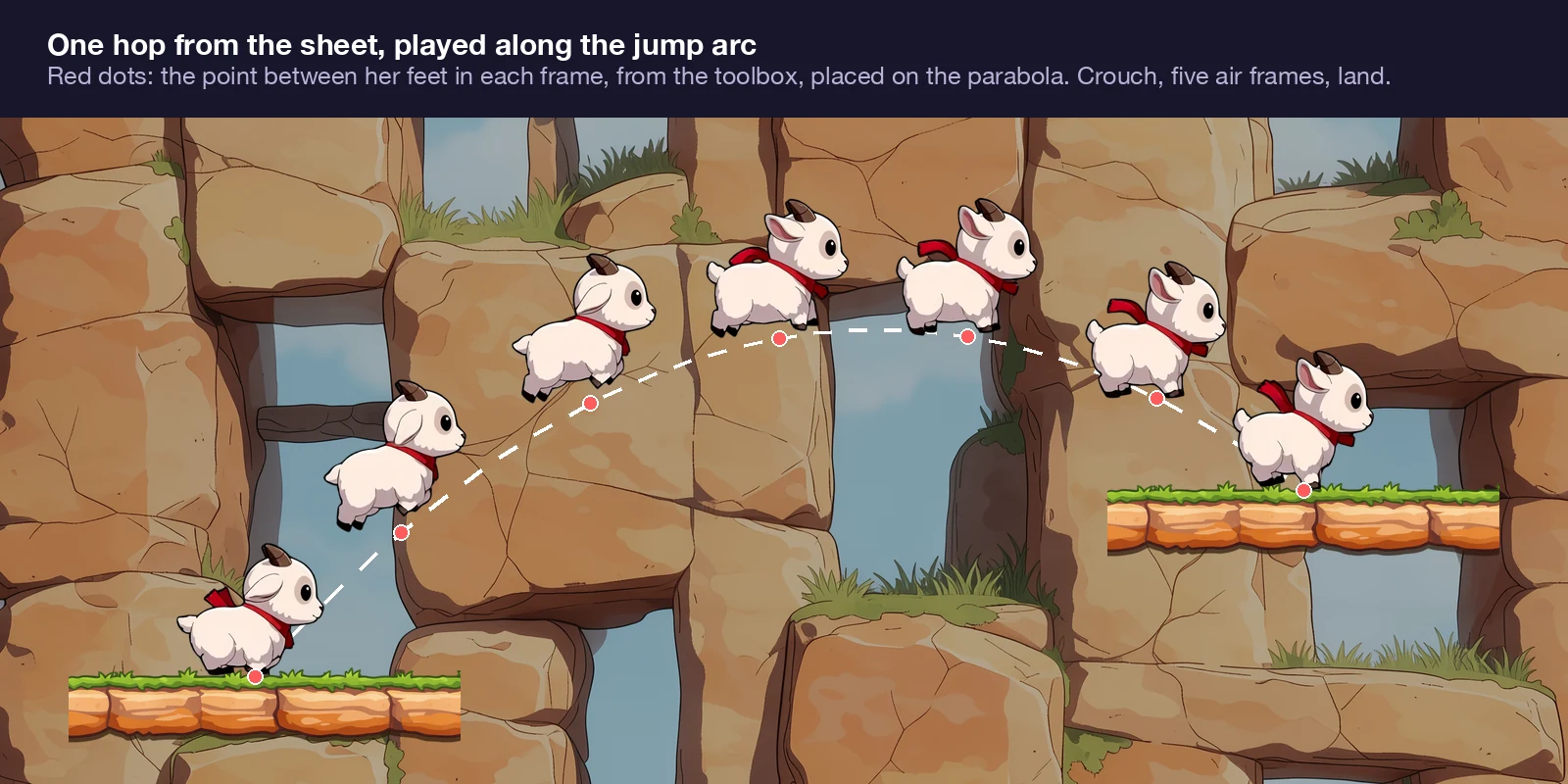
Then we measured it instead of eyeballing it. Because a demo bot plays the game the same way every time, we could capture a whole run and compare her hooves to the ledge on every grounded frame: 5,313 frames over 404 landings. She was within one pixel on 402 landings and two pixels off on the other two.
Build 2: "boring" was a design problem
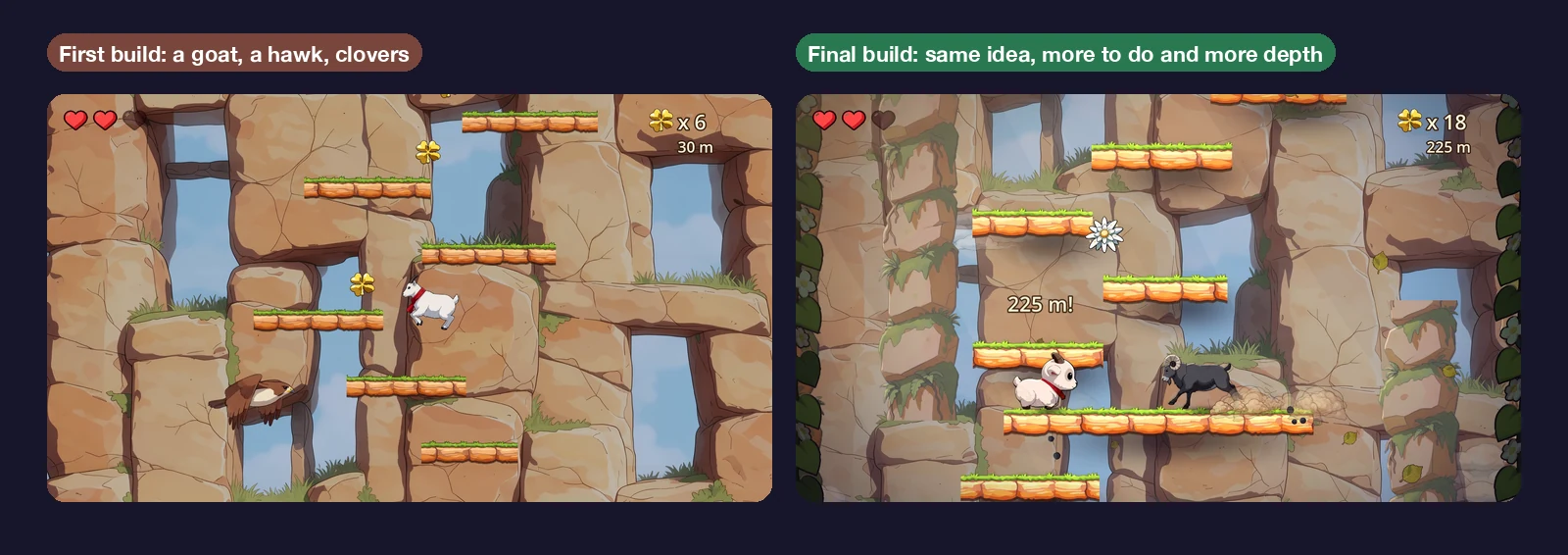
The second half of the note had nothing to do with the art. A hawk and some clovers is not a game. The answer was seven more things for Kip to deal with: a ram that charges along a wide ledge, falling rocks, ledges that crumble after she lands, a plank that slides so she has to wait, a flower that gives a triple jump, combo clovers and a checkpoint flag every 50 metres.
That took 15 more generations (a ram and its charge, a rock, a flower, a flag, a plank, six sound effects and a "Checkpoint!" line among them) and the script grew from about 250 lines to 740.
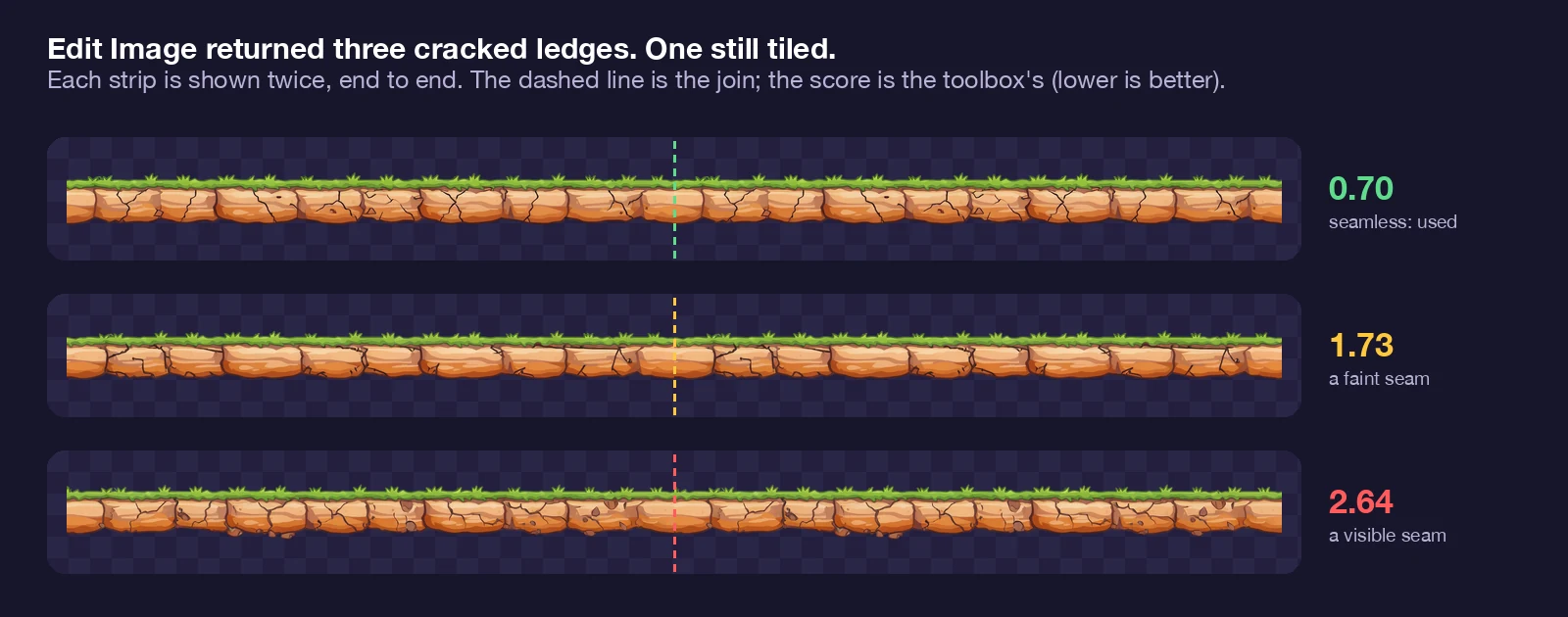
The cracked ledge is the interesting one. It is the original ledge through Edit Image, with the prompt "Add deep dark cracks across every rock block". Editing a tile can break its seam, and it did, twice out of three:
Build 3: "It looks like those old Flash games"
Build 2 played properly and got two more notes:
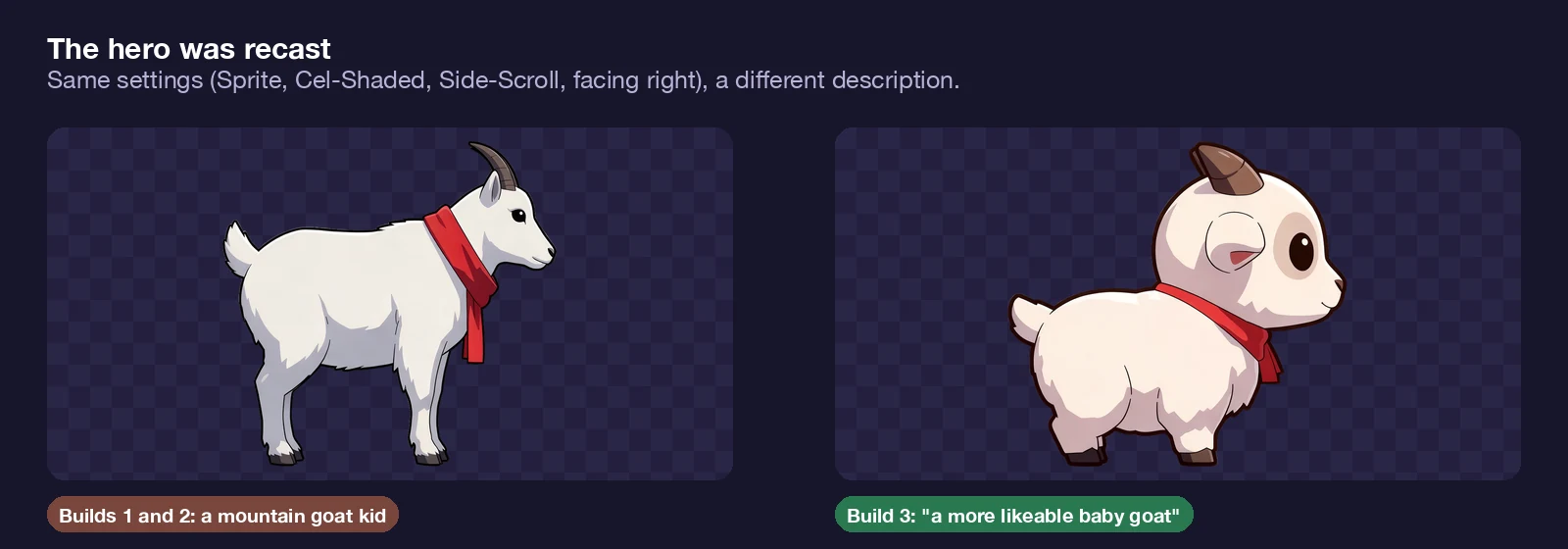
"Let's change the goat to a more likeable baby goat. There is a flatness to the game that I don't like. It looks like those old Flash games."Miguel, on the second build
"Let's add a special effect when the black goat shows up. It just pops up without notice."
So the hero was recast. Same settings, a new description ("an adorable baby mountain goat kid with cute chibi proportions"), and a new hop from the same sentence. We asked for the hop twice. One take drifted 27 pixels vertically in the toolbox's measure, so we kept the one that stayed in place.
The flatness was missing depth. Five small pictures fixed most of it: rock pillars and vines as Vertical Tiling Sprites at the sides, mist and a dust puff as VFX Sprites, and a leaf for drifting particles. The rest was code: soft shadows, a rim light, light rays, and the cliff drawn a little darker so a white goat stands out from pale rock, with the ledges lifted to match.
The ram got a lead-in: a warning sign drawn by the script and a short alarm sting from the Audio Generator, 1.5 seconds before it charges.
Every asset in the game
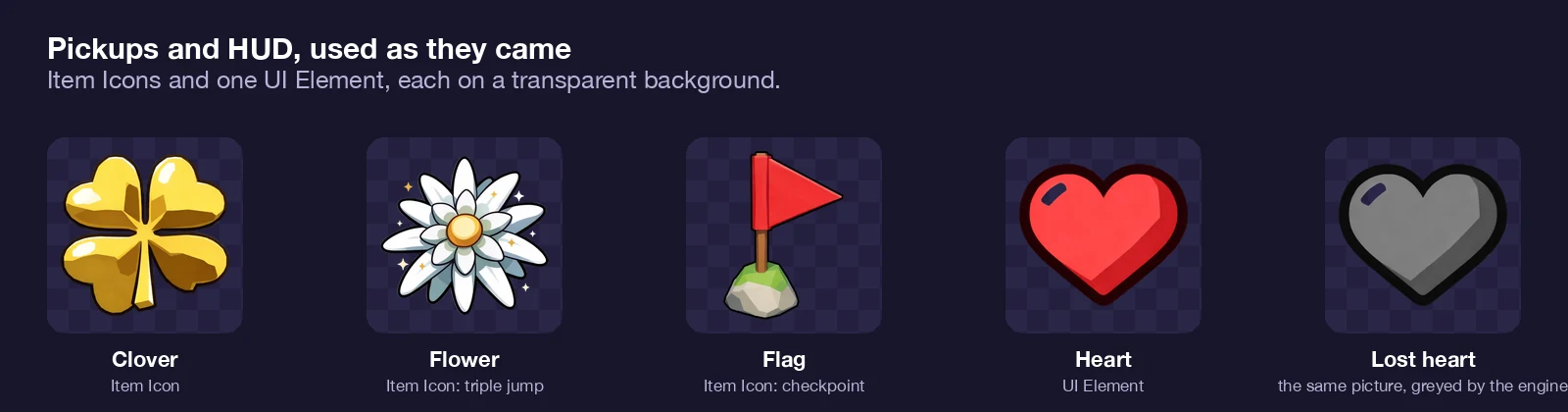
And the sound: eleven sound effects, one music loop and two voice lines. Each effect is one short description and a duration. The music is a 30-second track made with Loop switched on; the toolbox reads it as 120 bpm with no click at the loop point (ludo toolbox audio info music.wav), and Godot loops it forward.

AI tools for game development by job: the full table
One frame of the game. Each label is the setting that made that piece, and jumps to its job below.
Pictures AI image generator: Ludo Image Generator
ludo toolbox image repeatAnimation AI sprite animator: Ludo Sprite Generator
ludo toolbox sprite metricsSound AI audio generator: Ludo Audio Generator
ludo toolbox audio infoEverything else Not made by an asset generator
What AI asset tools did not do: code, effects and game feel
- The code. Ludo does not write code. Claude Code wrote all of it: 250 lines in build 1, 740 in build 2 and 1,118 in build 3.
- Some of the look. The shadows, the rim light, the light rays and the ram's warning sign are code, not generations.
- The feel. How high she jumps, how mean the hawks are and what makes a run interesting were three rounds of a person's notes.
- A build you can play. There is none. A planner lays out the level and a demo bot plays it, which is what let us measure every landing. Adding player controls is the next job, and it is a coding job.
The receipt
| Build | Generations | Ludo credits |
|---|---|---|
| Build 1: three game concepts, then every asset for the climber | 20 | 47 |
| Build 2: seven more things to deal with | 15 | 32 |
| Build 3: a new hero, depth, the ram's warning | 9 | 29 |
| All three builds | 44 | 108 |
Of those 108 credits, 81 are in the finished game: 17 pictures and the concept, 3 animations, 11 sound effects, the music loop and 2 voice lines. The other 27 are the rejects: concept pictures for two games we did not build, the first goat and her hop, the tall cliff, the hop that drifted and three spare voice takes. An animation was the largest single item at 9 credits; a request for three pictures was 1.5.
The receipt leaves out the video's narration, Claude Code's usage (it was not metered for this game) and our own time. And whatever you make with Ludo, you own.
Questions people ask
Can AI make a whole game by itself? Not this one. An asset generator made the pictures and sound, a coding agent wrote the script, and a person rejected the first two builds for reasons neither tool raised.
Which AI tool makes sprite sheets? Here, Ludo's Sprite Generator in Animate mode: one picture and one sentence returned a 36-frame sheet. The image to sprite sheet guide has the steps.
Are there free AI tools for game development? Parts of this stack are free. Godot is free. Ludo's toolbox is free, runs offline and needs no account, so the three checks in this post cost nothing, on any asset from any source. You can start with Ludo for free.
Do the assets work in Godot? They are plain PNG and audio files. The script loads them at runtime, and the toolbox reports the pivot and ground row a Godot sprite needs. See exporting sprites to Unity, Godot and GameMaker.
Can the coding agent make the assets too? Yes. Every generation in this post was run from the ludo CLI, which works inside Claude Code. Our guide: How to make a game with AI using Claude Code and Ludo.ai. A game built that way, with its bill: We Gave Claude Code 5 Days to Finish Our Game.
Make the art, animation and sound for your own game.
Try Ludo free