Free spritesheet, sprite and audio tools for your coding agent
Give your coding agent superpowers for your game assets. 32 free tools give Claude Code, Codex or Cursor the numbers a script can't guess: a sprite's pivot on its feet, its collider and pixels per unit for Godot and Unity, how well a walk loops, a song's tempo, and what your asset folder is still missing. They run locally and work offline, with no account and no credits.
npm install -g @ludoai/cli
ludo skill install
Needs Node.js 20+ and Ludo CLI 0.2.0 or later. The second line teaches your agent the tools. Open source (MIT) on GitHub.
your coding agent~/my-game
>Set the knight up in Unity: pivot on his feet, a collider without the sword, and 1.8 m tall.
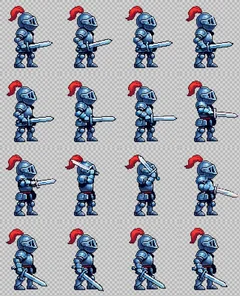
⎿walk.png.meta and walk.anim: 16 sprites pivoted on the feet
Done: the walk imports into Unity pivoted on his feet at 46.67 pixels per unit, and walk-collide.png shows the box and capsule. Want a jump to go with it? Ludo can animate one from a frame: that needs ludo login on a Pro or Studio plan, and uses credits.
>
walk-collide.png
See it work
Every tool, grouped by job, and a real run on Ludo's own assets for most of them: what you ask your agent, the command it runs, what the tool reported and what it wrote. Play the sheets and the sounds. Run ludo toolbox for the list and --help on any tool for its flags.
Spritesheets
ludo toolbox sprite
Measure a character for the engine, cut sheets into frames and back, check loops, line animations up and write the engine files.
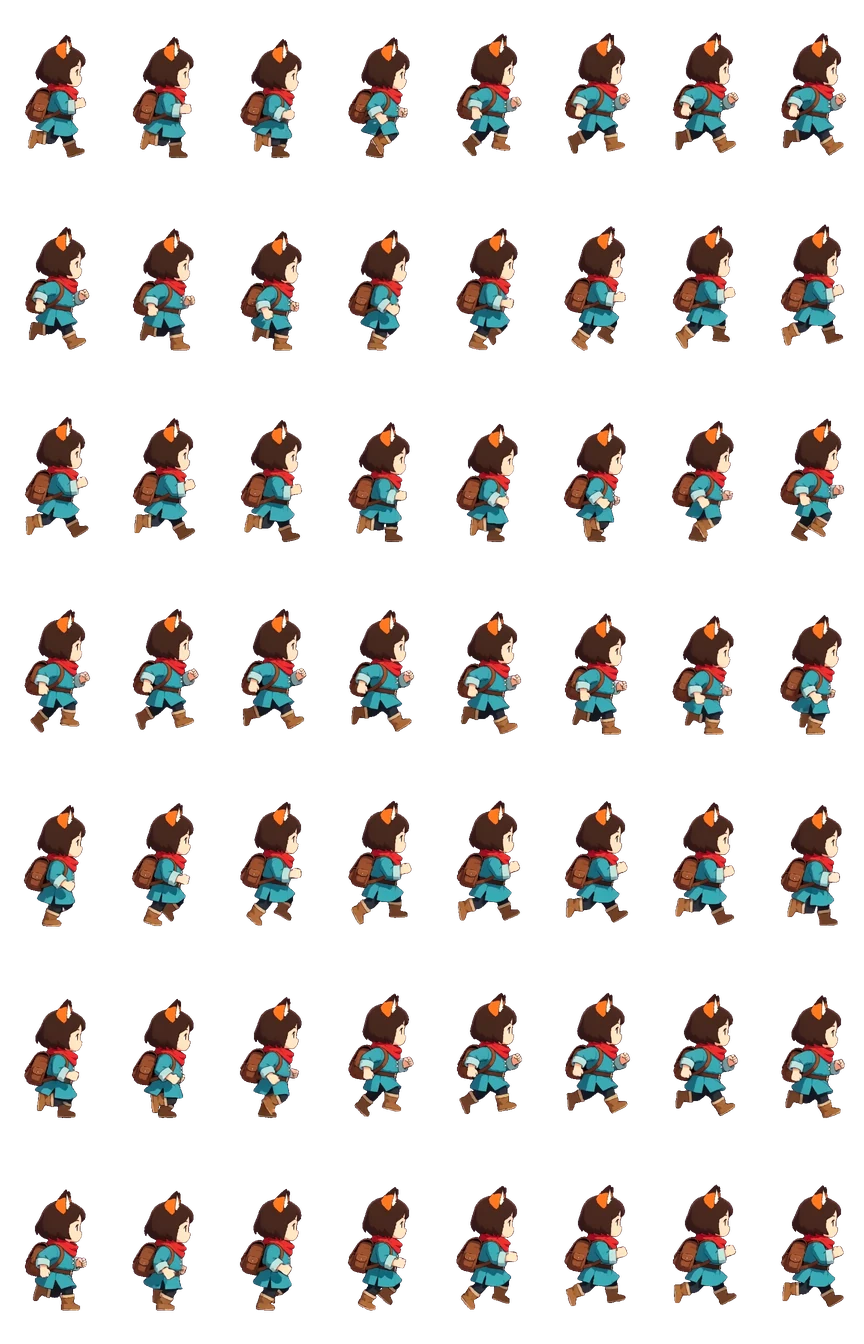
hiker-walk.pngone sheet, 1728×2688→
ludo-output/hiker-walk/hiker-walk-NN.png
0102030405060708091011+45to 56
56 files, 216×384 each
sprite slice
One sheet in, one PNG per frame
>Split the walk cycle into frames.
Bash(ludo toolbox sprite slice hiker-walk.png)
⎿56 frames · 8×7 grid, read from the sheet's Ludo stamp · 216×384 px each
Without a stamp it finds the grid by looking, and when it isn't sure it stops and asks for --grid instead of guessing. join puts frames back together.
Three sheetsidle · 330×450 framePackedidle · 365×440 frame
sprite comparesprite packsprite sequence
One frame size, feet on one line
>Get the knight's idle, walk and attack ready for one AnimatedSprite2D.
⎿330×450, 384×528 and 390×450 frames → all 365×440, walk scaled 0.83, feet on one ground line
One frame size and one ground line for your engine: a node that plays several animations, like Godot's AnimatedSprite2D or a Unity Animator, keeps one offset for all of them, so the sheets need the same frame and the feet in the same place. pack scales a character's sheets to one body height and ground line, in one frame size, and writes them with a pack.json. Ludo's True Size gets there another way, drawing every frame at the size and place of the input image, as in the knight above; compare names both. sequence chains the moves into one sheet instead, each starting where the last one ended.
One run per engine: godot writes a SpriteFrames, unity the sprite .meta and an .anim clip, texturepacker the JSON atlas Phaser and PixiJS load. The files sit next to the sheet. tiles does the same for tilesets: Tiled, Godot and Unity.
1walk-hydra.png0.99 · loops cleanly
2walk-forge-2.png0.86 · loops cleanly
3walk-forge-1.png0.59 · a small hitch
sprite loop
Which take loops best?
>I made three takes of the knight's walk. Which one loops best?
⎿walk-hydra.png 0.99 · walk-forge-2.png 0.86 · walk-forge-1.png 0.59, a small hitch at the seam
loop scores how the last frame runs back into the first, against the clip's own pace, from 0 to 1: 0.8 and up loops cleanly, under 0.5 is a hitch you see. Given several takes it ranks them, the best loop first. It only reads the sheets; nothing is edited.
Also in the box
sprite metrics

Bounds, body, ground line and a pivot between the feet, with engine values
pivot 62, 106, on the feet
sprite join
Put frames back together into one spritesheet
--cols 4: 4 frames → a 4×1 sheet
sprite frames
Drop, reorder, reverse, ping-pong or hold frames
--reverse: frames 16, 15 … 1
sprite gif
An animated GIF of a spritesheet
216×384, 24 fps, 615 KB (shown at half size)
sprite video
A spritesheet to WebM or MOV with transparency, or MP4
--format mp4: 216×384, 2.33 s, 141 KB
.mp4→
sprite from-video
A video clip to a spritesheet
an MP4 → 16 frames at 10.67 fps
Images and pixel art
ludo toolbox image
Swap a sprite's colours, outline it, and check that a texture tiles. On a spritesheet every frame gets the same edit.
Red
Gold
Blue
Green
image recolorimage palette
A palette swap: the same enemy in four teams
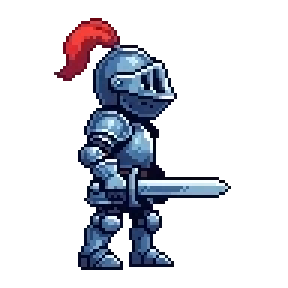
>Make gold, blue and green versions of the knight for the other teams.
⎿217 plume pixels swapped in each; every other colour stays
recolor --swap turns each colour of one palette into the colour at the same place in another, and leaves the rest alone: the plume changes, the armour doesn't. Palettes are .hex, .gpl or .pal files, a sprite's own colours, or a list of hexes. palette lists an image's colours and saves them.
Knight
Outline
Shadow
image outlineimage shadow
Outline and drop shadow
>Give him a white outline so he reads on the dark levels.
⎿a 1 px circle outline · a shadow 2 px right and down at 45%
outline is pixel-exact, --shape circle, square or diamond, up to 32 px with --width; shadow sets its --offset and --opacity. On a spritesheet every frame gets the same edit, so the animation stays aligned.
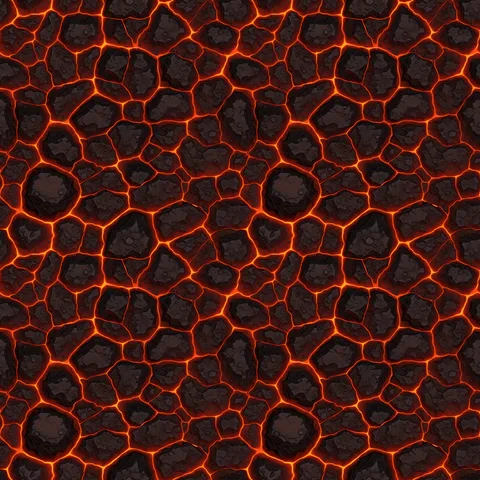
seamless a Ludo lava texture, 2×2joins 0.82× across · 0.66× down
⎿the joins jump 0.82× across and 0.66× down the edges inside the tile: seamless both ways
repeat lays the tile out and measures how much it jumps where it wraps, against the edges inside the image: about 1× or less joins like the art, 2.5× or more shows as a line. So a seam has a number before it's in your level.
Also in the box
→
image trim
Cut away the empty border
128×128 → 59×84
→
image pad
Add a border, grow to a size, or undo a trim
--to 96x96: 59×84 → 96×96
→
image scale
Pixel-perfect by whole factors, or by any factor
--by 3: 96 → 288 px
image flip
Mirror left-right or upside down
left-right, or --vertical
image rotate
Turn by 90, 180 or 270 degrees
--by 90, 180 and 270
image extrude
Repeat edge pixels so frames and tiles do not bleed
--by 16: 256 → 288 px
image tiles
Cut a tileset, or write Tiled, Godot and Unity tilesets
16 tiles of 256×256 and a Tiled .tsx
hiker-walk.png2.48 MBhiker-walk.webp1.50 MB
image convert
PNG or lossless WebP
lossless, 2.48 → 1.50 MB
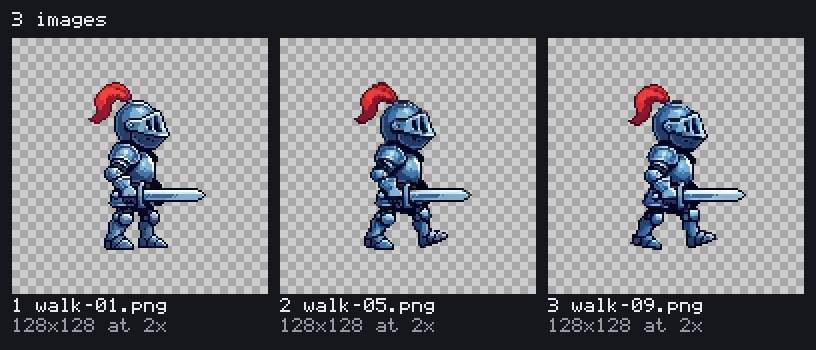
image contact
Several images in one picture, each numbered and labelled with its name and size
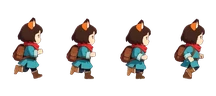
3 frames of the knight's walk
Sound
ludo toolbox audio
Measure a sound or a song, cut the silence off a recording and save it in the format your engine wants.
createMusic-bd454a89.mp324 s
length
24 s, MP3 192 kbit/s, 44.1 kHz stereo
loudness
-13.8 LUFS
peak
-0.4 dBFS, true peak -0.1 dBTP
silence
none at either end
tempo
120 BPM (or 60)
looping
no click where it wraps around
audio info
A song's tempo and loudness
>What tempo is this track, and how loud is it next to the rest?
Bash(ludo toolbox audio info createMusic-bd454a89.mp3)
⎿24 s, stereo · -13.8 LUFS, true peak -0.1 dBTP · 120 BPM (or 60) · no click where it wraps
info reads a sound the way a mixing desk would: its length and format, loudness in LUFS, the true peak, the silence at each end, and whether it clicks where it wraps around, for a loop. On music it finds the tempo, with the half or double it could also be, so the agent can time a game's beats to it. The file is never changed.
Also in the box
before1.95 safter0.60 s
audio trim
Cut the silence off the start and end
a test recording, 1.95 → 0.60 s
.mp3577 KB.ogg482 KB.wav4.23 MB
audio convert
WAV, OGG, MP3 or FLAC
the 24 s song --to ogg and wav
3D models
ludo toolbox model
Check what's inside a model before it goes in the game.
+Z, glTF's front; Godot's CharacterBody3D template moves along -Z, so turn it 180° there
animations
each returns to its first pose:walk_loop_quaternius 1.3 sidle_loop_quaternius 2.47 sinteract_quaternius 2 sfixing_kneeling_quaternius 5.2 swave 2.93 s
walk speed
0.37 units/s along +Z, how fast its planted feet slide back
size
0.72 × 1.00 × 0.41 (width, height, depth)
model info
Everything in a GLB, before it's in your scene
>Is this goblin rigged, which way does he face, and how fast should the walk move him?
Bash(ludo toolbox model info goblin.glb)
⎿47,870 triangles · rigged, 52 joints · faces +Z · 5 clips, each back to its first pose · walk at 0.37 units/s
model info reads the glTF itself and counts as Khronos's glTF-Validator does: meshes, triangles, materials and each texture's size, the skin and its joints, and the model's size in the scene. It runs each clip through the skeleton: whether it holds one pose or returns to its first, and for a walk or a run, the speed to move the model at so the feet don't slide. On a rigged model it says which way it faces. The file is never changed.
Asset folders
ludo toolbox asset
Hand your agent the whole folder: what every file is, what the game still lacks next to the rest, and the Ludo command that makes each missing piece.
assets/ 12 files, 20.2 MB
audio/
coin.mp3sfx0.42 s
createMusic-bd454a89.mp3music24 s, made by Ludo's createMusic
jump.mp3sfx0.11 s
models/
create3DModel-2f4066c5-1.glbmodel50,182 triangles
goblin.glbmodelrigged (52 joints), 5 clips
rigModel-ce00028a.glbmodelrigged (52 joints)
sprites/
hiker_walk.pngspritesheet56 frames of 216×384 at 24 fps
sprites/knight/
attack.pngspritesheet16 frames of 128×128 at 10.67 fps
idle.pngspritesheet16 frames of 128×128 at 10.67 fps
walk.pngspritesheet16 frames of 128×128 at 8.83 fps
sprites/
pixel_knight_attack.webpspritesheet16 frames of 94×112
pixel_knight_idle.webpspritesheet16 frames of 128×128
Missing, next to the rest of the folder (4)
hiker has walk but no attack, which knight and pixel_knight have
ludo sprite animate --initial-image <a frame of hiker> --motion-prompt "attack"
hiker has walk but no idle, which knight and pixel_knight have
ludo sprite animate --initial-image <a frame of hiker> --motion-prompt "idle"
models/create3DModel-2f4066c5-1.glb has no skeleton, while models/goblin.glb and models/rigModel-ce00028a.glb are rigged or animated
ludo model rig --model assets/models/create3DModel-2f4066c5-1.glb
models/rigModel-ce00028a.glb is rigged (52 joints) but has no clip, and no animation file here moves its bones
ludo model animate-preset --model assets/models/rigModel-ce00028a.glb --preset-id <id>
asset manifest
What's in the folder, and what's missing
>What's in assets/, and what is the game still missing?
⎿12 files: 6 spritesheets, 3 models, 2 sound effects, 1 song · 4 missing · assets-pack.json and assets.ts for Phaser
Both knights have an idle and an attack but the hiker only walks, one model has no rig and the rigged one has no animation. Ludo makes all four: generating from the CLI needs ludo login on a Pro or Studio plan, and each one uses credits. Want me to run them?
manifest says what each file is and how it knows: a sheet's Ludo stamp, the asset log Ludo's CLI keeps, its name, or how it sounds. It finds duplicates and a WAV saved as .mp3. Then it lists what the folder lacks next to the rest of it: a move the other characters have, a sheet's sound, a model's rig or its animation, each with the Ludo command that makes it. --emit phaser or pixi writes the loaders, with typed keys.
Made for agents
The install above adds the Ludo skill, so your agent knows every tool and you can ask for the chore in plain words while it builds your game. In Claude Code, ludo skill install --project shares it through the repository; it is also a plugin (/plugin marketplace add Ludo-AI/ludo-cli). Any other agent can read ludo agent-help.
When an agent runs it, every tool prints plain JSON: what it found, the files it saved and how sure it was. Outputs get a new name instead of replacing your files, with two exceptions: the engine files sprite export writes next to a sheet replace their earlier copy (an existing Unity .meta is rewritten and keeps its guid), and so do the loaders --emit writes. Replacing a sound you edit is opt-in, with --in-place. A detection it is not sure of exits with its own code instead of guessing, so the agent can ask you. This is what the slice above gave back:
{
  "sheet": "assets/hiker-walk.png",
  "grid": { "cols": 8, "rows": 7, "frames": 56, "frame_width": 216, "frame_height": 384, "fps": 24 },
  "grid_from": "stamp",
  "dir": "ludo-output/hiker-walk",
  "files": ["ludo-output/hiker-walk/hiker-walk-01.png", "..."],
  "hint": {
    "text": "Turn a frame into a new animation with Ludo",
    "command": "ludo sprite animate --initial-image ludo-output/hiker-walk/hiker-walk-01.png --motion-prompt \"<what it does>\""
  }
}
When the game needs art you don't have
The toolbox measures and ships the assets you already have. The hint at the end of that JSON is one suggested next step. Often it is another free tool; when the next step is a new asset, it is a paid Ludo command your agent can run: a jump to go with the walk, a sound for the jump, the hiker as a rigged 3D model. --quiet leaves the hint out. And ludo toolbox asset manifest goes through the whole folder and lists what the game still lacks, each with the command that makes it.
On a Pro or Studio plan, run ludo login once and the same CLI generates sprites and animations, images, 3D models, video, sound effects, music and voices, saved to disk next to the rest of your game. Every generation uses credits from the plan; ludo pricing lists what each one costs, no login needed. To try generation first, a new account gets 30 free credits in the Ludo web app.
Yes. The toolbox needs no account, no API key and no credits, and the CLI is open source under the MIT license. Generating new assets with Ludo from the CLI is different: it needs a Pro or Studio plan, and every generation uses credits.
For editing by hand, ImageMagick, Aseprite and TexturePacker are better tools; the toolbox is the measuring and plumbing layer your agent can rely on. It reads a sheet's grid from its Ludo stamp or detects it, and when it isn't sure it stops with exit code 12 instead of guessing. It puts the pivot on the ground line between the feet, not the middle of the bounding box, so a flipped sprite doesn't slide. It gives one pixels per unit across a character's sheets. It writes each engine's own files: a Godot .tres and .tscn, a Unity .meta and .anim, a TexturePacker atlas. And it gives the same answer every run, in a few lines of JSON, where a script the agent writes costs tokens and comes out different each time.
Any agent that can run commands: Claude Code, Codex, Cursor, GitHub Copilot, Gemini CLI and others. Install the Ludo skill and the agent knows every tool; without it, ludo toolbox --help lists them. Results come back as plain JSON with the saved file paths.
No. It works on any spritesheet, image, sound or glTF model. Sheets made by Ludo carry a stamp with their grid, so those don't need a --grid.
No. Every tool runs locally on your files and works offline.
A short record of each command when it finishes: the command, its exit code and how long it took; the names of the flags used, never their values; the CLI, Node and OS versions, whether it ran at a terminal or in CI, and which coding agent ran it. For toolbox tools also how many files they read and in which format, the frame count, whether a sheet was made by Ludo, the engine, which next step they suggested, and for asset manifest how many gaps it found and of which kinds. Plus a random install id, and your account when you are logged in. Never flag values, file paths, file names or contents. If the CLI itself crashes, it sends a crash report with the same exclusions. LUDO_TELEMETRY=0 or DO_NOT_TRACK=1 turns both off.
Ludo CLI 0.2.0 or later (the toolbox came in 0.2.0) and Node.js 20 or newer. ffmpeg only for the video tools and for reading OGG and FLAC or writing OGG, MP3 and FLAC. Everything else, PNG, WebP, GIF, WAV and MP3 included, is built in.
Give your agent the Asset Toolbox
One install, free forever, and your agent knows where new art comes from.