

All features
Ludo.ai Features
Every Ludo tool in one place: the asset generators, and the tools that help you design the game itself.
Asset generators
Production-ready game assets, ready to drop into your engine.

Sprite Generator
Upload one image of a character and get an animated sprite sheet back, or start from a text prompt. Twelve animatable asset types, 641 motion presets, animations up to 5 seconds.
Image Generator
Generate game art from a prompt or reference image: backgrounds, parallax layers, icons, UI, portraits, card art and textures. 20 asset types, 32 styles.
Directional Sprites
Describe a character, pick a 2D art style and get animated sprite sheets in up to 8 directions, all rendered from one 3D model so every view matches.
3D Asset Generator
AI 3D asset generation for games: create game-ready models from text or a 2D image, then auto-rig and animate them. GLB export with PBR textures, polycount control, and a choice of the low-cost Prop model or the detailed Hero model. No modeling skills required.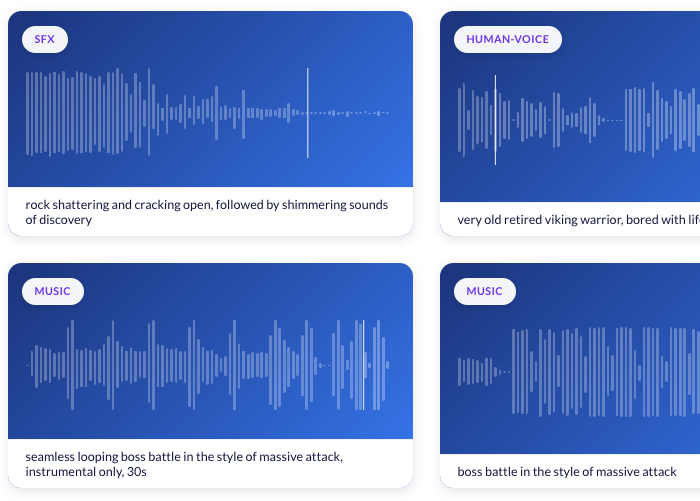
Audio Generator
Generate custom sound effects, music, character voices, and seamless audio loops for your game. Describe the sound you need and download a studio-quality asset in minutes, with no recording equipment and no stock-library hunting.
Video Generator
Turn a text prompt, an image or a set of reference images into a 5 to 15 second video with a soundtrack.
Game design
Shape the game itself, from the first idea to a playable build.

Project
Create your game's blueprint with an AI-powered co-writer that helps you structure and generate ideas for mechanics, story, characters, and more, all in one flexible workspace.
Game Ideator
Generate fresh, unique game ideas in seconds by providing keywords, themes, genres, or existing game titles.
Ask Ludo
An AI assistant built into the Ludo.ai platform, ready to brainstorm, guide, and answer your questions in real time.
Tutorial Generation
Ludo creates a custom, interactive development tutorial based on your game concept, designed to help you go from idea to a playable game.
For developers
Ludo lives where you build
Every generator in your terminal, your AI agent, your own code and the Unity editor. One account, one set of credits.
Explore developer toolsLudo CLIRecommended for AI agentsYour terminal and coding agents like Claude Code. Far fewer tokens than MCP.
npm install -g @ludoai/cliMCP serverAny MCP client, including assistants that can't run commands.https://mcp.ludo.ai/mcpREST APIYour own app, game server or pipeline.https://api.ludo.ai/api/Unity pluginGenerate and import assets inside the Unity editor.Experience the future of game creation
Free to try. No credit card required.