
Ask Ludo, Your AI Gaming Companion
An AI assistant built into the Ludo.ai platform, ready to brainstorm, guide, and answer your questions in real time.
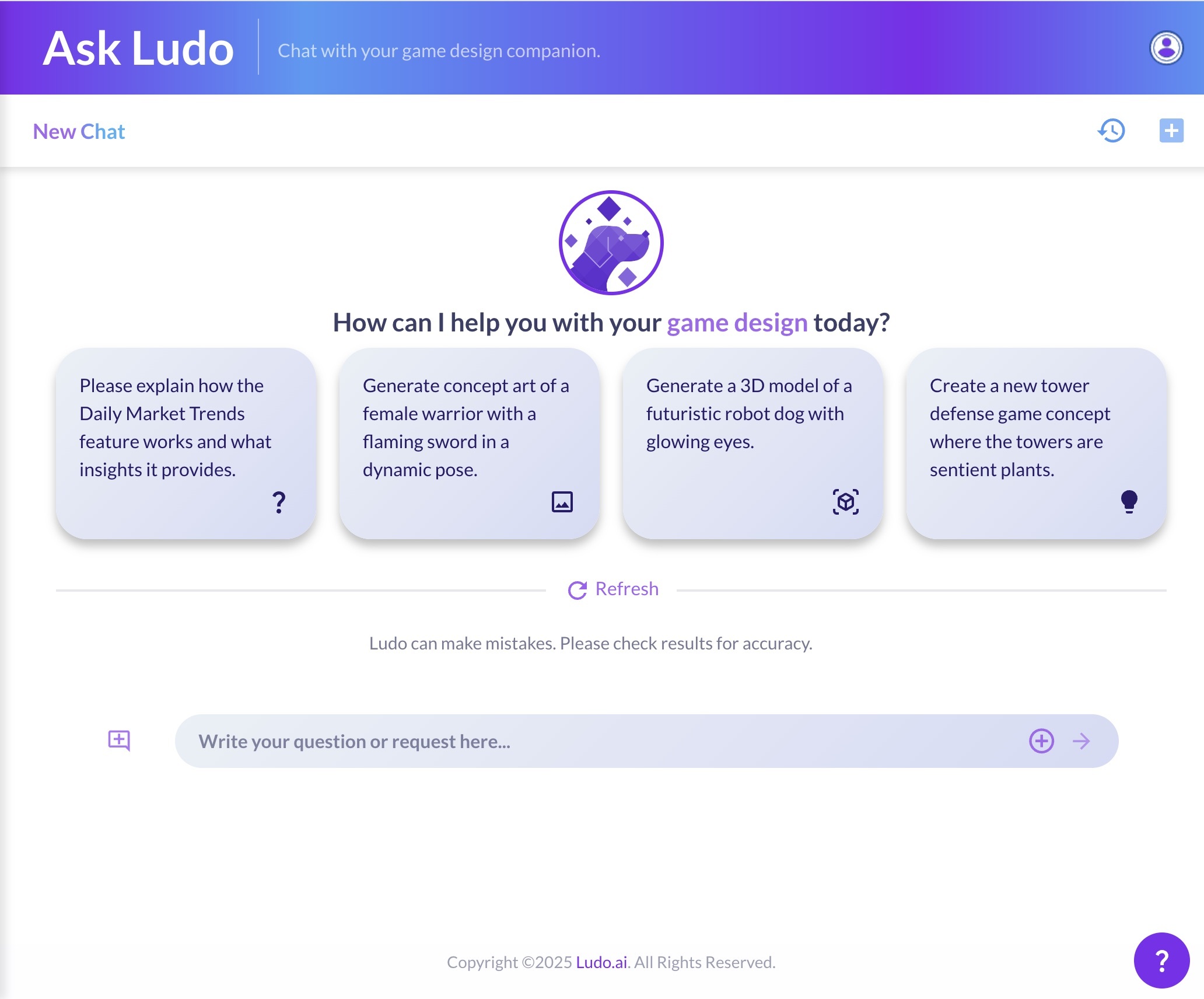
What is Ludo's AI assistant?
Ask Ludo is the AI assistant built into Ludo.ai, a conversational companion for game developers. Chat in plain language to brainstorm game ideas, look up games, and generate images, sprites and videos without leaving the conversation. Ludo also exposes its generation tools, including 3D models and audio, through an MCP server, so assistants like Claude and Cursor can create assets directly.
How It Works
Ask Ludo is the conversational AI assistant inside Ludo.ai. Describe what you need and it answers and generates assets right in the chat. Here is how it works:
Start a Conversation
Open Ask Ludo and type your request in plain language: a game idea to explore, a question about the platform, or an asset you want to create. You can also attach your own images for the assistant to work from.
Generate and Research In-Chat
The assistant brainstorms game ideas, looks up games, answers questions about Ludo's tools, and generates images, sprites and videos directly in the conversation, so you do not need to switch between separate tools.
Refine, Restore, or Automate
Use follow-up suggestions to iterate, restore the chat to an earlier response if a branch goes nowhere, and come back to archived conversations later. To generate assets from your existing AI workflow, connect Ludo's MCP server to Claude, Cursor, or your own apps.
Ludo lives where you build
Every generator in your terminal, your AI agent, your own code and the Unity editor. One account, one set of credits.
Explore developer toolsnpm install -g @ludoai/cliMCP serverAny MCP client, including assistants that can't run commands.https://mcp.ludo.ai/mcpREST APIYour own app, game server or pipeline.https://api.ludo.ai/api/Unity pluginGenerate and import assets inside the Unity editor.FAQ
Ask Ludo is an all-purpose, conversational assistant for game developers. In a single chat you can brainstorm and refine game ideas, look up specific games, get guidance on Ludo's other tools, and generate assets like images, sprites and videos, all through natural language.
Yes. Ask Ludo can create game ideas, images, sprites and videos directly in the conversation. The results appear inline, so you can preview them, save them, and keep iterating without opening a separate generator.
Yes. You can attach your own images to a message and have the assistant work from them, for example to edit, restyle, or build on existing art while you chat.
Yes. Ask Ludo can pull information about specific games from Ludo's database and use them as references while you shape an idea, which is a quick way to study similar games without leaving the platform.
Yes. You can restore a chat to an earlier response, which removes everything after that point so you can ask something different from there.
Yes. Alongside the in-app assistant, Ludo provides an MCP (Model Context Protocol) server at
mcp.ludo.ai. Connect it to Claude, Cursor, or your own applications with an API key, and those assistants can generate Ludo images, animations, 3D models, audio, and video directly from your workflow. Developers can also use the Ludo CLI.Yes. Ask Ludo keeps your conversation history and lets you revisit archived chats, so you can return to earlier ideas, prompts, and generated assets at any time.
On the free trial and Indie, each message costs 0.5 credits, plus 0.5 credits for every image, asset or game idea you attach; on Pro and Studio, chatting is unlimited in the web app. Generating assets through the assistant uses the credits of the matching generator. Your free trial credits work in the assistant, so you can brainstorm and create a batch of assets to try it out.
You own the assets you generate with Ludo and can use them however you like, including in commercial games.