
Tutorial Generation
Ludo creates a custom, interactive development tutorial based on your game concept, designed to help you go from idea to a playable game.
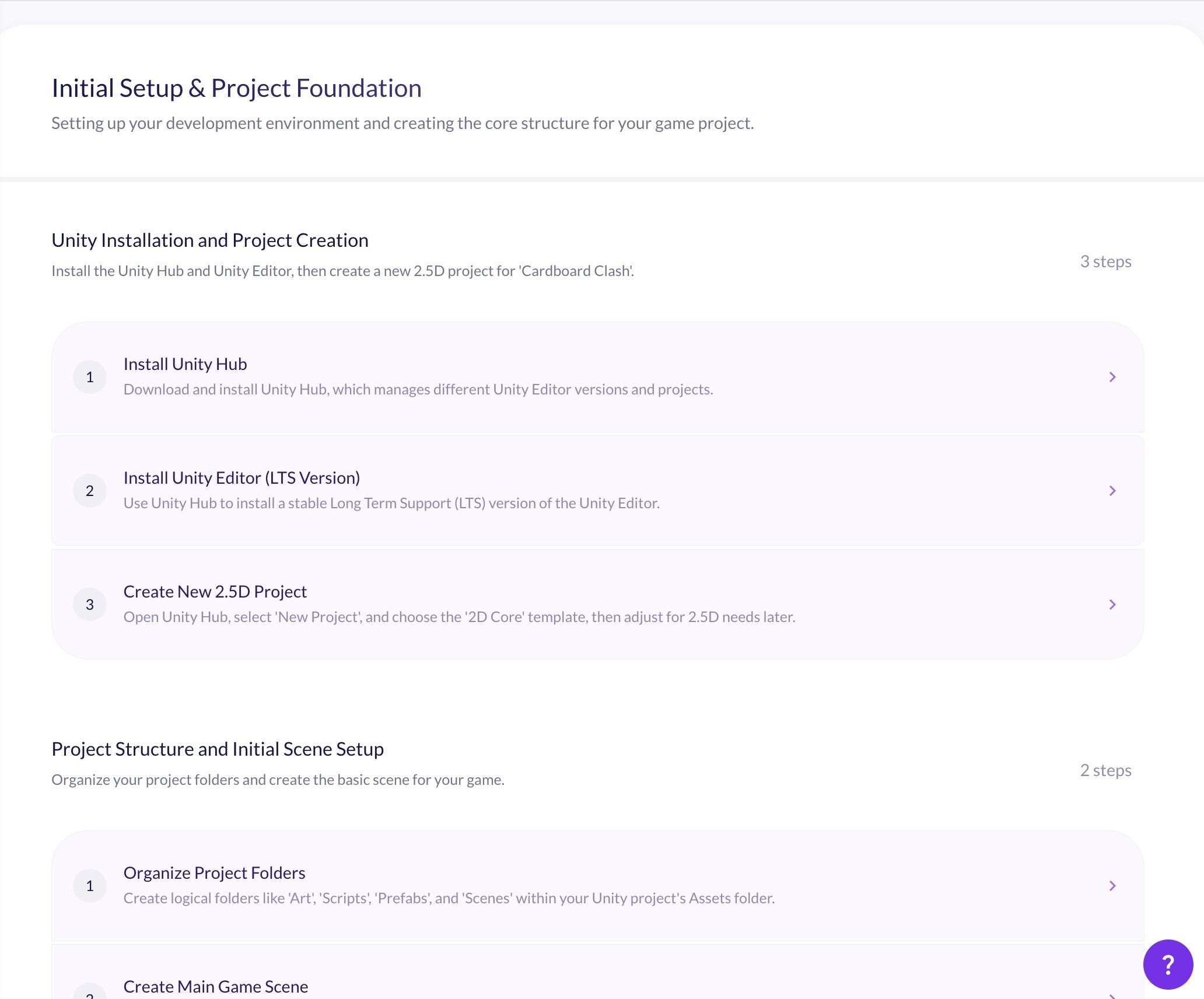
What is AI Tutorial Generation?
AI tutorial generation turns your game design document into a personalized, step-by-step development guide for the engine you choose. Ludo reads your project's mechanics, features, and assets, then writes an ordered roadmap of topics and steps, with explanations and code snippets tuned to your experience level, so you can build your specific game from initial setup through to final optimization.
How It Works
Finalize Your Project
Complete your game's design in the Edit tab of your Project so Ludo has the mechanics, features, and assets to build the guide from.
Generate Your Guide
Open the Tutorial tab, choose your experience level (Beginner or Advanced) and target engine, add an optional prompt to steer the focus, and generate. Leave the prompt empty for a complete development guide.
Build Step by Step
Work through the generated topics and steps with their code snippets, and ask the built-in Ludo Assistant for help with implementation, troubleshooting, or best practices on any step. Guides are saved, so you can come back or create another one.
FAQ
It generates a unique, step-by-step development guide tailored to your game project. Ludo reads your Game Design Document and produces a personalized roadmap, organized into topics and steps with instructions and code snippets, for the game engine you select, from initial setup through to final optimization.
In the Tutorial tab of your Project, next to the Edit tab where you write the design document.
You can generate a guide for Unity, Godot, Unreal, Roblox, Cocos2d-x, Buildbox, and Solar2D. The guide is tailored to your chosen engine's specific APIs and code conventions.
The guide is built from your Project. Ludo reads the mechanics, features, and assets described in your Game Design Document and writes a roadmap specific to that game, rather than a generic engine tutorial.
Yes. Select Beginner for detailed explanations of core concepts, step-by-step guidance, and more code comments and examples, or Advanced for complex system architectures, optimization strategies, edge cases, and platform-specific considerations.
Yes. Each step includes code snippets alongside the written instructions, tailored to the APIs and patterns of the engine you selected, so you can follow along and build directly in your project.
Every step has an integrated chat with the Ludo Assistant. You can ask it for clarifications, code explanations, troubleshooting help, or best practices specific to the step you are working on, without leaving the guide.
Yes. You can add an optional prompt to steer what the guide focuses on, regenerate content with different settings, and keep multiple saved development guides for a project so you can revisit or compare different approaches.
On the free trial and Indie, yes: generating new guide content costs 0.5 credits per request. On Pro and Studio it is unlimited in the web app. Content that was already generated and saved is not charged again when you reopen it.
No. Tutorial generation is an in-app feature inside the Project tool. Ludo's API, MCP and CLI cover asset generation (images, sprites, animation, 3D models, video, and audio) rather than development guides.