

AI Sprite Generator for GameMaker
A sprite animator that brings a static sprite to life in one step: write a motion prompt or pick from 641 motion presets across 34 categories, then export a packed, engine-ready sprite sheet or GIF.
How does an AI sprite generator for GameMaker work?
An AI sprite generator for GameMaker turns a text prompt or reference image into animated character sprites and sprite sheets in GameMaker-ready formats. With Ludo you describe a character, generate idle, walk, run, and attack cycles, and download a packed sprite sheet that imports straight into GameMaker's sprite editor.
Animations generated with Ludo
Each of these started as one static image. The motion is generated.
From Ludo to a GameMaker sprite
GameMaker imports per-frame PNGs as sub-images, or converts a sprite sheet into frames with Import Strip. Ludo exports both.
Export frames or a strip
Download the animation as a ZIP of individual transparent PNG frames, or as one sprite sheet laid out as a grid (you choose a maximum of 4, 9, 16, 25, 36, 49 or 64 frames). The file name of a sheet records the frames, rows and columns. The frame count is a maximum, so a clip can come back with fewer frames than the grid has cells; the file name gives the real count.
Create a sprite
In the IDE create a new Sprite, choose Import, and select all frames. For the sheet, use Import Strip and enter the frame count and frame size in the Convert to Frames window. Use the frame count from the file name, not the grid size, when the last cells are empty.
Origin and collision
Set the origin (usually Middle Centre for characters) and pick a collision mask mode that matches the gameplay.
Playback speed
Set the sprite's FPS in the editor, or drive it in GML with image_speed. Looping cycles are trimmed to the best loop Ludo can find, though a smooth loop is never guaranteed. Hydra sheets also come with a sound effect, which you can download and add as a sound resource.
Ludo lives where you build
Every generator in your terminal, your AI agent, your own code and the Unity editor. One account, one set of credits.
Explore developer toolsnpm install -g @ludoai/cliMCP serverAny MCP client, including assistants that can't run commands.https://mcp.ludo.ai/mcpREST APIYour own app, game server or pipeline.https://api.ludo.ai/api/Unity pluginGenerate and import assets inside the Unity editor.Walk cycles from a named preset
A walk cycle is the loop a character plays every time it moves, and the preset library has a whole category of walks, from standard and stealth walks to limps, strafes and a march, with crouched, stair, weapon and zombie walks elsewhere in the library. Pick one, choose a camera perspective and a compass direction, and the walk comes back on your own sprite as a loop-ready sprite sheet. For the full steps, see how to make a walk cycle.
Open the Walk Cycle Generator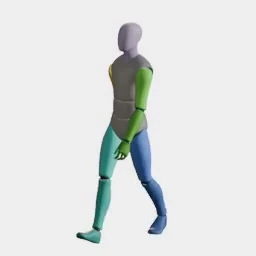
What devs build with it
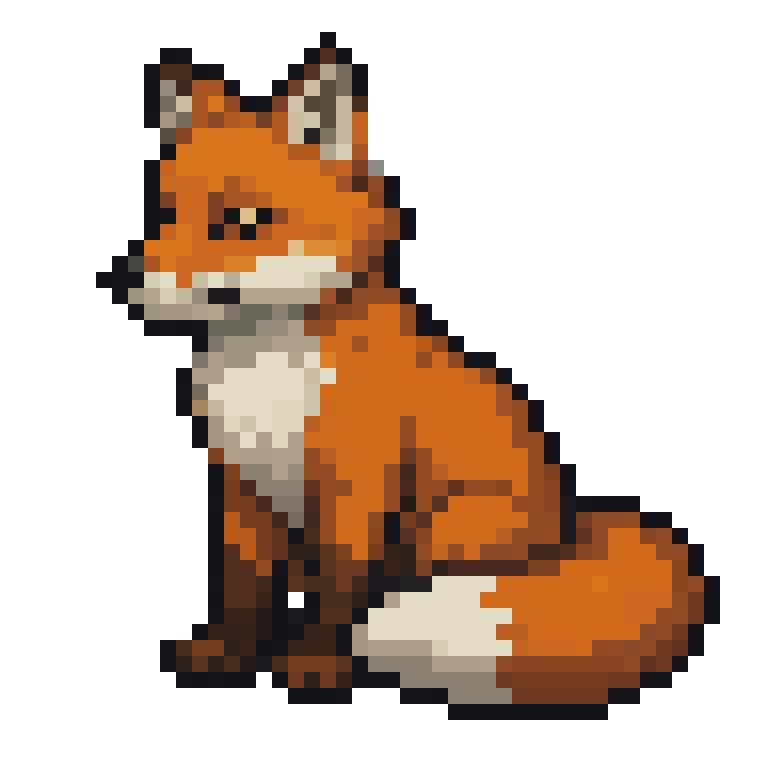
Animate commissioned art
One character image becomes every movement cycle. The static pixel art fox on the left is the only input.
Consistent enemies and NPCs
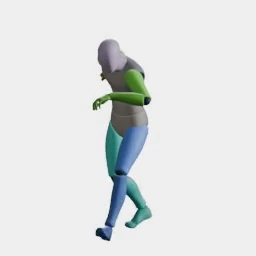
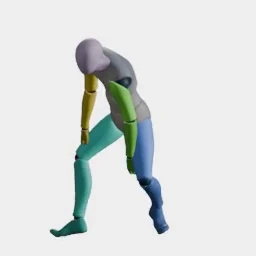
Motion transfer: pick a preset once, apply it to anyone. The adventurer and guard are both driven by the exact same wave preset, with no rigging and no per-character animation work.
VFX and impact frames
Explosions, slashes, and hit flashes as frame sequences.
FAQ
How do I import AI-generated sprites into GameMaker?
Create a new Sprite in the GameMaker IDE, click Import, and select Ludo's exported frames; each file becomes a sub-image. For a sprite sheet, use Import Strip, which opens the Convert to Frames window where you enter the frame count and the frame width and height.
Does it work with GameMaker Studio 2 and GameMaker LTS?
Yes. Ludo exports standard transparent PNG frames and sheets, which import into any modern GameMaker version, including GameMaker Studio 2 and the LTS releases.
How do I control animation speed in GameMaker?
Set the sprite's FPS in the GameMaker sprite editor, or drive playback in GML with image_speed and image_index. Ludo's looping cycles play cleanly either way.
What about sprite origins and collision masks in GameMaker?
After importing, set the origin (Middle Centre works for most characters) and choose a collision mask mode in the sprite editor. Ludo's transparent backgrounds keep automatic masks tight to the character.
Can I automate sprite generation for my GameMaker project?
Yes. Use Ludo's REST API, MCP server or CLI (included with Pro and Studio) to batch-generate sprites and drop the PNGs into your GameMaker project's sprite imports. Results from the API, MCP and CLI are kept for 7 days, so download them when a job finishes.
Is there a Ludo plugin for GameMaker, and how do I keep pixel art crisp?
There is no GameMaker plugin: Unity is the only engine Ludo has a plugin for, so you import the exported frames or sheet as described above. For pixel art, pick one of the pixel art styles in Ludo (Micro Pixel, 8-Bit, 16-Bit, 32-Bit or Free Pixel) and export in Pixel Art mode, which scales with nearest-neighbor. Then turn off "Interpolate colours between pixels" in Game Options (the Graphics section of each platform) so the pixels stay sharp.
Do I own the sprites I use in my GameMaker game?
Yes. You own the assets you generate with Ludo and can use them however you like, including in commercial GameMaker games.
Experience the future of game creation
Free to try. No credit card required.