
AI Keyframe Sprite Animation
You already know what the pose looks like at the start, the middle, and the end. Give those three frames to Ludo and it fills in everything between them, then returns a sprite sheet, a GIF, or the individual frames.
What is AI keyframe sprite animation?
AI keyframe sprite animation is inbetweening for sprites: you supply the key poses and the AI generates the frames between them. In Ludo you pass up to three keyframes, an initial image plus an optional middle and final one, and get back a packed sprite sheet of up to 64 frames. A motion prompt is optional, so the motion can come entirely from the frames you drew.
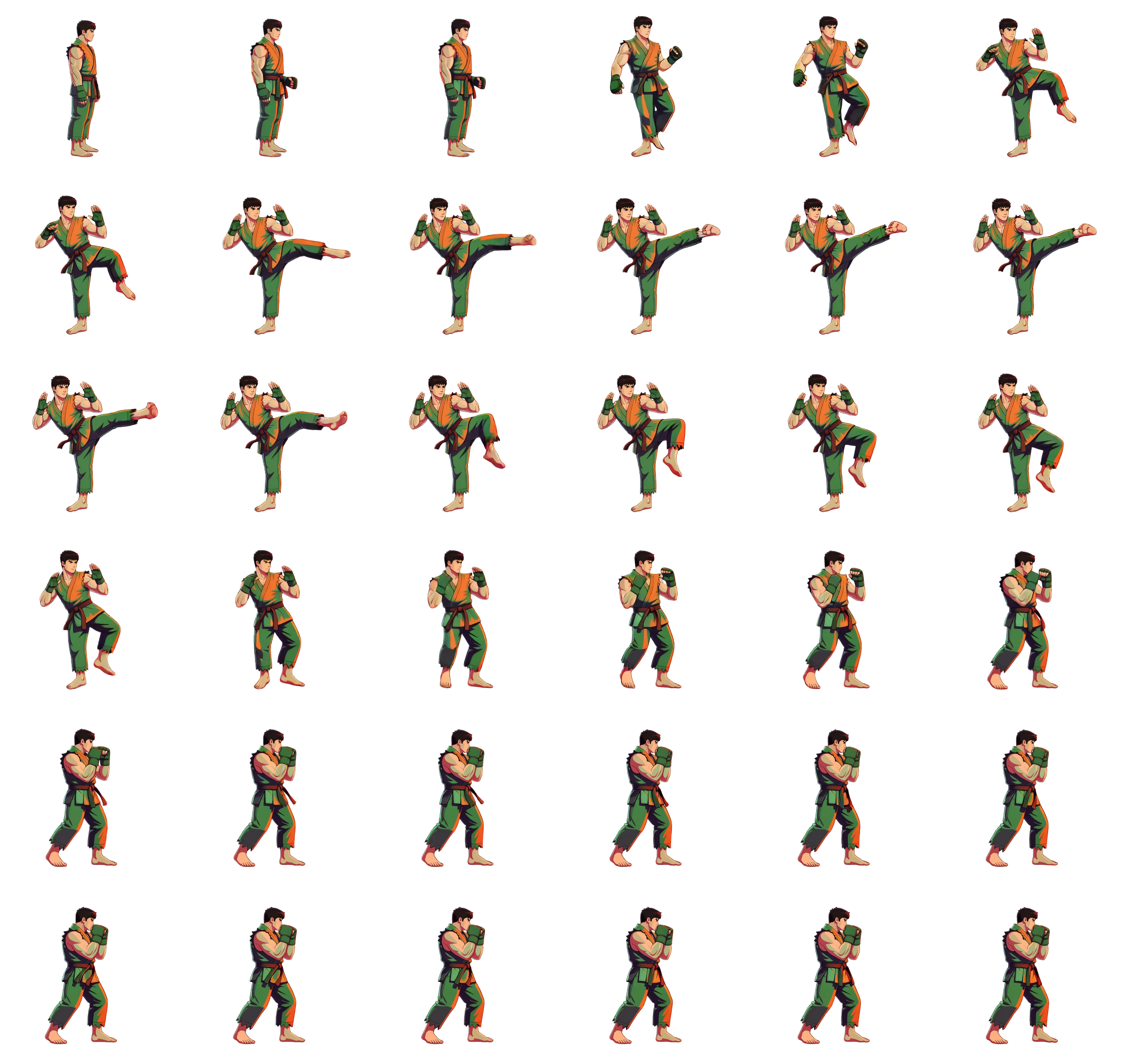
Three poses in, thirty-six frames out

The three poses below are the only frames that were drawn. No motion prompt was used at all: everything in the sheet was generated between them.
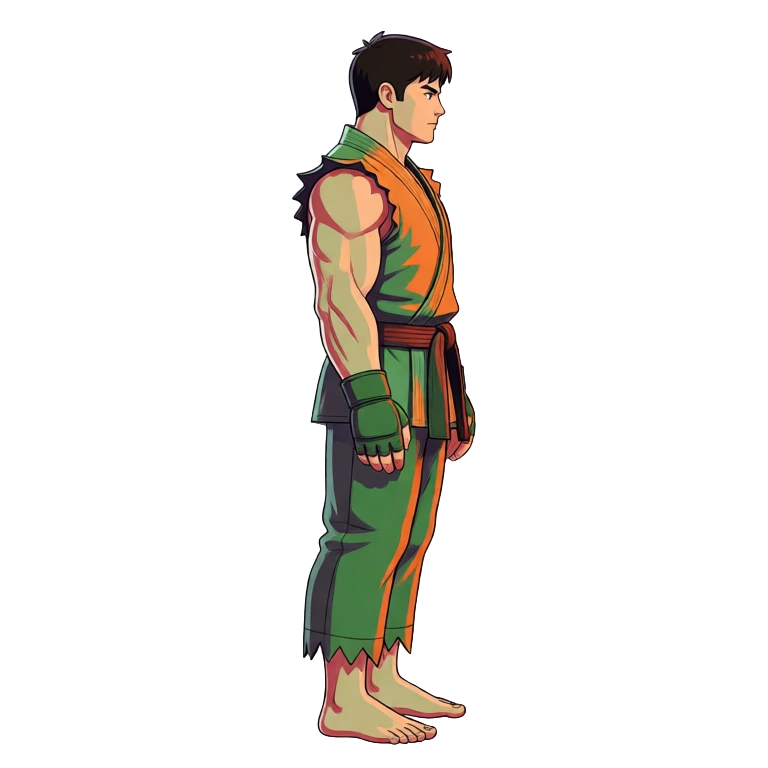
1Initial frame
Standing relaxed and side-on, arms down, weight settled evenly.
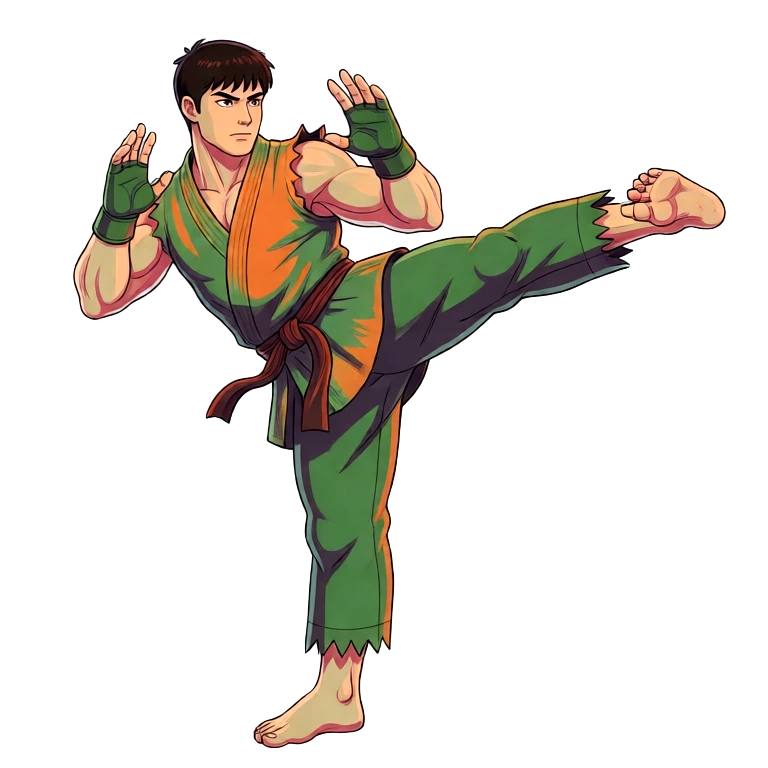
2Middle frame
Right leg extended high to the front, hands up guarding, torso leaning back into the counterbalance.
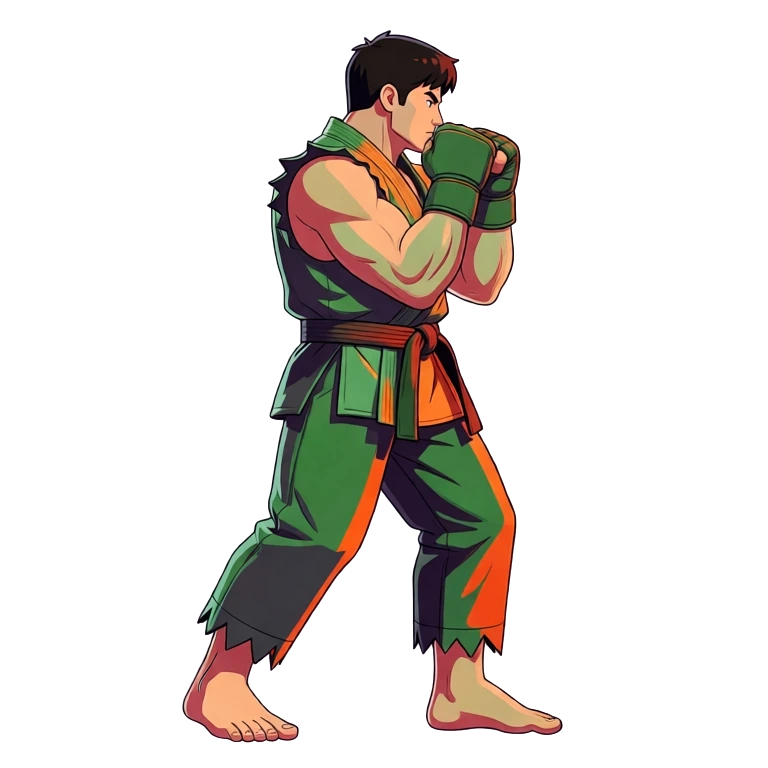
3Final frame
Recovered and grounded, fists raised at the chin, feet staggered.
Other motions worth keying by hand: Attack combos, Jump arcs, Spell casts, Hit reactions, Weapon swings, Transformations, Death falls, Tool swings.
Ludo lives where you build
Every generator in your terminal, your AI agent, your own code and the Unity editor. One account, one set of credits.
Explore developer toolsnpm install -g @ludoai/cliMCP serverAny MCP client, including assistants that can't run commands.https://mcp.ludo.ai/mcpREST APIYour own app, game server or pipeline.https://api.ludo.ai/api/Unity pluginGenerate and import assets inside the Unity editor.Do not draw the poses. Generate them with the Pose Generator
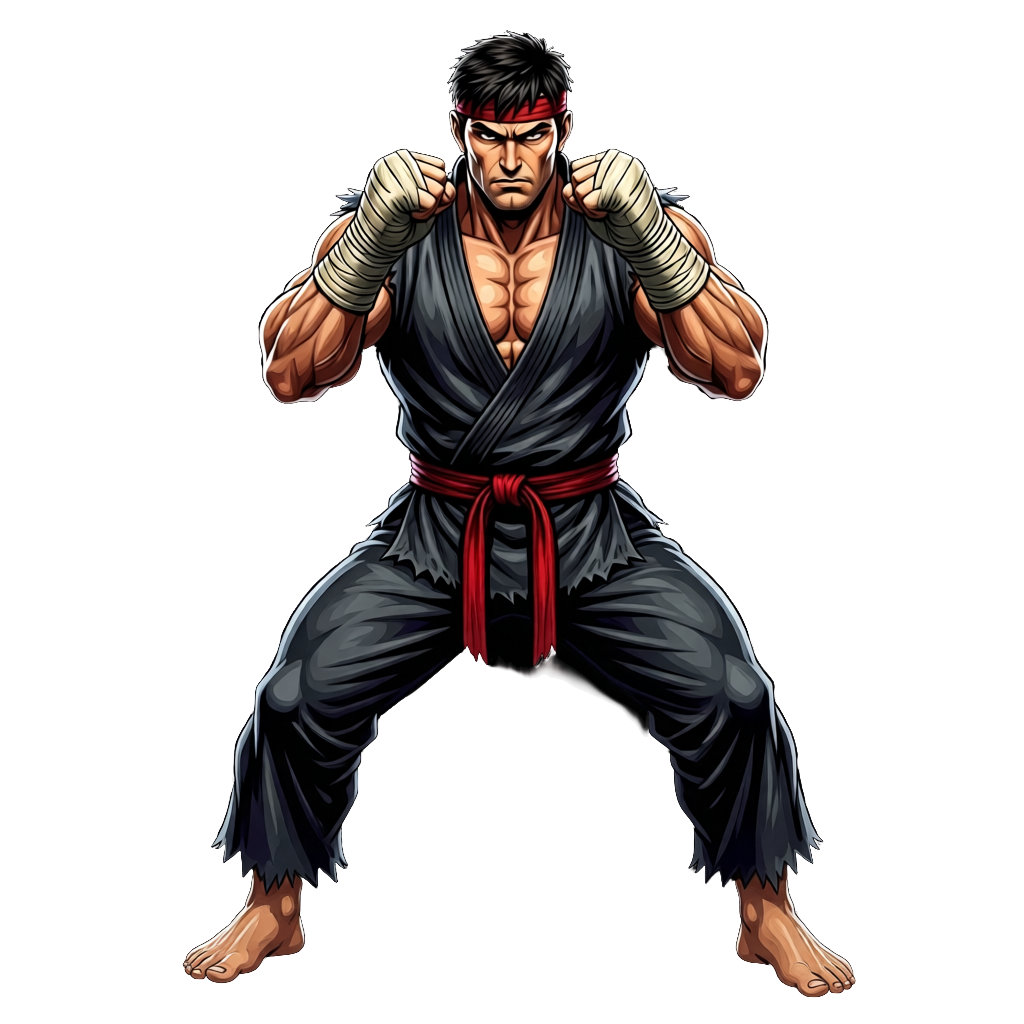
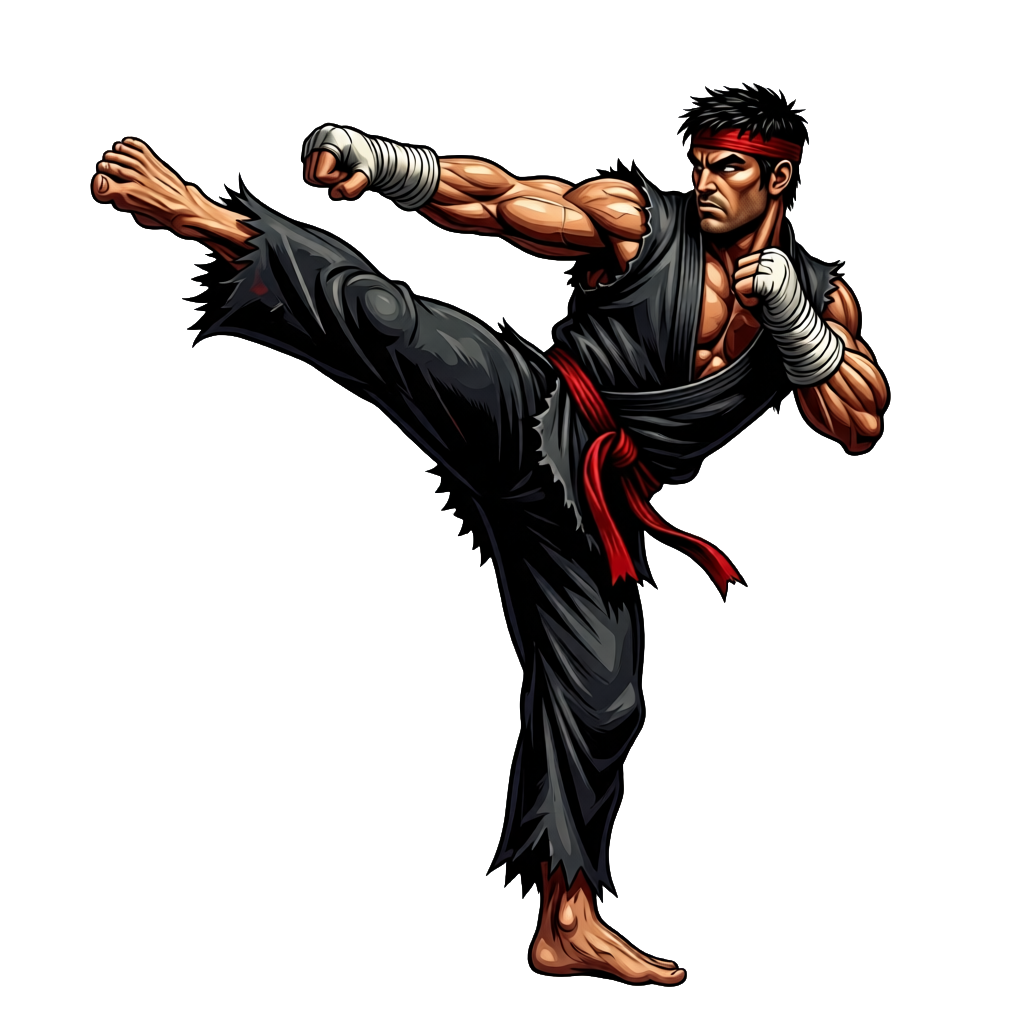
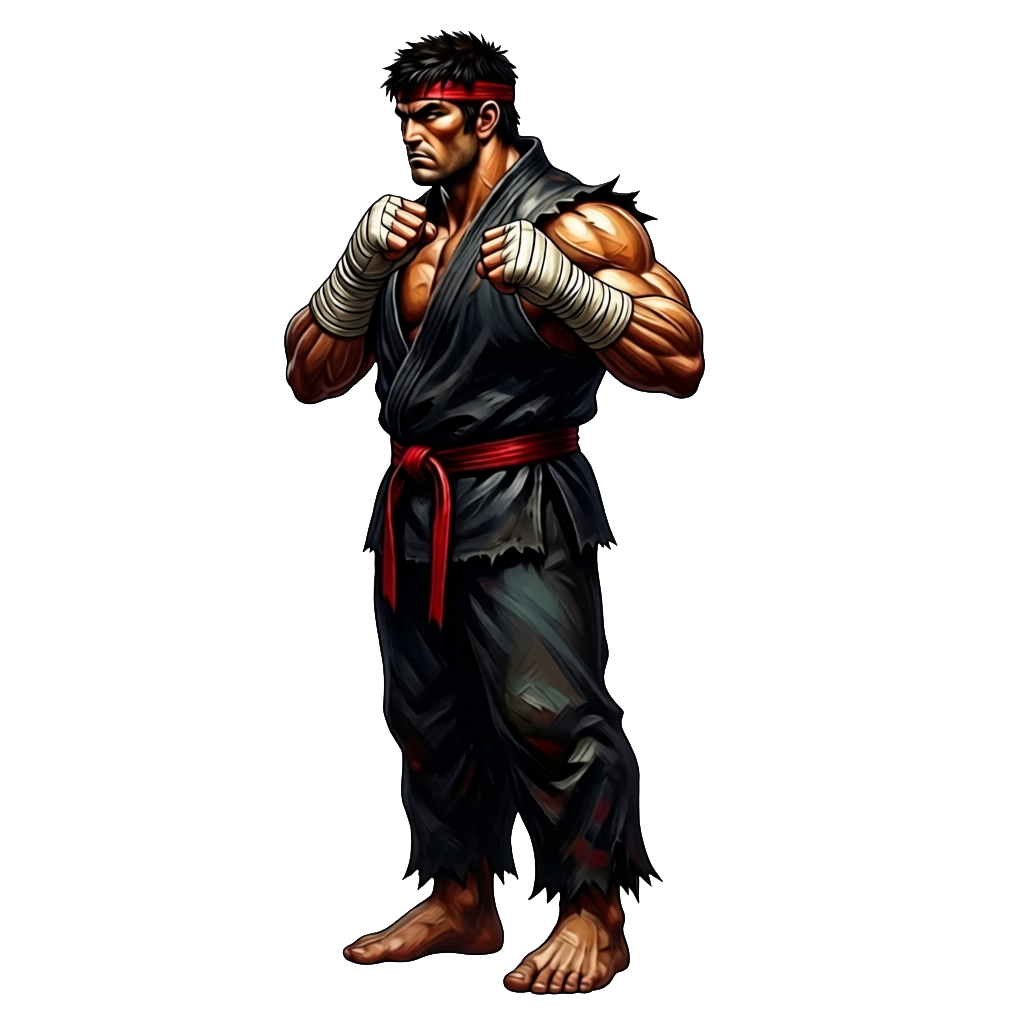
Ludo toolAI Character Pose GeneratorKeyframe animation assumes you already have the key poses, and drawing three of them by hand is the slow part. The AI Character Pose Generator takes one character and renders it in whatever pose you need, keeping the same design, palette and proportions in every one. Generate an idle, a kick and a stance there, then bring those three straight back here as your initial, middle and final frames.
- One character in, any pose out: stance, punch, kick, jump, block, crouch
- The design stays consistent, so the frames interpolate cleanly
- Pose from a prompt, a reference image, or a camera angle
- Generated poses are just sprites, so they work as keyframes unchanged
FAQ
Ludo takes up to three: an initial frame, a middle frame, and a final frame. The initial frame is required and the middle and final frames are optional, so a two-frame setup works as well as a full three-pose sequence. It generates every frame in between and returns them as a packed sprite sheet.
Four: Hydra (the default, 3 credits per second), Hydra+ (Hydra with finer detail, slower, 4 credits per second), Forge and Forge Pixel (1.5 credits per second for a plain animation). Hydra and Hydra+ also return a matching sound effect with the sheet. If you want finer detail on a Hydra keyframe sheet afterwards, Improve Details re-renders it at 1 credit per second of animation.
No. The motion prompt is optional in Ludo's keyframe sprite animation. With no prompt at all, the motion is derived purely from the frames you supplied, so three poses of a kick produce a kick without a word of description. Add a prompt only when you want to steer the motion further.
Inbetweening, or tweening, is the animation step where the frames between two key poses are drawn. AI inbetweening generates those frames for you: you provide the key poses, and the model produces the intermediate frames that carry one pose into the next. In Ludo this runs on sprites and outputs a sprite sheet of up to 64 frames.
Yes. Give keyframe animation an initial and a final frame with no middle one, or use Ludo's standard sprite animation, which accepts an optional final frame alongside your starting sprite and a motion prompt. Either way you get two-keyframe interpolation without setting up a full sequence, which is the simpler entry point when you only need the motion to end on a specific pose.
You choose a maximum of 4, 9, 16, 25, 36, 49, or 64 frames, and the sheet comes back as a grid of up to that many. It is a maximum, so the result can have fewer. Frame sizes run from 32 to 384 pixels, with max-resolution and AI 1.5x upscale modes available for larger output.
Longer than 2 seconds when you use all three keyframes. Animations run up to 5 seconds: Hydra and Hydra+ take 3 to 5 seconds, and Forge and Forge Pixel take 1 to 5 seconds, in half-second steps. In our tests on Forge, a three-pose kick generated at 2 seconds lost the middle keyframe entirely: the arc collapsed into a blend from the first pose to the last. The fighter kick on this page runs 36 frames over about 3.9 seconds, which gives the middle pose room to land. Two keyframes are fine at shorter durations.
From Ludo, a packed sprite sheet with transparency, a sheet plus JSON frame data (TexturePacker format, read by Phaser, PixiJS and Cocos2d), an animated GIF, an MP4, or the individual frames as separate images. There is also a loop-ready mode that trims the animation for looping, and an option to keep the background on the sheet. Hydra and Hydra+ animations also export a matching sound effect.
Yes, as long as your keyframes are the same character. Generating your key poses from one source sprite with Ludo's pose generation keeps the design, colors, and gear identical, and the in-between frames are built from those poses.
Yes. Ludo has a dedicated model for low-res pixel art, Forge Pixel, which is tuned to keep the pixel grid through the generated frames instead of blurring it, so pixel sprites stay crisp across the sheet. Keyframes work on Forge Pixel as well as on Hydra, Hydra+ and Forge, so pick Forge Pixel for low-res pixel sprites.
Experience the future of game creation
Free to try. No credit card required.