

Animate a Sprite from Video
Have a motion in mind? Give Ludo a short reference video and your static sprite, and it transfers that movement onto your character, exported as a packed, engine-ready sprite sheet.
What is an AI video-to-sprite animator?
An AI video-to-sprite animator transfers motion from a reference video onto your character sprite: record or upload a movement and it maps that motion to your art as animation frames. Ludo turns video motion into a packed, engine-ready sprite sheet, so you can capture custom moves without hand-animating each frame.
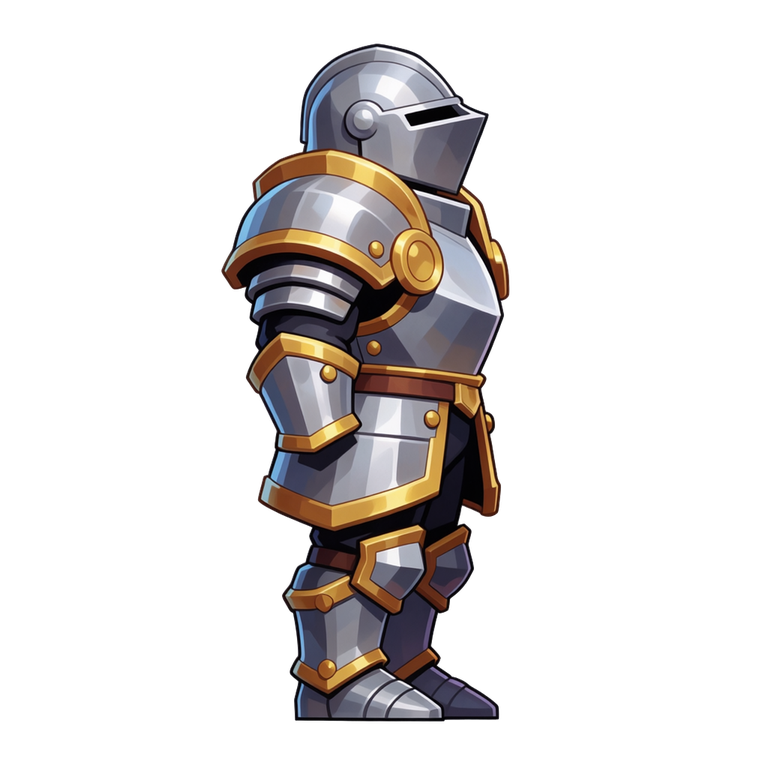

Motion brought to sprites with Ludo
Each started as a static sprite. The movement was applied from a reference clip or a preset, then exported as a sheet.
No reference video? Start from a motion preset
You do not need to film or source a clip to get moving art. Ludo ships 641 named motion presets across 34 categories, each with a video preview you can watch before you apply it, so you can put a movement on your sprite and export the same engine-ready sheet. Every preset can be applied in 5 camera perspectives (Side, Isometric, Top-Down, Tactical, Hero) and 8 compass directions. Reach for a reference video when you need a specific movement the library does not cover.
- 641 presets across 34 categories
- A video preview on every preset
- 5 perspectives: Side, Isometric, Top-Down, Tactical, Hero
- 8 compass directions
- Four ways to drive it: motion prompt, drawn keyframes, reference video, or a preset
Ludo lives where you build
Every generator in your terminal, your AI agent, your own code and the Unity editor. One account, one set of credits.
Explore developer toolsnpm install -g @ludoai/cliMCP serverAny MCP client, including assistants that can't run commands.https://mcp.ludo.ai/mcpREST APIYour own app, game server or pipeline.https://api.ludo.ai/api/Unity pluginGenerate and import assets inside the Unity editor.How it works
Upload any sprite
Generated in Ludo, drawn, or commissioned, any static character image.
Choose how it moves
Write a motion prompt, pick from 641 motion presets across 34 categories, draw keyframes, or hand it a reference video.
Export the packed sheet
Set the frame count (up to 64), grid layout, and cell size, or grab a GIF. Hydra and Hydra+ sheets also come with a matching sound effect.
Watch a sprite animated from a video in Ludo
Rocco the raccoon never learned his kick: the tutorial copies it from a short clip in Transfer Motion, walks through every setting, adds a punch, a jump and a walk, and plays the sheet in Godot 4.
How to Animate a Sprite from a Video with AI (Motion Transfer Tutorial)
- Animate a sprite from a video, the result
- Motion transfer in the Sprite Generator
- The sprite
- A good reference clip
- Transfer Motion settings
- Check the frames of your sprite sheet
- More moves: punch, jump and a walk cycle
- Export the sprite sheet: PNG, frames, JSON, Animation Pack
- Use it in Godot 4 (AnimatedSprite2D)
Transcript: How to Animate a Sprite from a Video with AI (Motion Transfer Tutorial)
This raccoon never learned that kick, he copied it from a video, and here is how to animate a sprite from a video with AI, from the clip to the game.
This is Ludo's Sprite Generator on ludo.ai, and Transfer Motion is one of its six modes.
It takes a sprite and a short clip of a move, and puts that move on the sprite.
The sprite is one character on a transparent background, with a pose close to the clip's start, facing the same way.
A good reference is a short clip with one clear move, the subject clearly separated from the background, the whole body in frame and a steady camera.
The clip can be your own footage or one made in a video generator, as long as it shows that one move.
Then trim the clip to just the move, since a longer clip gets squeezed into the animation, and up to four seconds works best.
Back in Transfer Motion, Reference Animation takes a motion preset with Presets, or a video with Choose Video, and here it is the kick.
Step 2 is optional, and one plain sentence describing the motion is enough, like a strong front kick.
Hydra is the model for your own footage, one of four, and Max duration runs from three to five seconds, so three for this clip.
Animation Margin is Auto, Manual or No margin, and Manual gives Horizontal and Vertical sliders, so a wide kick gets forty percent horizontally and five vertically.
Under Sprite Sheet Options, Max Frames offers seven counts, and we take thirty six, while Sprite Size stays on Max, the full resolution.
Loop Animation trims the sheet to its best loop, so we switch it off for a one-shot kick, and then we press Transfer Motion.
Back comes a sprite sheet on a transparent background, thirty six frames in a six by six grid, with the kick playing in the viewer.
Now check the frames: the kick goes the way he faces, the whole body stays inside every cell, and it is the same raccoon in every frame, so the sheet is ready for the game.
The same steps work for any move: a punch from a pixel art robot, a jump from an anime fox girl, and a walk from a paper cutout cat with Loop Animation on.
The result's menu has downloads like Sprite Sheet, All Frames and Sheet and JSON, and for a game the Sprite Sheet is the PNG grid, with its frame count, rows and columns in the file name.
To export several animations together, choose Export, then Animation Pack, tick your sheets, continue, and export, and every sheet gets one frame size and a shared ground line.
In Godot 4, an AnimatedSprite2D takes the sheet through Add frames from a Sprite Sheet, with Horizontal and Vertical at six and six, and a speed of frames divided by seconds, about thirteen for this kick.
Then call play with kick on the button press, return to idle when animation finished fires, and use the pack's Global Ground Offset to keep his feet on the floor.
Walk cycles from a named preset
A walk cycle is the loop a character plays every time it moves, and the preset library has a whole category of walks, from standard and stealth walks to limps, strafes and a march, with crouched, stair, weapon and zombie walks elsewhere in the library. Pick one, choose a camera perspective and a compass direction, and the walk comes back on your own sprite as a loop-ready sprite sheet. For the full steps, see how to make a walk cycle.
Open the Walk Cycle Generator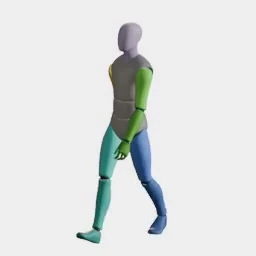
What devs build with it
Reuse a signature move
Apply one captured motion across multiple characters for a consistent feel.
Match a specific movement
When a preset isn't quite right, drive the animation from exactly the motion you want.
Speed up animation
Skip rigging and go from a reference clip to frames directly.
FAQ
What kind of reference video works?
A short clip of up to about 4 seconds that shows the motion clearly. Longer videos are compressed to fit the output duration (Hydra, the default, runs 3 to 5 seconds; Forge and Forge Pixel run 1 to 5), so keep the clip tight. The sprite's starting pose should be close to the first frame of the reference for the best result.
Which model does the motion transfer?
Hydra is the default (3 credits per second) and returns a sound effect with the sheet. Forge and Forge Pixel (2 credits per second for motion transfer) are the alternatives, but Forge is tuned for the motion presets and often fails to follow your own footage, so use Hydra for a custom video. Forge Pixel is the one for low-res pixel art. Hydra+ is not used for motion transfer; it is available for prompt and keyframe animation. Credits follow the seconds actually generated, which follows the reference clip, so a short clip costs less than the maximum you set.
Can I turn the result to face another direction?
Yes. New Direction re-renders a finished animation facing a new way, keeping the motion and timing, so one captured move can cover several facings. Improve Details re-renders a Hydra sheet with finer detail, and Fix Loop repairs a cycle that does not close cleanly.
How is this different from animation presets?
Presets cover common motions; motion transfer lets you drive the animation from any movement you capture, when you need something specific.
What do I get out?
A packed, engine-ready sprite sheet of up to 64 frames (you choose the maximum, and the result can have fewer) on a transparent background, showing your character performing the transferred motion. The individual frames, an animated GIF, and a sheet with the background retained are available as optional outputs. A Hydra sheet also comes with a matching sound effect.
Can I use them commercially?
Yes. You own the sprites you generate with Ludo and can use them however you like, including in commercial games.
Do I need my own video?
No. A reference video is one of four ways to drive a sprite animation in Ludo, alongside a text motion prompt, drawn keyframes, and a named motion preset. With no clip of your own, you can pick from 641 motion presets across 34 categories, each with a video preview, and apply one to your sprite in any of 5 camera perspectives (Side, Isometric, Top-Down, Tactical, Hero) and 8 compass directions. Use a reference video when you need a specific movement no preset covers: a clip of up to about 4 seconds works best.
Experience the future of game creation
Free to try. No credit card required.