
什麼是 AI 2D 角色精靈圖產生器?
AI 2D 角色精靈圖產生器能從一段文字描述生成原創遊戲角色,例如英雄、敵人與 NPC,並為它們加上行走、奔跑、待機與攻擊等動畫循環。Ludo 能以 32 種美術風格生成風格一致的 2D 角色精靈圖,並匯出可直接用於 Unity、Godot 與 GameMaker 的打包精靈圖表。
Watch a visual novel cast made in Ludo
Ivy, Rowan and Professor Hale from one recipe in the Watercolor style, every expression with Edit with Mask and a new outfit with Edit Image, then a greenhouse background, a dialogue box and a name plate put together in a Ren'Py scene.
How to Make Visual Novel Sprites with AI (Consistent Cast, Every Expression, Ren'Py Scene)
Transcript: How to Make Visual Novel Sprites with AI (Consistent Cast, Every Expression, Ren'Py Scene)
Rowan: Late again, Ivy.
Ivy: I was out picking lavender. For you, actually!
Rowan: For... for me?
Every image in this visual novel scene, the cast, every face, the background and even the dialogue box, came out of ludo.ai.
Here's how to make your own, start to finish.
Open the Image Generator, keep Generation Mode on Generate New, and pick the Sprite type, so she comes back cut out on a transparent background.
In Filters, set Art Style to Watercolor, a soft painted look that suits a visual novel, and Aspect Ratio to Portrait 9:16, so there's room for the whole figure.
The prompt is a recipe: her name and who she is, hair and eyes, the outfit, one prop, and standing and facing the viewer, full body.
Generate, and pick the take you'd happily look at for a whole game.
Ours came out like this.
Ivy: Obviously, this one.
For the rest of the cast, keep every setting and the same recipe, and only change the person.
Giving them the same academy cloak helps them read as one cast.
Rowan: It looks better on me.
Now the expressions.
Open Generation Mode, the menu that also holds Edit Image and Upscale Image, and pick Edit with Mask.
Choose her sprite, press Draw Mask and paint over her face, then describe the new one: angry, frowning, cheeks puffed in a pout.
The mask limits the edit to the painted area, so her hair, outfit and pose stay where they were, and the sprite doesn't jump when her mood changes.
One description per mood: happy, angry, sad, surprised, flustered and smug, then a few more for Rowan and Professor Hale.
Hale: I do not do flustered.
For clothes, switch to Edit Image and write it out: change only her outfit to a summer festival yukata, and keep her face, hair and pose.
We did the same for a pose, hands on hips for her confident moments.
Backgrounds come from the Static Background type, in the same Watercolor style at Landscape 16:9: an empty greenhouse, painted edge to edge, so the cast can stand in it.
Even the dialogue box and the name plate are Ludo images, from the UI Element type at a wide aspect ratio, already on transparent backgrounds.
For a crisp full-screen scene, Upscale Image raises the resolution.
Download each one, it saves as a PNG, and put the sprites in your Ren'Py project's images folder, named by character and mood, like ivy angry.
A script line that says show ivy angry swaps her face on that line, and the box and the plate go in the gui folder, with a few style lines from the pinned comment.
Here's the scene in Ren'Py.
Hale: Both of you. Inside. Now.
Ivy: Professor Hale?!
Subscribe for more game art tutorials, and if you're making RPG dialogue portraits, that tutorial is right here.
Ivy: Start free at ludo.ai. And Rowan, stop blushing.
Rowan: I'm not!
用 Ludo 生成的角色
英雄、敵人、夥伴與 NPC:每一個都在 Ludo 中生成、擺姿勢並製作動畫。
Ludo lives where you build
Every generator in your terminal, your AI agent, your own code and the Unity editor. One account, one set of credits.
Explore developer toolsnpm install -g @ludoai/cliMCP serverAny MCP client, including assistants that can't run commands.https://mcp.ludo.ai/mcpREST APIYour own app, game server or pipeline.https://api.ludo.ai/api/Unity pluginGenerate and import assets inside the Unity editor.運作方式
描述角色
角色、外觀與裝備,再加上美術風格與視角。
反覆調整變化
微調提示詞,或用先前的角色作為風格參考。
擺姿勢、動畫、匯出
全新姿勢、動畫預設、透明 PNG 或精靈圖表。
開發者用它做什麼


風格一致的角色陣容
先生成一個角色,再把它當作其餘角色的風格錨點:這裡的冒險者、商人與守衛都源自同一個錨點。整組角色,宛如出自同一位美術師之手。
風格探索
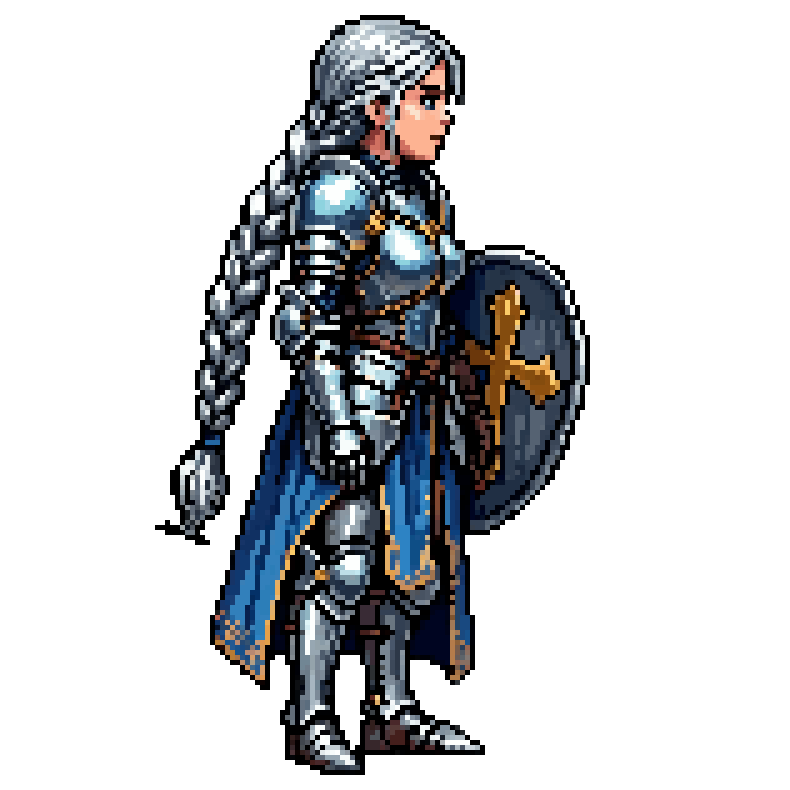
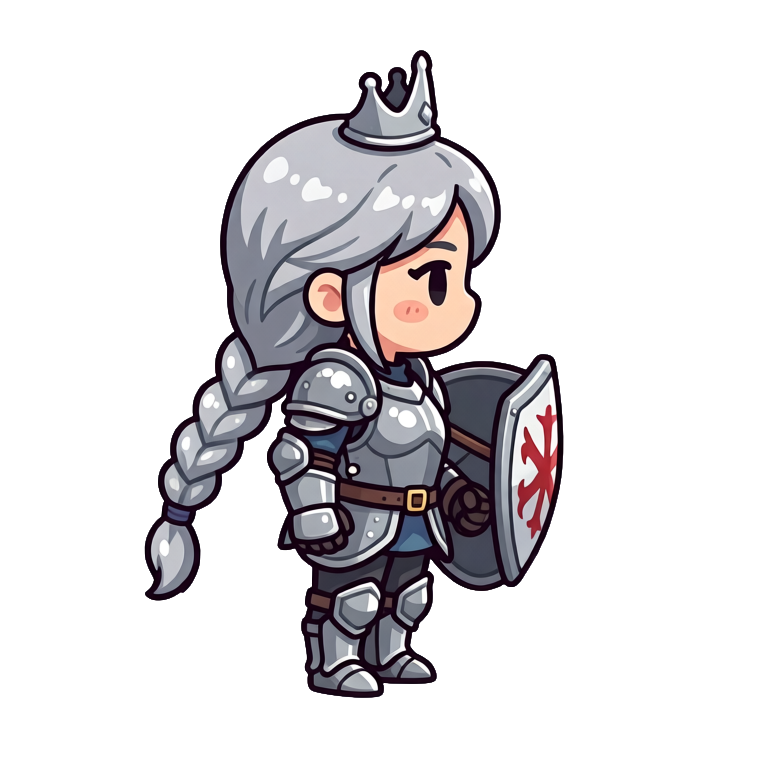
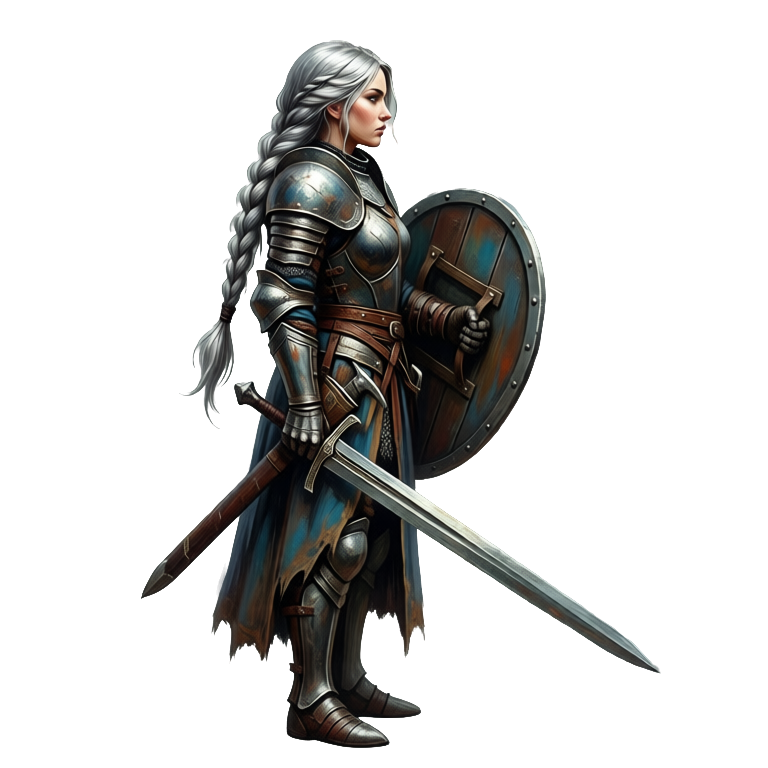
同一位騎士公主的 16-bit、Q版與手繪版本。在定案美術方向前,先看看你的主角在每種風格下的樣子。
常見問題
共 32 種風格,包括 8-bit 與 16-bit 像素藝術、卡通、動漫/漫畫、Q版、手繪、水彩、扁平設計、低多邊形、體素與黏土動畫風。
可以。用一張風格參考圖生成,新角色就會沿用它的配色、線條粗細與比例。
會,角色會匯出為透明 PNG,內建去背功能,可直接放進你的遊戲引擎。
可以。用動作提示詞、手繪關鍵影格、參考影片或 641 種預設動作中的任一種,為任何角色製作最長 5 秒、最多 64 影格的動畫,Hydra 動畫還會附上相符的音效。你也可以上傳自己的角色圖片來製作動畫。
可以。Change Pose 能把角色改成新姿勢,它的 Change View 模式能把角色轉到 8 種鏡頭角度中的任一種;New Direction 則會把完成的動畫朝新方向重新算圖,動作與節奏維持不變。如果角色各方向必須完全對齊,Directional Sprites 能從同一個綁好骨架的 3D 模型算出最多 8 個方向,提供 15 種風格,可以從文字描述或你自己的角色圖片開始。
歸你所有。你用 Ludo 生成的角色屬於你,可以隨意使用,包括用在商業遊戲中。
Experience the future of game creation
Free to try. No credit card required.