

AI Sprite Generator for Unity
A sprite animator that brings a static sprite to life in one step: write a motion prompt or pick from 641 motion presets across 34 categories, then export a packed, engine-ready sprite sheet or GIF.
How does an AI sprite generator for Unity work?
An AI sprite generator for Unity turns a text prompt or reference image into animated character sprites and sprite sheets, exported in Unity-ready formats. With Ludo you describe a character, generate idle, walk, run, and attack animations, and download a packed sprite sheet on a regular grid that slices in Unity's Sprite Editor and drives an Animator clip.
Animations generated with Ludo
Each of these started as one static image. The motion is generated.
From Ludo to a Unity Animation clip
Spritesheets export as transparent PNGs with a regular grid, exactly what Unity's Sprite Editor slices. The file name records the frames, rows and columns.
Export the spritesheet
Pick a frame count (4, 9, 16, 25, 36, 49 or 64) and a sprite size in Ludo and download the transparent PNG sheet. A sheet is not always a square grid, so read the layout from the file name, which records the frames, rows and columns. The frame count is a maximum, so a clip can come back with fewer frames; the file name tells you the grid either way.
Import as a Multiple sprite
Drag the PNG into Assets, set Texture Type to "Sprite (2D and UI)" and Sprite Mode to "Multiple". For pixel art, set Filter Mode to "Point (no filter)".
Slice in the Sprite Editor
Open the Sprite Editor and choose Slice, then Grid By Cell Count. Enter the columns and rows from the file name, and Unity works out the cell size for you. Grid By Cell Size also works if you know the exact cell size of the sheet.
Create the Animation clip
Select the sliced frames and drag them into the Scene, and Unity creates the Animator and Animation clip for you. Set Pixels Per Unit to taste.
Or skip the export entirely
The Ludo Unity plugin generates sprites and animated spritesheets (Hydra, Forge or Forge Pixel) directly inside the Editor and saves the PNG, an optional GIF and, on Hydra, the sound effect into your project. It also covers 3D models and audio. No browser download or manual import needed.
Ludo lives where you build
Every generator in your terminal, your AI agent, your own code and the Unity editor. One account, one set of credits.
Explore developer toolsnpm install -g @ludoai/cliMCP serverAny MCP client, including assistants that can't run commands.https://mcp.ludo.ai/mcpREST APIYour own app, game server or pipeline.https://api.ludo.ai/api/Unity pluginGenerate and import assets inside the Unity editor.Walk cycles from a named preset
A walk cycle is the loop a character plays every time it moves, and the preset library has a whole category of walks, from standard and stealth walks to limps, strafes and a march, with crouched, stair, weapon and zombie walks elsewhere in the library. Pick one, choose a camera perspective and a compass direction, and the walk comes back on your own sprite as a loop-ready sprite sheet. For the full steps, see how to make a walk cycle.
Open the Walk Cycle Generator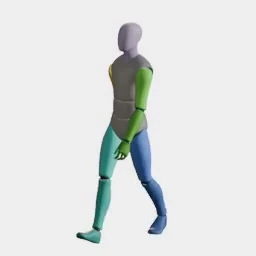
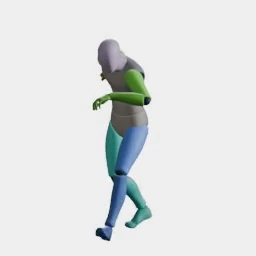
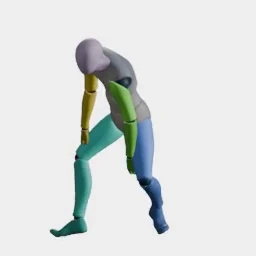
What devs build with it
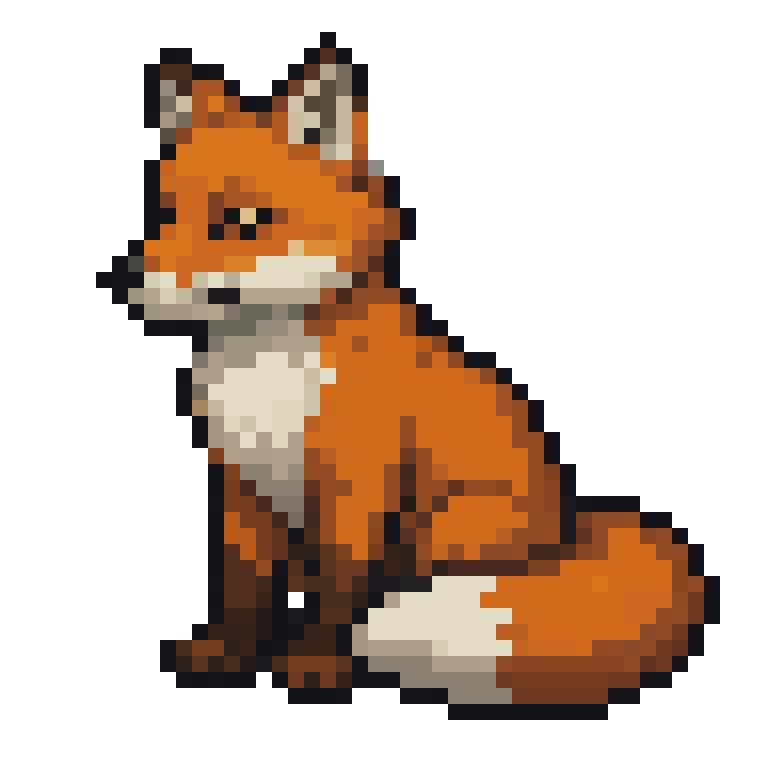
Animate commissioned art
One character image becomes every movement cycle. The static pixel art fox on the left is the only input.
Consistent enemies and NPCs
Motion transfer: pick a preset once, apply it to anyone. The adventurer and guard are both driven by the exact same wave preset, with no rigging and no per-character animation work.
VFX and impact frames
Explosions, slashes, and hit flashes as frame sequences.
FAQ
How do I import an AI-generated sprite sheet into Unity?
Drag the PNG into your Unity Assets folder, set Texture Type to "Sprite (2D and UI)" and Sprite Mode to "Multiple", then slice it in Unity's Sprite Editor with Grid By Cell Count, entering the columns and rows from the file name Ludo gave the sheet.
Does this work with Unity's Animator and Animation clips?
Yes. After slicing the sheet in the Sprite Editor, select the frames and drag them into your Scene. Unity automatically creates the Animator controller and an Animation clip from the sprite frames.
What Filter Mode and Pixels Per Unit should I use for pixel art in Unity?
Set Filter Mode to "Point (no filter)" so Unity doesn't blur the pixels, disable compression for crisp edges, and set Pixels Per Unit to match your art scale. Many Unity pixel art games use the sprite's cell size. In Ludo, choose one of the pixel art styles (Micro Pixel, 8-Bit, 16-Bit, 32-Bit or Free Pixel) and export in Pixel Art mode, which scales with nearest-neighbor so the edges stay crisp.
Can I generate sprites without leaving the Unity Editor?
Yes. The Ludo Unity plugin runs inside the Unity Editor (Unity 2020.2 or later), so you can generate sprites, animated sprite sheets, 3D models and audio directly into your Unity project. You need a Ludo API key, which comes with a Pro or Studio plan.
Which Unity versions and render pipelines are supported?
Ludo exports standard transparent PNGs, so they work in any Unity version and any render pipeline (Built-in, URP, or HDRP), and in both Unity 2D and 3D projects using sprites.
Do Ludo sprite sheets come with sound, and can I use the JSON in Unity?
Sheets made with Hydra or Hydra+ come with a matching sound effect you can download as audio and import into Unity as an AudioClip; Generate Audio adds one to a sheet made with another model. The sheet-plus-JSON export uses the TexturePacker format that Phaser, PixiJS and Cocos2d read. Unity slices by grid instead, so for Unity the PNG and the rows and columns in its file name are all you need.
Do I own the sprites I use in my Unity game?
Yes. You own the assets you generate with Ludo and can use them however you like, including in commercial Unity games.
Experience the future of game creation
Free to try. No credit card required.