Indie Spotlight: Solo Grinding, a Roguelite Tactics RPG Where Every Enemy Is a Teacher
- Platform
- Steam (PC)
- Engine
- Unity
- Genre
- Roguelite tactics RPG
- Release
- Coming soon
- Team
- Solo
- Ludo Tools
- Sprite Generator
- Other Tools
- GIMP
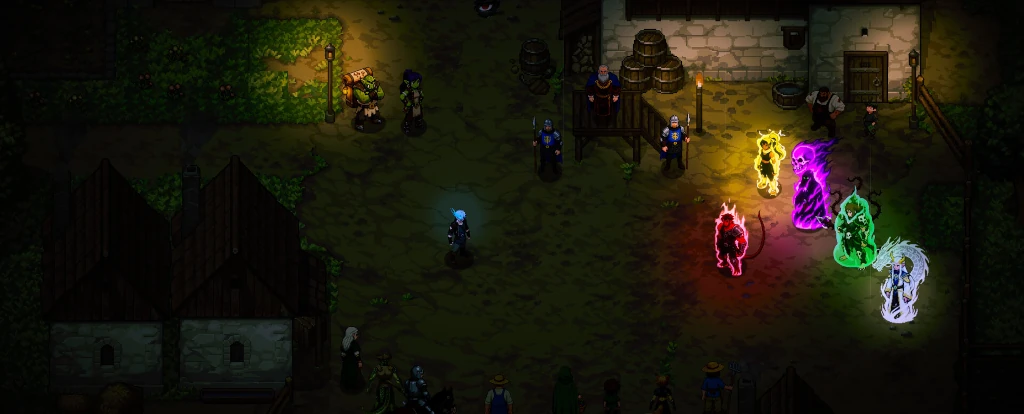
Solo Grinding is a roguelite tactics RPG from solo developer studio SoloGearGames, and it has a deceptively simple promise: every enemy you fight is a potential teacher. During turn-based combat you have a chance to learn almost any skill your opponent uses against you. Layer that on top of a knowledge tree, level-up stats, and gear drops, and you slowly assemble a build that might, eventually, reach the legendary final floor. Die along the way and you start back at level 1 with everything you found stripped away, but the knowledge tree carries over, and every run gets a little more survivable than the last.
It is a game about persistence. Which is fitting, because that is also how it got made.
A self-taught dev, three hours a night, and one wall he could not climb
The developer behind SoloGearGames is self-taught, building Solo Grinding in Unity in the evenings after his day job. Three or four hours a night, Monday to Friday. The game wears its inspirations openly: years of playing Dofus and Wakfu informed the grid-based tactical combat, and Solo Grinding is his own roguelite interpretation of the genre.
He wanted to make it the right way. Real artists for the art that could be sourced traditionally. Hand-crafted gameplay. Strict authorial control over the dark fantasy world he was building. UI, SFX, VFX, world-building, all licensed from professional artists or created traditionally. He insisted on doing the manual sketch and cleanup pass himself in GIMP before any animation frame was generated. This is not a game where the craft was outsourced. It is a game where one person fought for every pixel.
But there was one wall he could not climb on his own. Nine animations per enemy in his actual roster. Twenty-five frames each. Multiplied across a full bestiary, animation alone lands somewhere north of four thousand individual frames. For a single person, working evenings after a day job, that volume of work was simply out of reach. And as a gamer himself, static enemy sprites in turn-based combat were never going to be acceptable.
"I might be contradicting myself since I use AI for monsters, but it was the one thing I just couldn't skip or do differently. I tried to get everything else from artists."
He started the project anyway, slowly losing hope on that one specific problem, until he stumbled onto Ludo.ai while searching for a way out.
"Without Ludo, I'd never be able to create a game on this scale. One monster, 7 animations, 25 frames each, 20 monsters like that..."
The first time a sprite moved
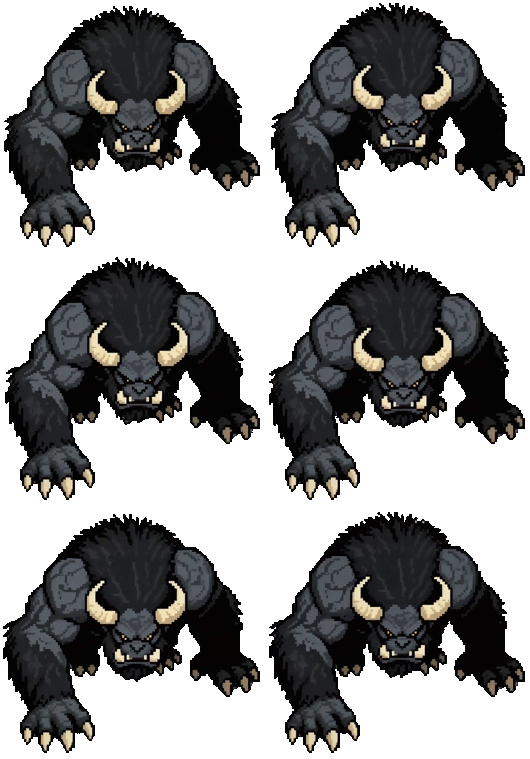
The first test animation was sixteen frames. He hooked the result up in Unity, watched the character run across the screen, and in his own words felt like a kid in a sandbox at thirty years old. That moment is the pivot of this whole project. Up until then, the game existed in his head and on a notepad. After it, the world he had been designing started to actually move.
From there the workflow settled into something deliberate, and the order of operations matters. He starts not with a prompt, but with the human art he had already commissioned. He picks a style in Ludo.ai that matches the assets bought from his artists, so the generated work follows the human work rather than the other way around. Every monster begins as a notepad sketch of what the creature looks like in his head. He cleans up first frames manually in GIMP wherever they need it. Only then does he generate.
"I pick a style that matches the assets I bought from artists and describe exactly what I have in my head. I generate until I like it, tweak it in GIMP if needed, and then throw it into Ludo."
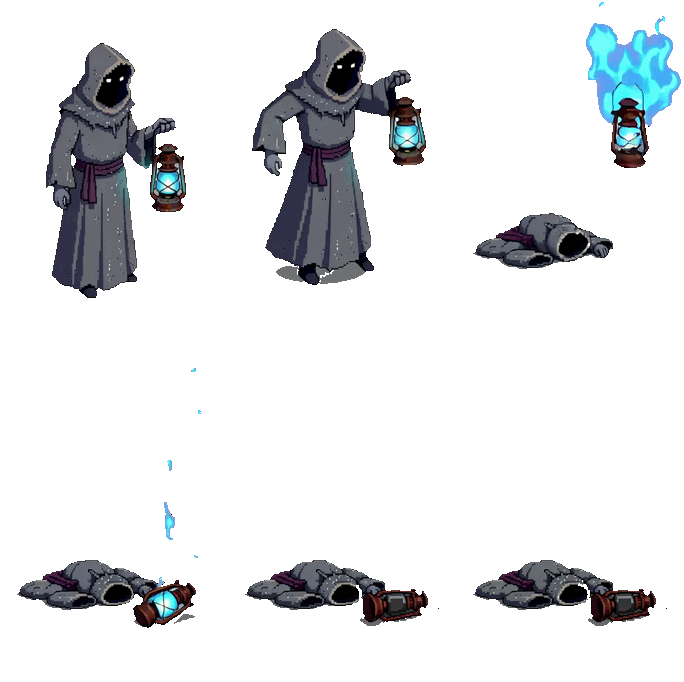
Inside Ludo, he leans on a few specific features. Action prompts like idle, walk, and running cover the basics. The transfer motion option lets him apply a ready-made animation from a library to his sprite, while the alternative initial-and-final image flow lets him pair two keyframes with a short prompt when he needs something more specific. The change pose feature has been particularly useful for consistency, taking a front-facing sprite and rotating it to a back view, which matters enormously for an isometric tactics game where every enemy needs to face every direction.
The output covers the full set every enemy needs. Right movement, up, down, both diagonals. Mirrored left-side directions. Idle, Cast Skill, Took Damage, and Death. Nine animations per monster, every monster in the game.
Restraint as a design choice
Plenty of solo developers reach for AI as a shortcut across the entire pipeline. Solo Grinding does the opposite. The combat, the progression systems, the writing, the world-building, the UI, the SFX, the VFX, all of that came from one person making deliberate decisions or commissioning the work from professionals. The use of generative tools was scoped tightly to a single bottleneck where a solo developer could not realistically compete with a funded studio: animation volume across a full enemy roster, with every sprite styled to match the human-made art that surrounds it.
"I tried to keep AI use to a bare minimum. I still manually edited several first frames in GIMP before animating them. I hope some players will see the actual effort I put into this project."
That restraint shows up in the final product. The bestiary feels stylistically of a piece, because every monster started as a hand-made first frame in the developer's own visual language, in the visual language of his commissioned art. The animations move the way he wanted them to move, because he iterated on style tests until the look was consistent with the world. This is not a game built around a generator. It is a game where a generator was used, carefully, to solve specific problems that would have otherwise killed the project before it started.
The same philosophy applies on the code side. He started building in Unity by pasting in code from AI assistants and watching what happened, but quickly decided that was not the way he wanted to work, and started learning C# properly.
"I think it's worth knowing at least the basics when using AI for coding, just to have as much control and knowledge as possible over what's actually happening. When players find some bugs, I don't want to rely 100% on AI to fix it for me, or worry that a big update will suddenly break half the things."

From zero to hero, on every axis
The phrase the developer keeps coming back to when describing Solo Grinding's progression loop is "from zero to hero." It applies to the player, who starts each run weak and slowly assembles a build by stealing skills from defeated enemies. It applies to the meta-progression, where the knowledge tree compounds across runs and Gate Guardians stand between you and the next floor. And honestly, it applies to the project itself, which began as a notepad sketch from a self-taught dev working evenings and ended as a full tactics RPG with a moving, breathing roster of enemies.
For solo developers staring at the same animation math wall this dev faced, that path is worth thinking about. Not as a license to skip the craft, but as proof that careful, scoped use of the right tools can keep a project alive that would otherwise have died on the spreadsheet.
Where to find Solo Grinding
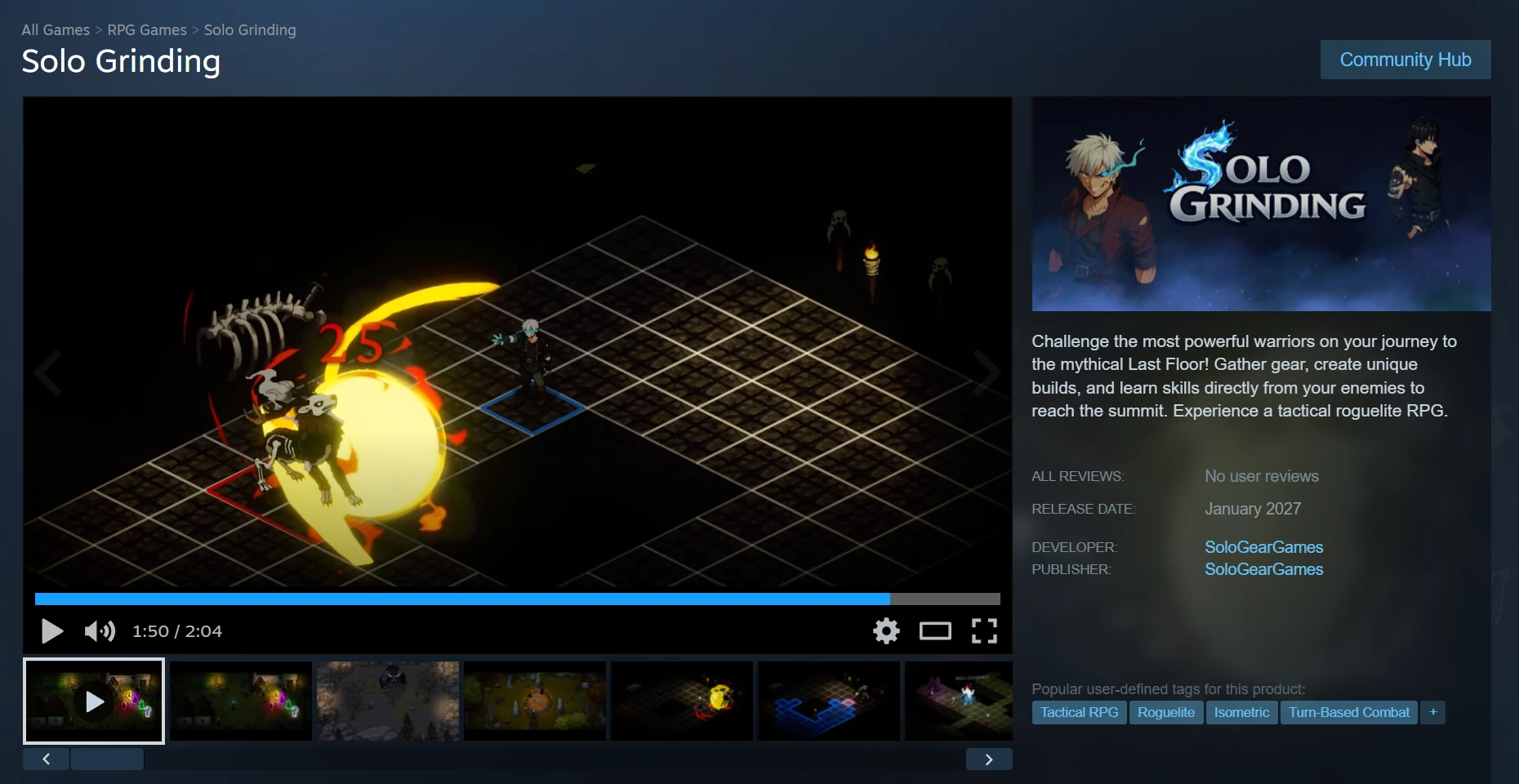
Solo Grinding is coming soon to Steam from SoloGearGames. Wishlist it, watch the trailer, and follow the developer for build updates and demo testing on Discord.
Steam: store.steampowered.com/app/4539400/Solo_Grinding
Trailer: YouTube
Discord: discord.gg/7wQNZtCDX7