Generate and Animate Custom Sprites and Sprite Sheets for Your Games
Upload one image of a character and get an animated sprite sheet back, or start from a text prompt. Twelve animatable asset types, 641 motion presets, animations up to 5 seconds.
Sprite Animations Generated with Ludo
Creature Animations
Hand-painted · 36 frames
phoenix in full flight, wings beating powerfully, trailing ribbons of radiant flame
Combat Animations
16-Bit pixel art · 25 frames
samurai slashing with the katana, then returning to a ready stance
Walking Animations
Low-poly 3D · 36 frames
walking forward at a steady pace
Idle Animations
Cel-shaded · 25 frames
soft idle pose, hair and skirt swaying with subtle breathing
Companion Animations
16-Bit pixel art · 25 frames
sitting fox licking its paw, then settling back into the starting pose
Death Animations
Neon · 36 frames
takes a fatal blow to the chest and collapses to the ground
Item Interactions
Cartoonish · 25 frames
chest unlocking and swinging open to release a burst of golden light
Environment Loops
16-Bit pixel art · 25 frames
waterfall cascading over the mossy rocks, mist drifting up from the pool
Visual Effects
Cel-shaded · 36 frames
explosion ignites from an empty frame: nothing at all, then a tiny spark flashes at the centre and a fireball erupts and expands rapidly outward, growing brighter and larger with flying embers and smoke
Attack Animations
Stylized 3D · 25 frames
winds up and slams the war-hammer into the ground
NPC Animations
16-Bit pixel art · 16 frames
blacksmith swinging the hammer down onto the anvil, sparks flying on impact
Animated UI Elements
Cartoonish · 36 frames
power bar fills with fire
And anything else your game needs.Hit reactions · Spell casting · Jumping · Crouching · Damage taken · Looping cycles · One-shot effects · Transitions · Mounts and vehicles · Weather effects
Export-ready:
Animated GIFSpritesheet PNGJSON metadataPer-frame sequenceMP4 video
What is an AI Sprite Generator?
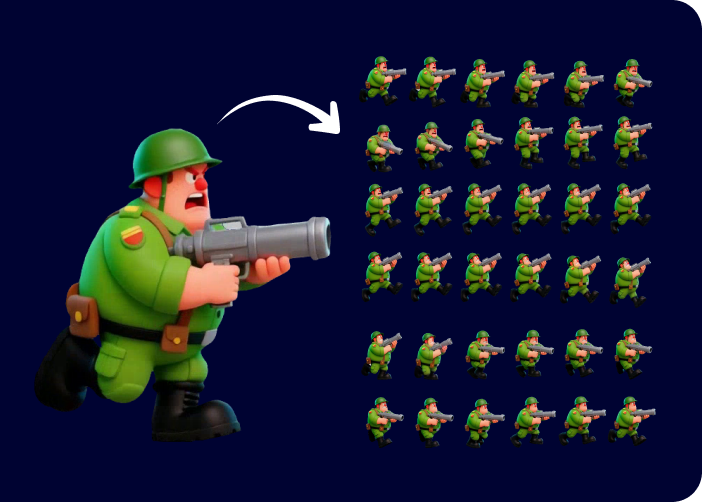
An AI sprite generator turns a text prompt or reference image into game-ready character sprites, then animates them into a packed sprite sheet, which makes Ludo a sprite creator and a sprite sheet creator in one. Beyond characters, Ludo animates twelve asset types (sprites, VFX sprites, horizontal and vertical tiling sprites, seamless textures, map tiles, parallax layers, UI assets, item icons, portraits, card art and logos), gives you four ways to drive the motion (a text motion prompt, drawn keyframes, a reference video, or a named motion preset), and ships 641 motion presets across 34 categories, each with a video preview. Animations run up to 5 seconds and up to 64 frames per sheet, and the default Hydra model returns a matching sound effect with the animation. Sprites can be generated in 32 art styles, five of them pixel art, and export as transparent PNG sheets that import into Unity, Godot and GameMaker, plus TexturePacker JSON frame data for Phaser, PixiJS and Cocos2d, with no drawing or rigging required.
Last updated October 2026
Four ways to drive a sprite animation
Every sprite animation starts from one static frame, and there are four ways to say how it should move: a written motion prompt, drawn keyframes, a reference video, or a named motion preset from a library of 641 across 34 categories. Each lane below is a real generation, input on the left and the animated sprite sheet that came back on the right.
Text motion prompt
Describe the movement in plain language. The fastest lane, and the one that also takes an optional final frame on its own for two-keyframe interpolation.
phoenix in full flight, wings beating powerfully, trailing ribbons of radiant flame
What you type36 frames, hand-painted phoenix
Drawn keyframes
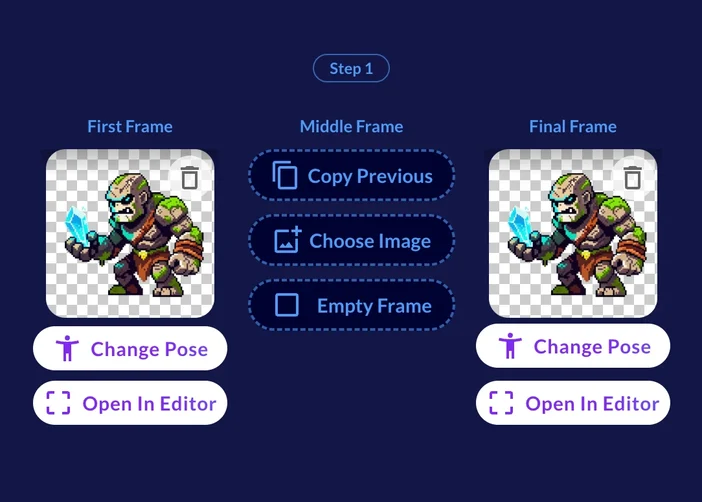
Supply up to three poses, initial, middle and final, and every in-between frame is generated between them. A motion prompt is optional here.
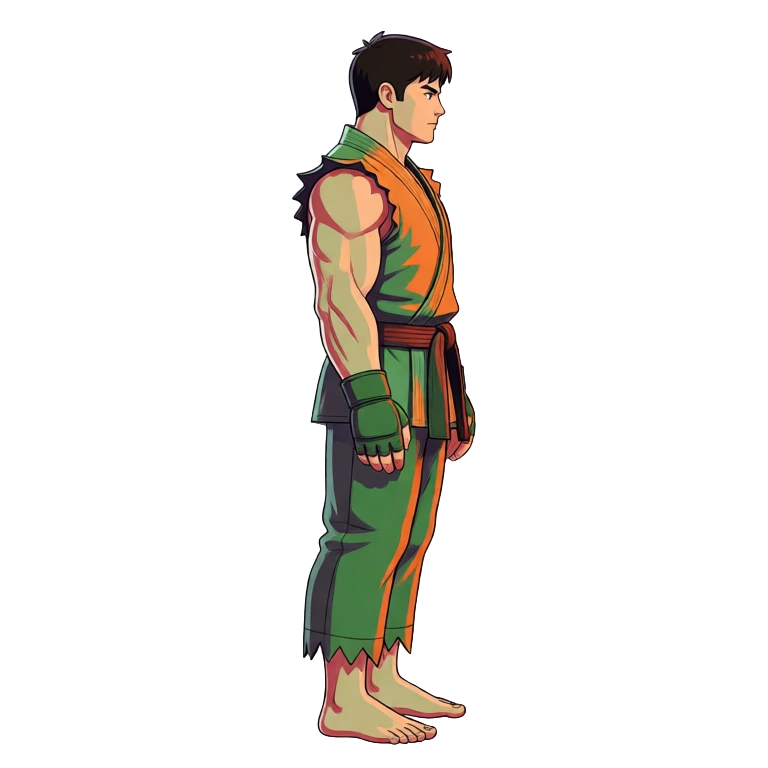
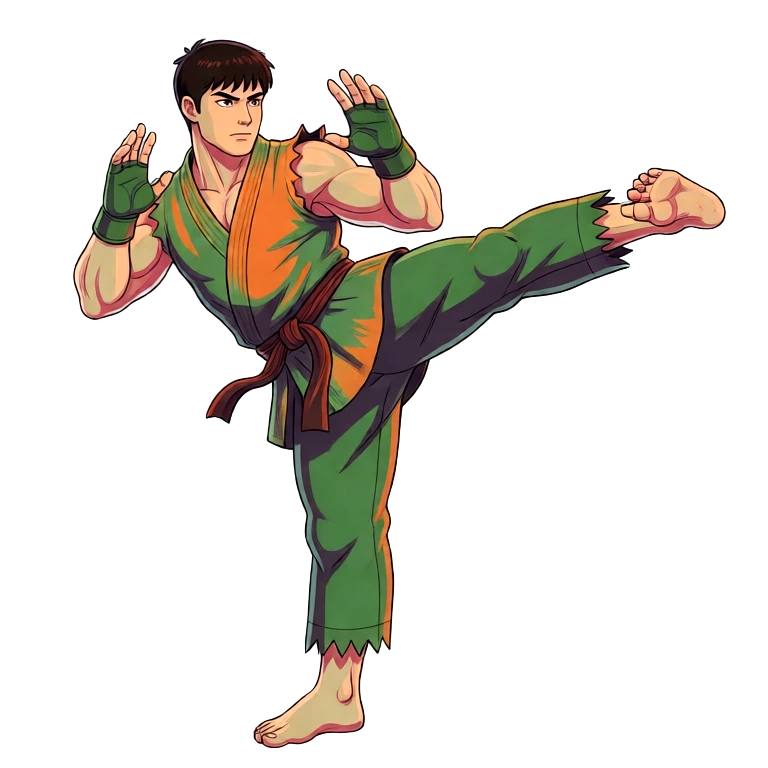
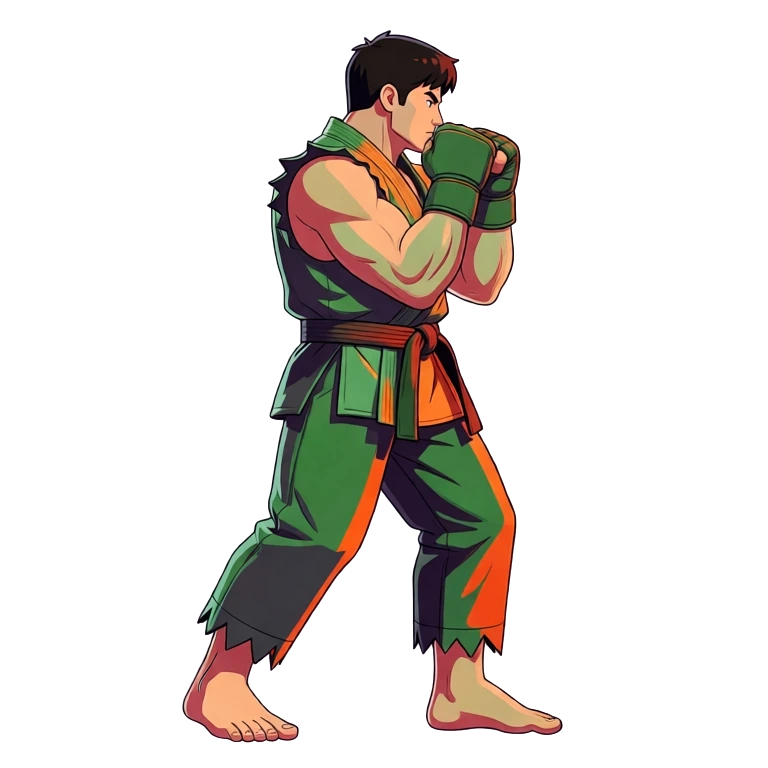
Idle, kick, fighting stance
36 frames from 3 key poses
Reference video
Point at a clip of the motion you want and it is transferred onto your sprite. Videos up to about four seconds give the best results.
The clip you supply: a mech walking
The same walk, on a knight sprite
Motion preset
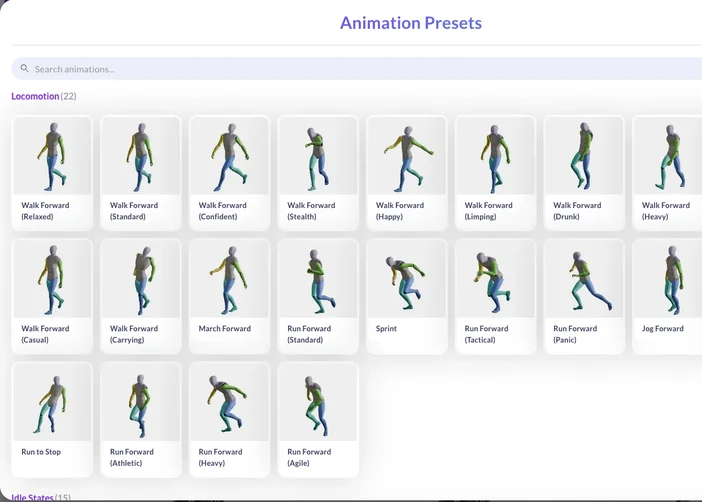
Pick a named motion instead of writing one: 641 presets across 34 categories, each with a video preview, in 5 camera perspectives and 8 compass directions.
Ludo.ai's Sprite Generator is an AI tool that streamlines 2D asset animation for game developers. Here is how it works:
1.
Describe or Upload
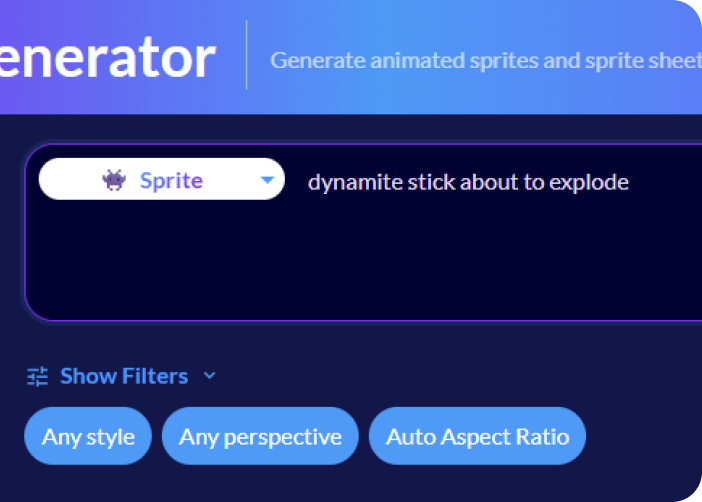
Write a prompt to generate a new static sprite from scratch, or upload your own image.
2.
Animate with AI
Drive the motion four ways: write a text instruction, draw up to three keyframes, upload a reference video, or pick a named motion preset.
3.
Export and Use
Preview the animation, generate audio, and export a game-ready sprite sheet to use directly in your project
Export-ready:
UnityGodotUnrealGameMakerPNG sprite sheetPer-frame PNGGIFJSON atlasAnimation Pack ZIP
Key Features
Create Unique 2D Animations with Ludo.ai's Text-to-Sprite feature
Skip the drawing board and start creating immediately. Describe what you want and let AI take it from text, to static sprite, to 2D animation. Characters, creatures, items, UI and VFX like explosions, shield pulses and magic auras all come out of the same prompt box, in whatever art style you pick.
Breathe Life into Characters and Objects by Describing the Motion
Go from a still image to a moving character by typing a plain command like "run cycle," "idle," or "sword attack." Animations run up to 5 seconds and the AI fills in every frame between, so you get a finished spritesheet without manual keyframing. Choose the model for the job: Hydra (the default, 3 credits per second, with a matching sound effect), Hydra+ (finer detail, slower, 4 credits per second) or Forge and Forge Pixel (1.5 credits per second, from 1 second).
Direct the Action with Up to Three Keyframes
When a prompt is not specific enough, direct the action yourself. Draw up to three keyframes, an initial, a middle and a final one, and Ludo builds a spritesheet that moves through all of them in order. Keyframe animation works with no motion prompt at all: the motion is derived from the frames you give it. Supplying only a final frame gives you straight two-keyframe interpolation, and duplicating the first frame as the final one returns the animation to where it started.
Borrow a Motion Instead of Describing It
Browse 641 motion presets across 34 categories, each with a video preview, and apply one to your character in a click. Every preset is selectable in 5 camera perspectives (Side, Isometric, Top-Down, Tactical and Hero) and 8 compass directions, so one motion covers a whole character controller. Or bring your own reference: upload a video, around 4 seconds works best, and Ludo maps that exact movement onto your sprite.
New Poses and New Directions, Same Character
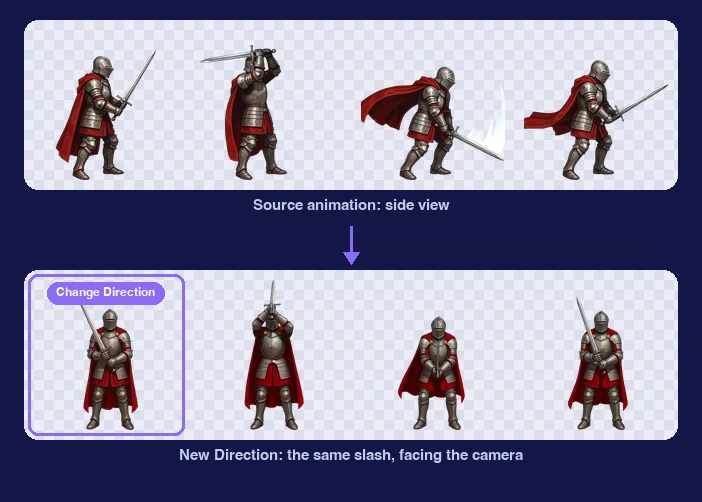
A good animation starts with a good first frame. Restage any sprite: pick a preset pose, describe your own, or copy the pose of a person in a reference image. Change Direction turns the character to any of 8 camera angles, at eye level, elevated or high angle. New Direction does the same for a finished animation: give it the turned first frame and Ludo re-renders the motion and timing facing the new way, so a side-view slash becomes the same slash facing the camera. Making a new character and want every direction at once? Directional Sprites renders up to 8 matching directions from one 3D model.
Change Any Spritesheet by Describing What Should Be Different
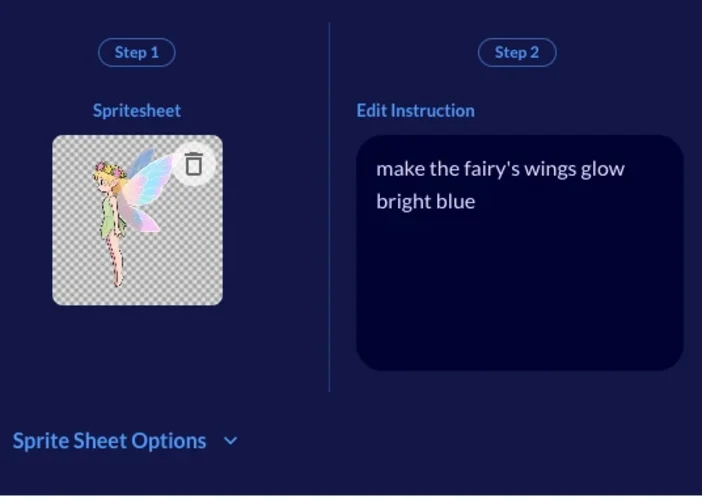
Your animations are not final. Pick any spritesheet you have generated and type an instruction: restyle it ("give the knight a golden helmet") or change the motion itself ("make the swing faster and more exaggerated"). Three one-click fixes need no prompt at all, at 1 credit per second of animation: Fix Loop repairs animations that do not loop cleanly, Zoom Out rescues characters drifting out of frame, and Improve Details re-renders a Hydra sheet with finer detail. Adjust Sprite Sheet changes the frame count and size for free. Static sprites get the same treatment in the built-in image editor before you ever animate them.
Real Pixel Art on a True Grid
Pixel art breaks when a general model treats it as a normal image and resamples it. Ludo has five pixel-art styles (Micro Pixel, 8-Bit, 16-Bit, 32-Bit and Free Pixel), and the first four snap to a strict pixel grid, so pixel size stays uniform and edges stay hard with no half-pixels or blur. For animation, Forge Pixel is a dedicated model tuned for low-res pixel art, and the Pixel Art export mode scales sheets with nearest-neighbor so the edges stay crisp.
Export a Single Animation or a Whole Moveset, Engine-Ready
Download your animations as perfectly formatted, transparent PNG sprite sheets, with JSON atlas data so Unity, Godot and GameMaker slice the sheet automatically instead of you setting frame boundaries by hand. Exporting a whole moveset? Animation Pack normalizes every sheet so your character is the same height across idle, run and attack, with snap-to-ground alignment and a live preview. Animation Sequence instead chains clips so the last frame of one meets the first frame of the next. Or take the individual frames as a ZIP, or a GIF.
Complete the Experience with Integrated Audio Generation
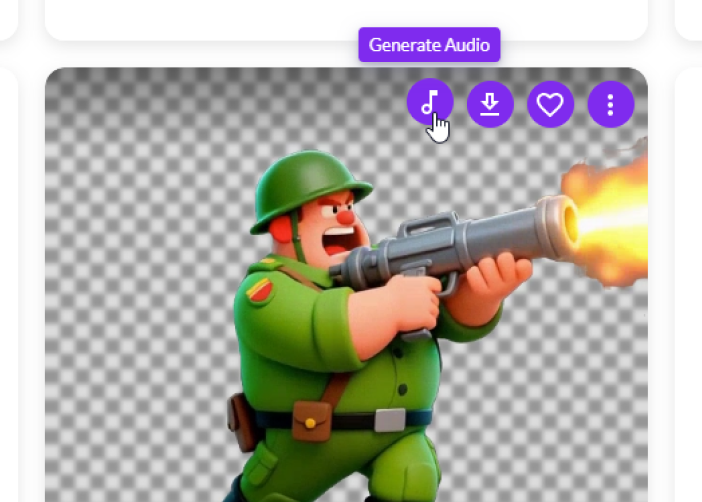
Visuals are only half the battle. Sheets made with Hydra or Hydra+ come back with a matching sound effect already attached. For a sheet made with another model, Generate Audio adds one for 3 credits. From heavy footfalls to magical chimes, you get a cohesive audio-visual asset package that is ready for implementation the moment you download it.
For developers
Ludo lives where you build
Every generator in your terminal, your AI agent, your own code and the Unity editor. One account, one set of credits.
Twelve asset types: sprites, VFX sprites, horizontal and vertical tiling sprites, seamless textures, map tiles, parallax layers, UI assets, item icons, portraits, card art and logos. You can create each of them from scratch with a text prompt or upload your own static image and animate that instead.
How do I tell Ludo what motion I want?
There are four ways to drive an animation: a text motion prompt, drawn keyframes (up to three: initial, middle and final), a reference video (around 4 seconds works best), or a named motion preset. Keyframe animation needs no motion prompt at all, because the motion is derived from the frames you draw.
Do I have to describe every motion myself?
No. Alongside text motion prompts, Ludo ships a library of 641 motion presets across 34 categories, each with a video preview so you can see the motion before you apply it. Every preset is selectable in 5 camera perspectives (Side, Isometric, Top-Down, Tactical and Hero) and 8 compass directions, so one preset covers a full character controller with no motion prompt to write.
Does the tool keep object permanence and style consistency?
Yes. Draw up to three keyframes (initial, middle and final) and the character keeps its proportions, style and details across every frame in between. The dedicated Change Pose step lets you fix the starting frame before animating, so one source sprite stays on-model across a whole moveset. For pixel art, the Forge Pixel animation model is tuned for low-res pixel art, and the first four pixel-art styles snap to a strict pixel grid.
How do I keep a consistent art style across all my game assets?
Start from one anchor image that has the look you want, then make every other asset from it instead of prompting each one from scratch. In the Image Generator, Generate with Style takes the anchor as a style reference: the reference sets the style and your prompt sets the subject. Edit Image fixes an asset that drifts without regenerating it. For characters, Change Pose re-renders the same character in a new pose or camera view, and the Sprite Generator animates from that image as the first frame, so the animation keeps its look. The full workflow is in How to keep a consistent art style across AI game assets.
How many frames do the animations have? At what resolution?
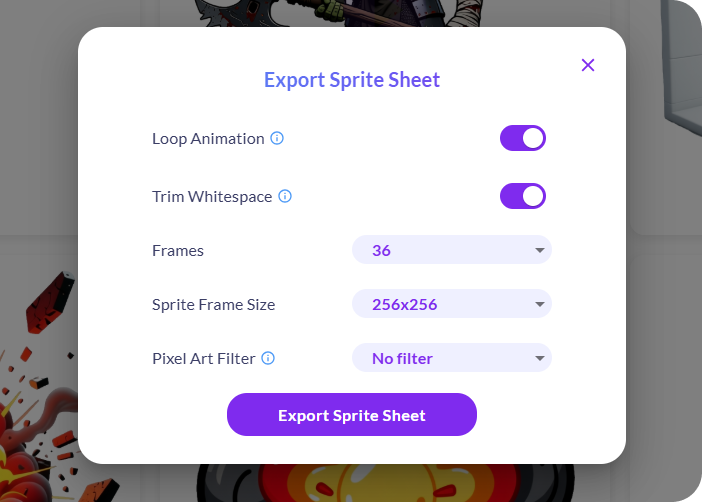
Animations run up to 5 seconds. Sheets come as grids of up to 64 frames (choose 4, 9, 16, 25, 36, 49 or 64 as the maximum). It is a maximum, not a promise: a short animation, or frames Ludo drops for being bad, can give you fewer. Frame sizes run from 32 to 384 px, plus a Max option that keeps the sprite at its full native resolution, a True Size option that matches your input frame and an AI 1.5x upscale mode for extra sharpness. Loop mode trims the animation so it is loop-ready, and alongside the sheet you can take an animated GIF, the individual frames or an MP4.
What are the supported art styles?
You can animate any art style: the animation follows the style of the image you upload. If you generate your sprite with Ludo, you can pick from 32 art styles, including five pixel-art styles (Micro Pixel, 8-Bit, 16-Bit, 32-Bit and Free Pixel), cel-shaded, hand-painted, anime, watercolor, low poly, voxel, claymation, photorealistic and more.
How much manual cleanup is required after generation?
Minimal to none. Most sprites are generated with transparent backgrounds and are ready to drop directly into game engines. For more complex animations you may want to generate multiple versions and choose the best one. You can also download the **individual frames **in a zip file, or download a video/GIF of the animation.
Is there a free sprite creator I can try before paying?
Yes. The free trial includes 30 credits, with no card needed. Animation is priced per second, so shorter animations cost less. On the default Hydra model a 3-second animation is 9 credits, which gives you about 3 animations. On Forge or Forge Pixel (1.5 credits per second) a 3-second animation is 4.5 credits, which gives you about 6, and a 1-second one is 1.5 credits. Generating a new static sprite from scratch first adds 0.5 credits.
Does it generate professional quality animations?
Yes. The tool is designed to produce high-quality, professional 2D assets suitable for indie and commercial games. It automates complex animation processes (like walk cycles or attacks) that usually require manual keyframing. Thousands of users import Ludo spritesheets directly into their games.
How long will it take me to be proficient with the tool?
Minutes. The workflow is designed to be intuitive:
Describe/Upload,
Animate with a text prompt, drawn keyframes, a reference video, or a motion preset,
Export.
No prior artistic or animation skills are required, and it rarely takes more than a few tries to get a motion right.
Does the tool offer a stable and affordable API for large-scale production?
Yes. API, MCP (Model Context Protocol) and CLI access is included on the Pro and Studio plans, metered with the same credits as the web app. Sprite generation, text-prompt animation, keyframe animation, motion transfer from a video or a preset, pose and direction changes, New Direction for finished animations, Improve Details and the preset library are all callable from your own pipeline, from a command line or from an AI assistant. Results from the API are kept for 7 days, so download what you want to keep. Setup and pricing are on the developer page at ludo.ai/developers; contact us for Enterprise volume.
What's the output file type?
The standard output is a perfectly formatted, transparent PNG sprite sheet.
How easy is it to export the animation frames into a game-engine-ready sprite sheet?
Very easy. You can export animations as sprite sheets with customizable frame counts and sizes in just a few clicks, as a transparent PNG on a regular grid. That grid imports into engines like Unity, Godot and GameMaker, and a Unity plugin is available. To export a whole moveset at once, use Animation Pack.
Can I export a sprite sheet with atlas data (XML/JSON) for my engine?
Yes. Alongside the transparent PNG sheet, Download Sheet + JSON exports frame data in the TexturePacker JSON format, which frameworks such as Phaser, PixiJS and Cocos2d read directly. Because the sheet is a regular grid of columns and rows, Unity, Godot and GameMaker can slice it by frame count and size too. If your pipeline expects something else, you can also download the individual frames (ZIP), a GIF or an MP4.
Can I use Ludo as a sprite sheet creator for characters I have already drawn?
Yes, absolutely. You can upload your own existing character art (static images) and animate it with a text prompt describing the motion you want (e.g., "walk cycle," "attack," "jump"), with keyframes, with a reference video or with a motion preset. The AI will animate your drawing and generate a sprite sheet for you.
For the best results, it is recommended to upload an image that contains only the sprite, although the tool can automatically remove backgrounds.
Which animation model should I use?
Hydra is the default: 3 credits per second, 3 to 5 seconds, and the sheet comes back with a matching sound effect. Hydra+ is Hydra with finer detail; it is slower and costs 4 credits per second. Forge (1.5 credits per second, 1 to 5 seconds) suits simple bodies and short actions and may need a few tries. Forge Pixel (also 1.5 credits per second) is tuned for low-res pixel art. If a Hydra sheet is close but soft, Improve Details re-renders it with finer detail for 1 credit per second of animation, instead of starting over.
Do sprite animations come with sound?
Sheets made with Hydra or Hydra+ come back with a matching sound effect already attached, and you can download the audio on its own. For a sheet made with Forge, Forge Pixel or an older model, Generate Audio adds a sound effect for 3 credits.
Can I fix an animation without regenerating it?
Yes. Edit Animation takes a text instruction to restyle a sheet or change its motion. Three one-click fixes need no prompt, at 1 credit per second of animation: Fix Loop repairs an animation that does not loop cleanly, Zoom Out gives a character more room when it drifts out of frame, and Improve Details re-renders a Hydra sheet with finer detail. Adjust Sprite Sheet changes the frame count, size and loop trim and is free.
How do I make a sprite face another direction?
Use Change Pose on the still sprite and pick the View tab (Change View) to turn it to any of 8 camera angles, or the New tab to restage it in a new pose. To carry a finished animation to the new angle, use New Direction: it re-renders the animation facing the new way and keeps its motion and timing, so a side-view slash becomes the same slash facing the camera. New Direction is billed per second like animation (Hydra 3 credits, Hydra+ 4 credits per second), with a 3-second minimum. The step-by-step version is in How to make an 8-direction sprite sheet.
What Users Are Saying
I'm shocked
"I've already made a bunch of flying monsters, abominations, and humanoids, made without any problems, and I'm shocked at what great results Ludo gives."
Silas
Ludo User
Insane?!
"Everyone, body generated perfectly. I just uploaded and wrote a prompt. Insane!"
Exquisite
Ludo User
Amazed
"I recently stumbled upon Ludo for some decent Sprite animations and am amazed with the results Ludo provides."
Summer'n
Ludo User
Liking the output
"I'm really liking the output of the Sprite Generator"
Rex
Ludo User
Best at posing the sprites
"Thanks for this wonderful AI tool, is the best at posing the sprites."
Geoffrey
Ludo User
Awesome Product
"Working on a game [...]. The sprite animation is going to be a great way to polish it. Already voted 2 animations thanks to this awesome product"
NotWheaten
Ludo User
Love it!
"Played a bit with Ludo to get some alternative animations for the idle state for the [...] platformer. Love it!"
ChrisZ09
Ludo User
Ludo is the best!
"Ludo is the best! I've been searching for sprite animator for a long time! [...] to creating 2 animations in Ludo. Death and away from camera. [...] the results is great."