Low Magic, They Said!: Animating 16 Enemies for a Solo Roguelike Deckbuilder
- Platform
- Steam (PC)
- Engine
- Godot 4.3
- Genre
- Roguelike deckbuilder
- Release
- Coming soon
- Team
- Solo
- Ludo Tools
- Sprite Generator
Building a game is hard. Building a massive roguelike deckbuilder as a solo developer is a Herculean task.
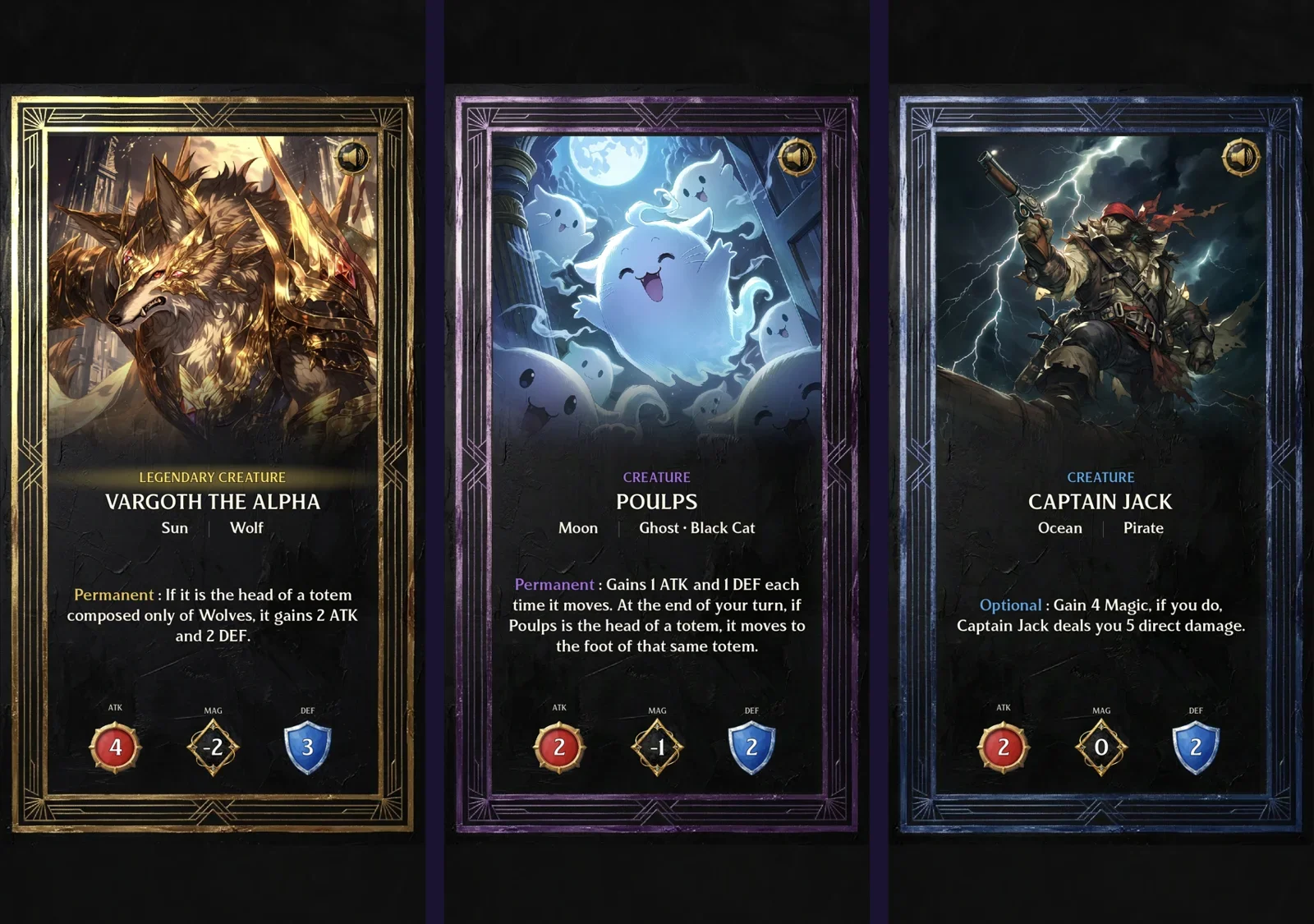
Meet Low Magic, They Said!, a project built with "passion, AI, and 17 months of determination". Created by Eric Enhus, a former Senior GM at Blizzard, the game is an ambitious entry into the genre featuring 65+ cards, full meta-progression, and over 250 original AI-generated soundtrack tracks.
But with a scope this large, Eric hit a massive wall: Animation.
The game features 14 distinct enemies and 2 major bosses, each requiring a full suite of animations: idle loops, attacks, buffs, and spells. For a solo developer, hand-animating nearly 100 unique states wasn't just difficult, it was impossible without delaying the game for years.
"My situation: I have 14+ enemies and 2 bosses that each need idle, attack, buff, and spell animations. As a solo dev, hand-animating isn't realistic." — Eric Enhus
In this case study, we explore how Eric used Ludo.ai to transform static character concepts into a fully animated cast, ready for his upcoming Steam launch.
The "Video Pipeline" Dead End
Before finding Ludo, Eric tried everything to get his characters moving. He didn't just need quality; he needed a pipeline that wouldn't consume his entire development cycle.
"I spent weeks trying video-based pipelines with chroma keys and codec nightmares. Ludo solved it in minutes."
He needed a tool that stripped away the technical overhead of traditional animation software and video editing, allowing him to focus on the game itself.
"What stood out: Your tool is fast and direct. Upload → prompt → sprite sheet. No intermediate steps, no 3D conversion, no waiting. For a solo dev iterating on 14+ enemies, that speed matters."
Phase 1: Nailing the Visual Style
The most critical part of Eric's workflow happens before any movement begins. Because Ludo's Sprite Generator uses your initial image as the "First Frame" anchor, getting that static asset right is paramount.
Eric describes a rigorous process of 5-8 iterations: drawing, prompting, and refining, until the character fits the game's "charming but gritty" aesthetic.
The Goal: High-fidelity static assets that are ready for motion.
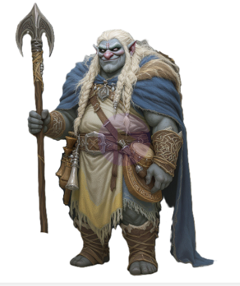
The "Trollkyria": A finalized static concept ready for animation.
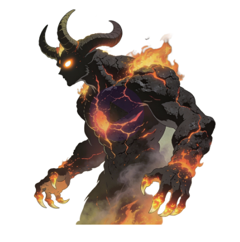
The "Fire Demon": Note the complex textures like fire and stone, which can be difficult to animate manually.
"When I started building my game, I knew I had two choices: do my animations myself and accept they would be charming but shit, or wait. [...] Ludo is exactly what I needed to bring the rest of the game up to par with my engine."
Phase 2: The "Idle Hierarchy" Workflow
Once the static art is locked, Eric uses Ludo to breathe life into it. Rather than generating a single loop, he developed a clever "Idle Hierarchy" to make his enemies feel less robotic and more alive.
Using the Animate Sprite feature, he generates three distinct variations for human-based enemies:
- Idle 1 (The Standard): A basic slow, steady breathing loop. This plays 90% of the time.
- Idle 2 (The Character Detail): The same base stance, but with a twist: flapping an ear, twitching a tail, or shifting weight.
- Idle 3 (The Personality): A rare animation that adds humor or depth, such as a troll picking its nose.
Production Settings
To ensure the assets fit his Godot engine perfectly, Eric adheres to a specific quality standard:
- Frame size: Always set to Max.
- Padding (Animation Margin): Kept at 15% or less.
- Pro-tip: Keeping the margin tight (Manual mode) prevents the sprite from drifting too far from its center, which is crucial for game logic.
Phase 3: Completing the Combat Loop
After Idles, the workflow moves to action: Attacks, Buffs, and Skills.
Here, Eric uses a hybrid approach. He uses Ludo to handle the complex frame-by-frame body mechanics, but relies on his game engine (Godot 4.3) for the final polish.
- Ludo Handles: The swing of a weapon, the roar of a monster, or the casting of a spell.
- Godot Handles: Death animations, entrance fades, and hit reactions using shaders and tweens.
This combination allows for a game that looks fluid and professional, without the stiffness often associated with solo indie projects.
The Feedback Loop
Perhaps the most exciting part of this workflow is how it influences game design.
"Often I already have an idea for the enemy's abilities, but when I see the animations in action, they almost always evolve into something much cooler, more fun, and more unique."
Seeing a generated character move often inspires new mechanics that fit the difficulty curve, turning asset generation into a creative brainstorming partner.
See It In Action
You can see the results of this workflow in the clips below. Notice how the Fire Demon's idle animation creates a menacing, breathing presence that fits perfectly into the atmospheric aesthetic of the game.

The Trollkyria asset, showcasing the "Idle" workflow in action.

The Fire Demon asset, generated and animated in Ludo.
Play 'Low Magic, They Said!'
Eric has proven that with the right tools, solo developers can produce studio-quality results.
Low Magic, They Said! is shaping up to be a must-play for fans of the roguelike genre. It is a testament to what is possible when passion meets modern technology.
- Wishlist it on Steam: Low Magic, They Said! Store Page
- Play the Demo: Check out the game during Steam Next Fest in February.
Don't miss out on this gem, go give it a wishlist and support indie development!