
Ask Ludo, Your AI Game Design Assistant
An AI assistant built into the Ludo.ai platform, ready to brainstorm, guide, and answer your questions in real time.
Ask Ludo, Ludo's game design assistant, shown on real chats: its suggested prompts, an icon made in the chat, and Ask Ludo working inside a game design document:
- Ask anything: Ask in plain words about game design, Ludo's tools or your game, or start from one of Ludo's suggestions. The suggestions Ludo offered on a new chat: how to start with the Game Concept tool, concept art of a female warrior with a flaming sword, a 3D pirate galleon, and a city-building game idea; Refresh Suggestions gave four more.
- Make art in the chat: Ask for images, sprites, videos or game ideas and they are made right in the chat. A 3D model starts as a picture of it, one click from the 3D Asset Generator. "create an icon for a game about dragons and magic. cartoon style" gave an icon of a cute cartoon dragon casting a magic spell, with its description, and the chat went on to the dragon's backstory.
- Inside your project: Ask Ludo knows the project and the section you are on: it rewrites text and makes pictures you drag into the document. In the Monster Light Keeper project, on the objective "Rekindling the Abyssal Beacon": "Rewrite the opening line so this has a clear risk" gave a new line with a risk in it, and "Create an illustrative image for this section" gave a picture dragged into the section.

What is Ludo's AI assistant?
Ask Ludo is the AI assistant built into Ludo.ai, a conversational companion for game developers. Chat in plain language to brainstorm game ideas, get design answers, and generate images, sprites and videos without leaving the conversation. Ask for a 3D model and it draws the asset first, ready to send to the 3D Asset Generator in one click. Ludo also exposes its generation tools, including 3D models and audio, through an MCP server, so assistants like Claude and Cursor can create assets directly.
Last updated November 2026
How it works
- Start a ConversationOpen Ask Ludo and type your request in plain language: a game idea to explore, a question about the platform, or an asset you want to create. You can also attach your own images for the assistant to work from.
- Generate and Research In-ChatThe assistant brainstorms game ideas, answers design questions and questions about Ludo's tools, and generates images, sprites and videos directly in the conversation, so you do not need to switch between separate tools.
- Refine, Restore, or AutomateUse follow-up suggestions to iterate, restore the chat to an earlier response if a branch goes nowhere, and come back to archived conversations later. To generate assets from your existing AI workflow, connect Ludo's MCP server to Claude, Cursor, or your own apps.
Ask in plain words
- How can I help you with your game design today?
- HelpCan you guide me through the initial steps of using the Game Concept tool?
- ImagesGenerate concept art of a female warrior with a flaming sword in a dynamic pose.
- AssetMake a 3D model of a pirate ship, a Galleon with tattered sails.
- IdeationGenerate an idea for a city-building game with magical resources and mythical creatures that help build the city.
- HelpWhat is the 3D Asset Generator, and how can I create or modify 3D models?
- ImagesGenerate concept art for a post-apocalyptic city with overgrown vegetation.
- AssetGenerate a 3D model of a futuristic robot dog with glowing eyes.
- IdeationCreate a concept for a stealth game set in a high school, emphasizing social manipulation and avoiding detention.
Not sure what to ask? Start from a suggestion
A new chat opens with prompts of every kind: help with Ludo's tools, images, assets and game ideas. Refresh Suggestions deals a new set.
- Help
- Images
- Assets
- Ideation
- Cozy Raft Power-UpsGive me three cozy power-ups for a river raft game about an otter carrying three sleepy ducklings, one line each.Giant Lilypad Parasol: Shields the raft from falling pinecones and river spray, keeping the ducklings dry and extending their nap bonus.Warm Chamomile Tea Driftwood: Warms the raft and lulls the ducklings into a deeper, blissful slumber, temporarily doubling score multipliers for smooth steering.Gentle Bubble Current: Creates a soft, bubbling cushion of water around the raft that gently absorbs bump impacts against riverbanks without waking the ducklings.
- Can you turn the Giant Lilypad Parasol into a cute, colorful game power-up icon?
- What obstacles and river hazards could make each power-up useful?
Brainstorm, then follow the thread
Ask for mechanics, names, power-ups or a whole game idea. Every answer ends with follow-ups you can click, and the chat names itself.
- Follow-up suggestions
- Game ideas in the chat
Art, made in the chat
- Make an image of the lily pad raft with Pip the otter and the three ducklings drifting at sunset.
 Add to ProjectEdit ImageUse As ReferenceGenerate VideoLinks: Image Generator
- Can you make the three ducklings look sleepier while keeping the sunset scene unchanged?
- Can you turn this scene into a game cover titled “Pip’s Sunset Drift”?
Ask for a picture and it arrives in the conversation
The picture comes with the same actions it has in the generators: add it to a project, edit it, use it as a reference or turn it into a video. Sprites, videos and 3D assets show up in the chat too.
- Add to Project
- Edit Image
- Generate Video

 Maximum 3 allowedType a question or request here...Upload ImageOr Select From One of These SourcesFavoritesProjects
Bring your own pictures
Attach up to three images to a message: upload them, or pick from your Favorites and your projects.
- Up to 3 images
- Favorites
- Projects
- Giant Lilypad Parasol: Shields the raft from falling pinecones and river spray.
- Copy response
- Regenerate response
- Restore chat to this point
Your Chat History- Cozy Raft Power-Ups
- New Chat
Rewind a chat, or come back to it
Copy or regenerate a reply, or restore the chat to an earlier point and ask something else from there. Chats are saved under All Chats.
- Copy response
- Regenerate response
- All Chats
It has read your game
- What would you like to know or do about Ripple Run?
- Can you design a fair obstacle pattern for the river that gets harder as the current speeds up?
- Can you create a Pixar-style character image of Pip steering the lily-pad raft with three sleepy ducklings?
- How should Silas’s attacks teach players to dodge before the final pond encounter?
What would you like to know or do about Sleepy Ducklings?Context switchedSuggest one new river hazard for the ducklings, in two sentences.Snapping Willow Snags: Low-hanging weeping willow branches sweep across the river's surface, threatening to gently sweep drowsy ducklings off the lily pad if Pip doesn't duck or steer clear.Have questions about One-Thumb Steering Script?How do I make the raft drift back to the middle of the river when the player lets go?Detect when the touch release occurs and reset target_x to the center of the screen.Updated Player.gd# Player lifted their thumb: let the current pull Pip back to centeris_touching = falsetarget_x = center_x
One assistant, wherever you open it
Ask Ludo in a project has read the whole document. Open it on one section and the conversation switches to that section. In a tutorial step it knows the step and answers with code. On a Game Ideator idea it talks about that idea.
- Project
- Section
- Tutorial step
- Game idea
- Create an illustrative image for this section.
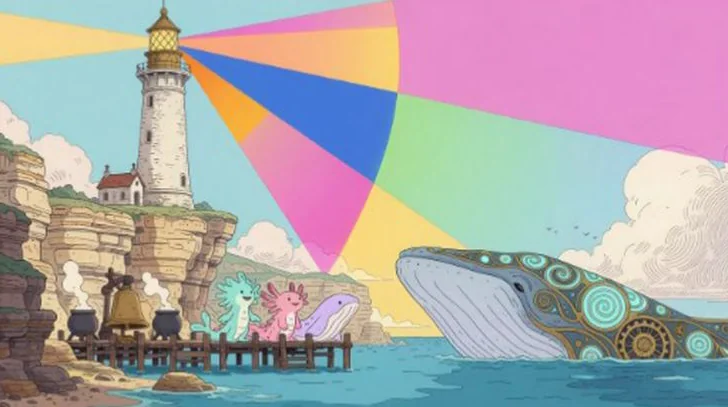 ObjectivesRekindling the Abyssal BeaconAwaken the slumbering Abyssal Leviathan by aligning dockside choir tones to guide it toward the fully restored Prismatic Lamp.
From the chat into the document
Ask for a picture of the section you are on, then drag it out of the chat into that section. Chats are kept with the project.
- Drag into a section
- Chat history per project
Watch Ask Ludo answer about your own game
Ask Ludo has read the whole Ripple Run design document: a chat per section, a page of its own for brainstorming and images, and a chat in every step of the Godot guide that answers with updated code. Ask Ludo starts at 3:50.
Ludo lives where you build
Every generator in your terminal, your AI agent, your own code and the Unity editor. One account, one set of credits.
Explore developer toolsnpm install -g @ludoai/cliMCP serverAny MCP client, including assistants that can't run commands.https://mcp.ludo.ai/mcpREST APIYour own app, game server or pipeline.https://api.ludo.ai/api/Unity pluginGenerate and import assets inside the Unity editor.FAQ
Ask Ludo is an all-purpose, conversational assistant for game developers. In a single chat you can brainstorm and refine game ideas, get design answers and guidance on Ludo's other tools, and generate assets like images, sprites and videos, all through natural language.
Yes. Ask Ludo can create game ideas, images, sprites and videos directly in the conversation. The results appear inline, so you can preview them, save them, and keep iterating without opening a separate generator. A 3D model starts as a picture of the asset in the chat: Create 3D Model on that picture sends it to the 3D Asset Generator, which builds the model.
Yes. You can attach your own images to a message and have the assistant work from them, for example to edit, restyle, or build on existing art while you chat.
When an answer draws on existing games, Ask Ludo lists them as sources under the reply, so you can see which games it referred to. It has no game search of its own: to pick a specific game, use Existing Games in the Game Ideator or Game Search in a Project.
Yes. You can restore a chat to an earlier response, which removes everything after that point so you can ask something different from there.
Yes. Alongside the in-app assistant, Ludo provides an MCP (Model Context Protocol) server at
mcp.ludo.ai. Connect it to Claude, Cursor, or your own applications with an API key, and those assistants can generate Ludo images, animations, 3D models, audio, and video directly from your workflow. For coding agents like Claude Code and Cursor, the Ludo CLI (npm install -g @ludoai/cli) is the recommended path, using far fewer tokens than MCP.Yes. Ask Ludo keeps your conversation history and lets you revisit archived chats, so you can return to earlier ideas, prompts, and generated assets at any time.
You own the assets you generate with Ludo and can use them however you like, including in commercial games.
Ask Ludo documentation
Ask Ludo is a powerful AI-driven feature integrated into the Ludo.ai platform. It provides a conversational interface that allows users to interact with various Ludo.ai tools using natural language. With Ask Ludo, you can:
- Generate and refine game ideas
- Get design help for various game elements
- Create and edit images using AI
- Create 3D assets using AI
- Receive guidance on using Ludo.ai's features
Ask Ludo is designed to complement, not replace, other Ludo.ai tools. It offers a quick and intuitive way to access many platform features, while dedicated tools like the Game Ideator and Game Concept provide more structured and in-depth experiences for specific tasks.
To use Ask Ludo:
- Type your question or request in the chat box.
- Press Enter or click the send button.
- Wait for the AI to process and respond. Responses stream in token-by-token, so you can start reading before generation completes.
Tips for effective interaction:
- Write your requests in clear English language.
- Be specific in your requests for more accurate responses.
- Provide context when necessary.
- Use follow-up questions to refine results.
- Phrase your requests in various ways. For example:
- "Generate a puzzle game idea for mobile platforms."
- "How can I implement a day-night cycle in my game?"
- "Create a pixel art character for a fantasy RPG."
- Request multiple images at once. For example:
- "Generate three concept art pieces for a fantasy RPG showing different characters"
- "Create multiple icons for my mobile game in different styles"
Ask Ludo understands and responds to natural language, so you can phrase your requests conversationally.
Follow-up Suggestions After most responses, Ask Ludo displays a row of suggested follow-up prompts — quick ideas for what to ask next (e.g. refining an image, expanding a game idea, generating a 3D asset). Click one to send it, or click the refresh icon to get a new set of suggestions.
Credit Usage and Limitations The number of interactions you can have with Ask Ludo depends on your Ludo.ai subscription. Each message you send spends a fixed amount of credits, and additional credits will be charged per image and asset generated in Ask Ludo. You can use Ask Ludo until you run out of credits. Check your current credit balance in the credits counter in the top bar.
Continuing Previous Conversations Ask Ludo maintains a history of your recent conversations. To continue a previous chat:
- Look for a list or menu of your past chats, usually on the side or in a dropdown.
- Select a previous conversation to resume where you left off.
Only continue previous conversations if you want to stay on the same topic. For unrelated questions, start a new conversation.
Ask Ludo can help you generate and refine game ideas. Here's how to make the most of this feature:
- Starting from scratch:
- "Generate a game idea for a mobile puzzle game."
- "Create a concept for an RPG with time-travel mechanics."
- "Give me an idea for a game that mixes strategy and horror."
- Refining existing ideas:
- "I have an idea for a platformer. How can I make it unique?"
- "Suggest some interesting mechanics for my farming simulation game."
- Exploring variations:
- "What if we changed the setting of this game to a post-apocalyptic world?"
- "How would this game concept work as a multiplayer experience?"
- Combining elements:
- "Combine elements from roguelikes and dating sims for a unique game concept."
- "How could we incorporate puzzle-solving into a racing game?"
The AI will provide a brief description of the game concept or suggestions. You can then ask for more details or variations:
- "Can you expand on the gameplay mechanics?"
- "What would the progression system look like in this game?"
- "Suggest some potential power-ups or abilities for the main character."
Remember, the ideas generated are starting points. Use them as inspiration and build upon them with your own creativity and expertise.
- Starting from scratch:
Ask Ludo can provide guidance on various aspects of game design. Here are some examples of how to use it effectively:
- Gameplay Mechanics:
- "How can I implement a crafting system in a survival game?"
- "Suggest some interesting combat mechanics for a turn-based RPG."
- "What are some ways to make a platformer more challenging without being frustrating?"
- Character Design:
- "Design a protagonist for a steampunk adventure game."
- "What are some unique abilities for a superhero in a side-scrolling action game?"
- "Help me create a villain for a fantasy RPG with complex motivations."
- Level Design:
- "What elements should I include in a challenging platformer level?"
- "How can I design an engaging open-world environment for an exploration game?"
- "Suggest some puzzle ideas for an escape room-style game."
- Narrative and Worldbuilding:
- "Help me develop a backstory for a post-apocalyptic world."
- "What are some interesting plot twists for a mystery adventure game?"
- "How can I incorporate player choices into my game's narrative?"
The AI will provide suggestions and explanations based on game design principles and common practices. Follow up with more specific questions to refine the ideas and tailor them to your project's needs.
- Gameplay Mechanics:
Ask Ludo can help you create and edit images for your game. You can request multiple images in a single message, up to three images at once. Here's how to use this feature:
- Generation of an image:
- "Generate concept art of a cyberpunk city skyline."
- "Create a pixel art icon for a magic spell book."
- "Show me a character design for a cute animal mascot in a children's game."
- When requesting images, you can specify aspect ratios
- "Generate a landscape concept art for my game"
- "Create a square icon for my mobile app"
- "Show me a portrait screenshot of the gameplay"
- Multiple Image Requests:
- "Generate three different character designs for my RPG's main hero"
- "Create two icons for my puzzle game - one minimalist and one detailed"
- "Show me three different environment concepts for a sci-fi game"
You can ask followup questions, immediately after the image generation, to request changes on the generated image. This also works if you have uploaded an image in your message. Here are some examples:
- Specifying Details:
- "Make the image more colorful and vibrant."
- "Add more futuristic elements to the cityscape."
- "Change the character's outfit to something more suitable for a desert environment."
- Editing Existing Images:
- "Edit the previous image to add more neon lights."
- "Modify the character's hairstyle to be spikier."
- "Change the background from day to night."
- "Take the character from the previous image and generate a new image of them in a cyberpunk city."
- "Edit the last image and replace the sky with a starry nebula."
- Exploring Different Styles:
- "Show me the same scene in a different art style, like watercolor."
- "Create a low-poly version of the character we just designed."
- "Generate a minimalist icon based on the detailed image we created."
Tips for better results:
- Be as detailed as possible in your descriptions.
- Mention specific art styles, colors, or elements you want to include.
- Use references to existing art or games if applicable.
- Iterate through multiple generations and edits to refine the image.
- Generation of an image:
Ask Ludo serves as a powerful starting point for creating 3D assets through a conversational, two-step process. Instead of generating a 3D model directly in the chat, Ask Ludo helps you first visualize your asset as a high-quality 2D image, which you can then convert into a 3D model.
Here's how the workflow works:
- Request a 3D Model: In the chat, ask for the asset you want. It's best to be specific.
- "Generate a 3D model of a wooden treasure chest."
- "I need a 3D asset of a futuristic motorcycle."
- "Create a low-poly 3D model of a fantasy character."
- Receive an Image: The AI will process your request and generate a 2D image of the requested asset, as if it were a render of a 3D model.
- Convert to 3D: On the generated image, click the contextual menu and select the "Generate 3D Asset" option. This will send the image to the 3D Asset Generator tool, which will convert it into a fully interactive 3D model.
This process allows you to quickly iterate on the visual style of your asset in 2D before committing to the full 3D generation.
- Request a 3D Model: In the chat, ask for the asset you want. It's best to be specific.
Ask Ludo can guide you in using other Ludo.ai tools effectively. Here's how to get help:
- Learning About Tools:
- "What is the Game Ideator and how do I use it?"
- "Explain the features of the Sprite Generator."
- "How can the Image Generator help in my game development process?"
- Getting Step-by-Step Guidance:
- "Walk me through using the Game Concept tool."
- "What are the steps to generate a 3D asset from an image?"
- "How do I use the Audio Generator to create sound effects?"
- Understanding Tool Interactions:
- "How can I use the results from the Game Ideator in the Game Concept tool?"
- "How do I send an image from the Image Generator to the 3D Asset Generator?"
- Troubleshooting:
- "The Image Generator isn't producing the results I want. Any tips?"
- "Why is my 3D asset generation failing?"
The AI will provide explanations and step-by-step instructions for using Ludo.ai's features. If you need more detailed assistance, feel free to contact Ludo.ai support or join our Discord server: https://discord.gg/FmTPyugsrR
- Learning About Tools:
Ask Ludo can be a powerful ally in your creative process. Here are some techniques to enhance your brainstorming sessions:
- Idea Expansion:
- Start with a basic concept: "I want to make a puzzle game. Help me brainstorm unique mechanics."
- Ask for variations: "Give me five different takes on a space exploration game."
- Explore specific elements: "Brainstorm character classes for a fantasy RPG."
- Combining Ideas:
- Mix genres: "How could I combine elements from dating sims and racing games?"
- Blend themes: "Suggest ways to incorporate environmental themes into a detective game."
- Fuse mechanics: "How can I mix tower defense mechanics with a platformer?"
- Overcoming Creative Blocks:
- Request random prompts: "Give me three random words to inspire a game concept."
- Explore "what if" scenarios: "What if gravity worked differently in a platformer?"
- Reverse common tropes: "How can I subvert typical RPG conventions in my game?"
- Deepening Concepts:
- Develop backstories: "Create a rich history for the world in my fantasy game."
- Explore character motivations: "Suggest complex motivations for the antagonist in my story."
- Flesh out gameplay loops: "Describe a detailed gameplay loop for my survival crafting game."
- Solving Design Challenges:
- Present a problem: "How can I make grinding feel rewarding in my RPG?"
- Ask for alternative approaches: "Suggest non-violent conflict resolution mechanics for my strategy game."
- Seek balance solutions: "How can I balance difficulty in a roguelike to appeal to both casual and hardcore players?"
Remember to use the AI's suggestions as starting points. Combine them with your own ideas, expertise, and understanding of your target audience to create truly unique and engaging game concepts.
- Idea Expansion:
To get the most out of Ask Ludo, consider these best practices and tips:
- Be Clear and Specific:
- Clearly state your goals or questions to get more relevant responses.
- Provide context when necessary, especially when following up on previous queries.
- Use specific examples or references to clarify your requests.
- Iterate and Refine:
- Start with broad questions and then narrow down with follow-up queries.
- Don't hesitate to ask for clarification or expansion on the AI's responses.
- Use multiple sessions to explore different aspects of your game concept.
- Combine AI Assistance with Human Creativity:
- Use the AI's suggestions as inspiration, not as final decisions.
- Blend the AI's ideas with your own creativity and industry knowledge.
- Remember that the most unique and compelling ideas often come from human insight.
- Leverage Multiple Ludo.ai Tools:
- Use Ask Ludo for initial ideation and then transition to specialized tools for deeper development.
- Ask Ludo how to best use other Ludo.ai tools for your specific project.
- Organize Your Process:
- Start new conversations for different projects or major topic shifts.
- Save or document important ideas generated during your chat sessions.
- Use the conversation history feature to revisit and build upon previous ideas.
- Explore Different Perspectives:
- Ask the AI to approach your game concept from different angles (e.g., as a player, a critic, a marketer).
- Request feedback on potential weaknesses or challenges in your game ideas.
- Use the AI to brainstorm solutions to design problems from multiple viewpoints.
By following these practices, you can maximize the value of Ask Ludo in your game development process, using it as a powerful tool to enhance your creativity and productivity.
- Be Clear and Specific:
If you encounter issues while using Ask Ludo, try these troubleshooting steps:
- Unresponsive Assistant:
- Refresh the page and try your query again.
- Check your internet connection.
- If the problem persists, log out and log back into your Ludo.ai account.
- Image Generation Limitations:
- Maximum of 3 images can be generated in a single request
- Some aspect ratios may work better for specific image types
- Generation time may increase when requesting multiple images
- Irrelevant or Nonsensical Responses:
- Rephrase your question to be more specific or provide more context.
- Start a new conversation to reset the context.
- If the issue continues, report it to Ludo.ai support for further investigation.
- Unable to Generate Images:
- Try simplifying your image request or breaking it into smaller parts.
- Make sure it is clear in your request that you want to generate an image.
- Credit Depletion:
- Verify your current credit balance in the credits counter in the top bar.
- If you've run out of credits, consider upgrading your subscription or wait for the next billing cycle.
- Contact Ludo.ai support if you believe there's an error in your credit count.
- Tool Integration Problems:
- If Ask Ludo isn't properly referencing other Ludo.ai tools, try accessing those tools directly to ensure they're functioning.
- Slow Performance:
- Usage peaks can cause some slowness in the generation speed. The problem should resolve itself after a few minutes.
- Inconsistent Information:
- The AI can make factual mistakes. Make sure to double check the results using the provided references and other tools.
- Language or Communication Issues:
- Make sure that you write your messages in English.
- If the AI seems to misunderstand your queries consistently, try rephrasing or using simpler language.
If you've tried these troubleshooting steps and are still experiencing issues, don't hesitate to reach out to Ludo.ai's customer support team or ask your question on our Discord server: https://discord.gg/FmTPyugsrR.
Remember to provide as much detail as possible when reporting issues, including:
- A clear description of the problem
- Steps to reproduce the issue
- Any error messages you've encountered
- Screenshots, if applicable
This will help the support team diagnose and resolve your issue more quickly and effectively.
- Unresponsive Assistant:
Both the standalone Ask Ludo (accessible through the main menu) and Ask Ludo in Game Concept use the same model and have similar capabilities. There are, however, some differences that you should be aware of, which will help you use each tool more effectively.
- Scope and Purpose:
- Standalone: Offers broad assistance across game development, from initial ideation to design guidance, image/3D asset creation, and tool guidance.
- Game concept: Focuses specifically on refining and expanding game concepts and creating assets within the Game Concept tool.
- Context Awareness:
- Standalone: Has a general understanding of game development but may need more context for specific queries.
- Game concept: Is aware of the specific game concept you're working on, including the selected sections and elements, providing more tailored assistance.
- Feature Set:
- Standalone: Offers a wide range of features including image generation and editing, 3D asset creation, game ideation, design guidance, and help with using other Ludo.ai tools.
- Game concept: Specializes in concept refinement, offering targeted suggestions for improving specific aspects of your game concept, along with image and 3D asset creation.
- User Interface:
- Standalone: Provides a conversational interface accessible from the main dashboard, with a sidebar listing your past conversations.
- Game concept: Integrated directly within the Game Concept tool, with specific buttons for interacting with different sections of your game concept. Conversation state is automatically persisted per project.
- Workflow Integration:
- Standalone: Ideal for initial brainstorming, general queries, and as a starting point for projects.
- Game concept: Best used when you're actively working on developing and refining a specific game concept within the Game Concept tool.
- Use Case Scenarios:
- Standalone:
- When you're starting from scratch and need initial ideas
- For general questions about game development or game design
- When you need guidance on which Ludo.ai tools to use
- Game concept:
- When you have a basic concept and need help expanding it
- For specific suggestions on improving different aspects of your game (e.g., mechanics, characters, monetization)
- Standalone:
Best Practice: Use both tools in tandem for optimal results. Start with the standalone for initial ideation and broad research, then move to the Game Concept tool and use Ask Ludo for in-depth development and refinement of your game concept. Remember, while these tools are powerful aids in the game development process, they are designed to enhance, not replace, your creativity and expertise as a game developer.
- Scope and Purpose: