Let Your Coding Agent Create Your Ludo Account
Your coding agent can now open a Ludo.ai account for you, subscribe it to a plan and buy more credits when it runs out, all from the terminal. It never pays on its own. You approve every payment, on a Stripe page or in your Link wallet, and the agent does the rest: the command, the waiting, and logging its CLI in with the new key.
This is how it works, step by step, with the real commands and what you see at each one.
- What the agent does: runs
ludo signuporludo topup, hands you a payment link or asks Link for your approval, then logs its CLI in with the new key. - What you do: choose the email and the plan, and approve each payment.
- What it never does: pay without you, guess your email or plan, or charge the card saved on your account.
Can an AI agent sign up for a tool and pay for it?
Yes, with you in the loop. Agents like Claude Code, Codex and Cursor already run commands for you, so the Ludo CLI gives them two commands for the money side:
ludo signupcreates an account and subscribes it to a plan in one payment. No web app, no login form.ludo topupbuys extra credits for the account the CLI is logged in to.
Both pay one of two ways: a Stripe payment page you open and pay, or a Link payment token you approve in Stripe's wallet, with no browser at all. The first works anywhere a Stripe card payment does. The second needs a Link account in a country where Link's agent payments are available.
Way 1: a payment link, and a code in your inbox
The agent asks you for an email address and a plan (ludo pricing lists them), then starts the signup:
$ ludo signup --email [email protected] --plan indie
Creating a Ludo account for [email protected]: Indie plan, $20.00 per month.
Pay on this Stripe page to create the account:

  https://checkout.stripe.com/c/pay/cs_live_…

The link works for 60 minutes. Nothing is created or charged until it is paid.
Once paid, we email [email protected] a code that connects this CLI.
Waiting for the payment (Indie plan, $20.00 per month)…
You open the link and pay. The email field is locked to the address the agent asked for, and only cards are accepted, so the payment settles at once.
Paying creates the account. Ludo then emails that address a connect code and a link to choose a password for the web app:
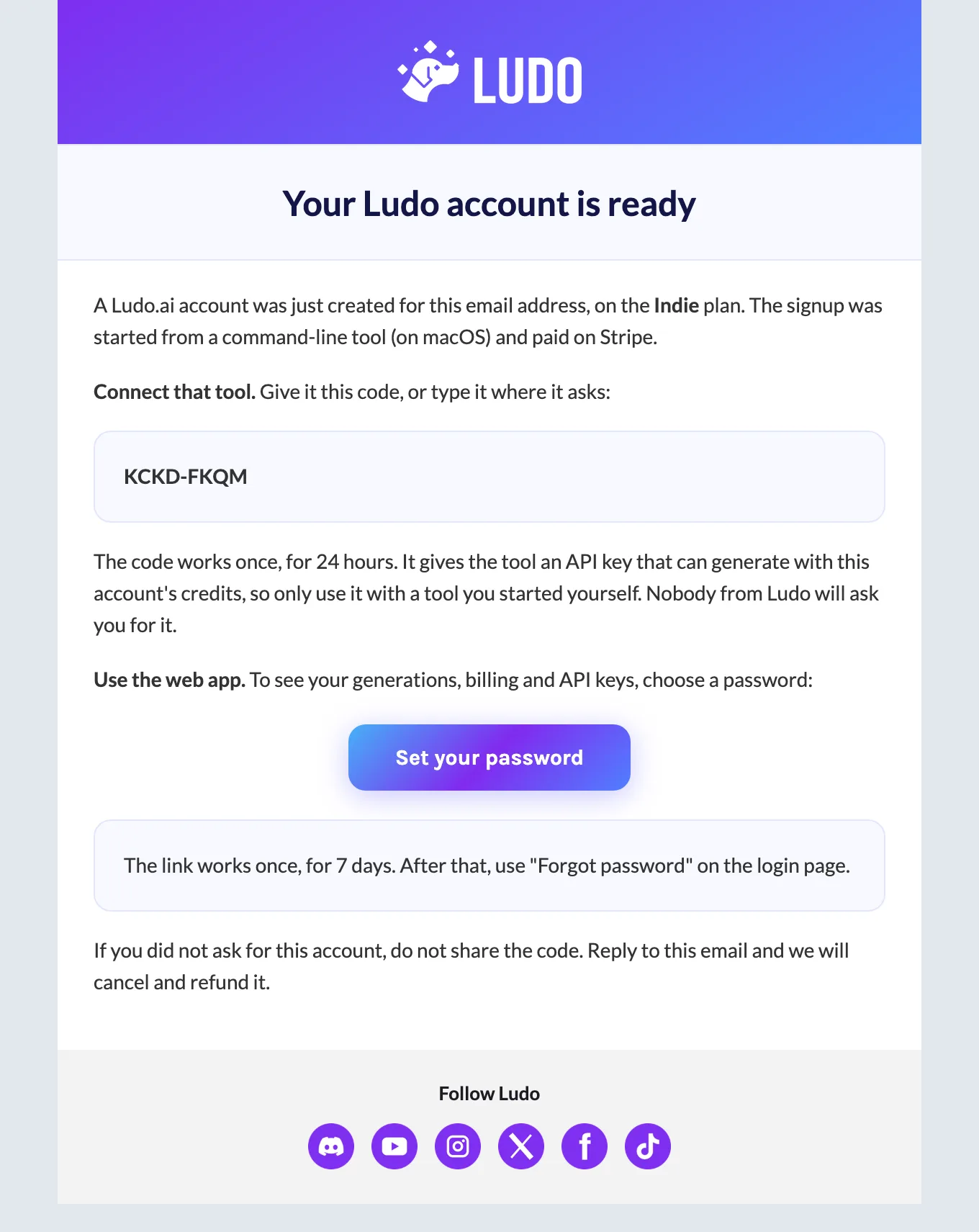
Give the code to your agent, or let it read the email if it has access to your inbox. One command logs the CLI in:
$ ludo signup --continue --code KCKD-FKQM
✓ Account created. Player 1 ready: Indie plan, 250 credits available
The same email has a link to set a password for the web app (https://app.ludo.ai).
Why a code? Without it, anyone could start a signup for your address, send you the payment link, and keep the key once you paid. The key only goes to whoever holds both the agent's secret from the start and the code from your inbox. If the email never arrives, ludo signup --continue --resend sends a new code.
Way 2: pay with Link, without a browser
Link is Stripe's wallet for AI agents. Instead of a card number, your agent gets a Shared Payment Token: a one-off permission to charge one seller, up to an amount you approve on your phone. Ludo can only charge it within those limits, and you can revoke it in Link at any time.
First the agent asks Ludo what to request:
$ ludo signup --plan indie --email [email protected] --quote
Indie plan, $20.00 per month. To pay with Link, without a browser:
  1. Install Link's CLI (npm install -g @stripe/link-cli) and sign in
     (link-cli auth login).
  2. Create the spend request with link_cli_command. The account holder approves it
     in Link within 30 minutes.
  3. When approved: link-cli spend-request retrieve <lsrq_id>
     --include shared_payment_token --format json, and take shared_payment_token.id.
  4. Pay: ludo signup --email <address> --plan <plan> --payment-token <spt_...>
The spend request:
link-cli spend-request create --credential-type shared_payment_token \
  --network-id profile_61VmeWlifq… --amount 2000 --currency usd \
  --recurring-interval month \
  --context "Subscribe to the Ludo.ai Indie plan (AI game asset generation)
  for 20.00 USD per month, creating a new Ludo account for [email protected].
  Renews every month until cancelled at ludo.ai." \
  --line-item "name:Ludo.ai Indie (monthly),unit_amount:2000,quantity:1" \
  --request-approval
It runs that link-cli command. Link sends you the request to approve, showing Ludo, the amount, how often it repeats and the account it is for. You have 30 minutes. Once you approve, the agent fetches the token and pays with it:
$ link-cli spend-request retrieve lsrq_… --include shared_payment_token \
    --format json | jq -r .shared_payment_token.id > token.txt
$ ludo signup --email [email protected] --plan indie --payment-token - < token.txt
Paying with the Link token…
✓ Account created. Player 1 ready: Indie plan, 250 credits available
Subscribed. Each month is charged to the same Link token, within the limit its
  holder
approved.
[email protected] has a link to set a password for the web app (https://app.ludo.ai).
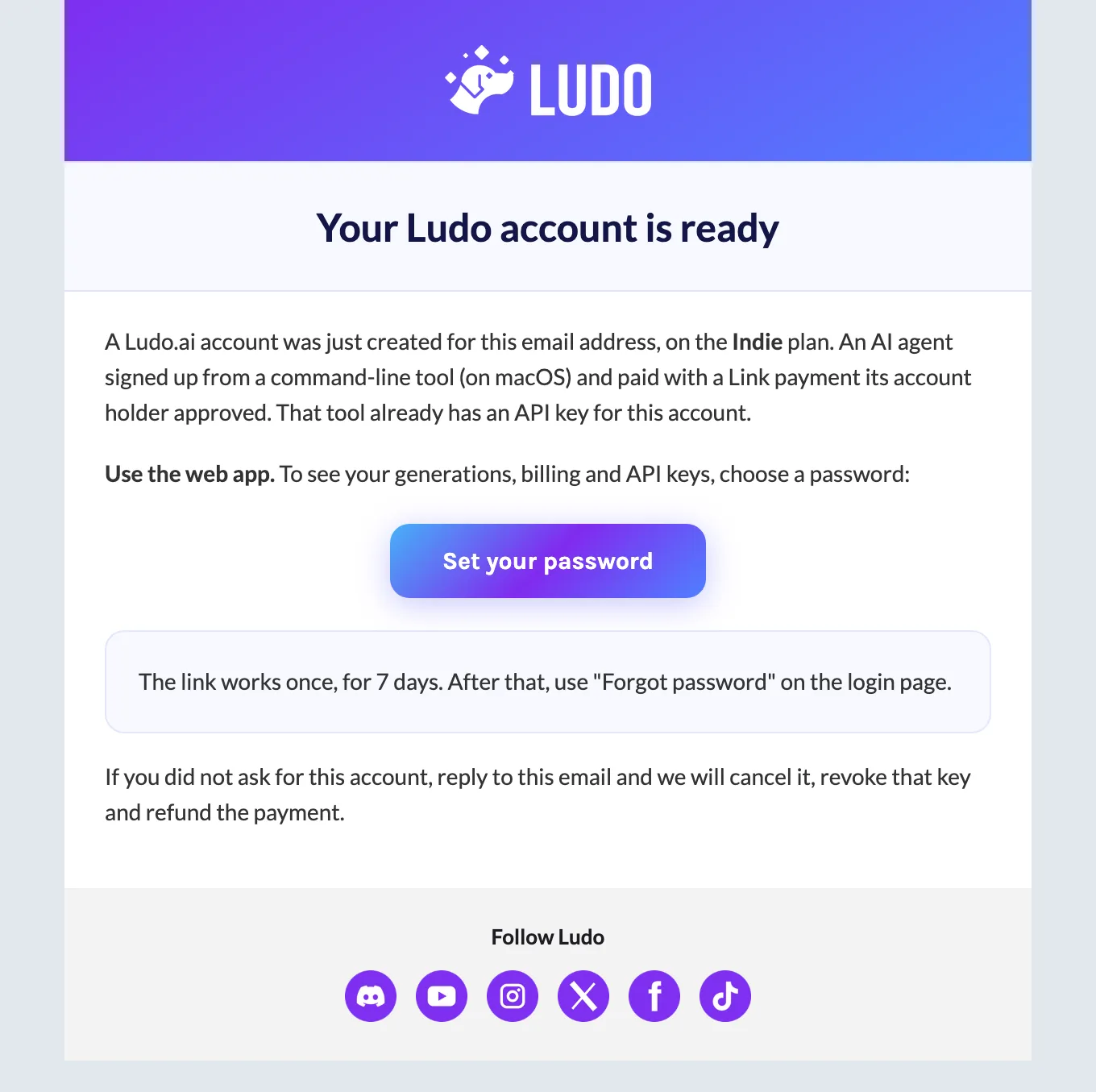
That is the whole signup: one payment, and the CLI is logged in. There is no connect code on this path, because whoever holds a token you approved is acting for you. The address still gets an email, with the password link and a note that a tool already has a key for the account:
Renewals. The command asks Link for a monthly limit, so the same token pays each month's renewal, within the limit you approved. Revoke it in Link and the next renewal asks you for a card instead. A one-time token (no monthly limit) buys a single month, and the plan then ends.
Buying more credits from the terminal
When the credits run out, the agent tells you, and can offer a top-up. It never buys one unasked. The price is your plan's top-up price, the same as the slider in the web app:
$ ludo topup --credits 1000 --quote
1000 credits: $59.08 on your plan.
To pay with Link, without a browser: create this spend request, have it approved,
  then
`link-cli spend-request retrieve <lsrq_id> --include shared_payment_token` gives the
token, and `ludo topup --credits 1000 --payment-token -` reads it from stdin. Or run
`ludo topup --credits 1000` for a payment link.
link-cli spend-request create --credential-type shared_payment_token \
  --network-id profile_61VmeWlifq… --amount 5908 --currency usd \
  --context "Buy 1000 extra credits for the Ludo.ai account y**@example.com
  (AI game asset generation), one time, for 59.08 USD. The credits are added
  at once and stay while the plan is active." \
  --line-item "name:Ludo.ai 1000 credits,unit_amount:5908,quantity:1"
    --request-approval
With Link, the token must be for exactly that amount, and the credits are in the account when the command returns:
$ ludo topup --credits 1000 --payment-token -
Paying with the Link token…
✓ 1000 credits added ($59.08)$ ludo account
Indie plan, 1,250 credits available
250 plan, 0 used, 1,000 extra
Plan credits refill on Dec 20, 2026
Auto top-up: off
Buy credits: `ludo topup --credits <n>`
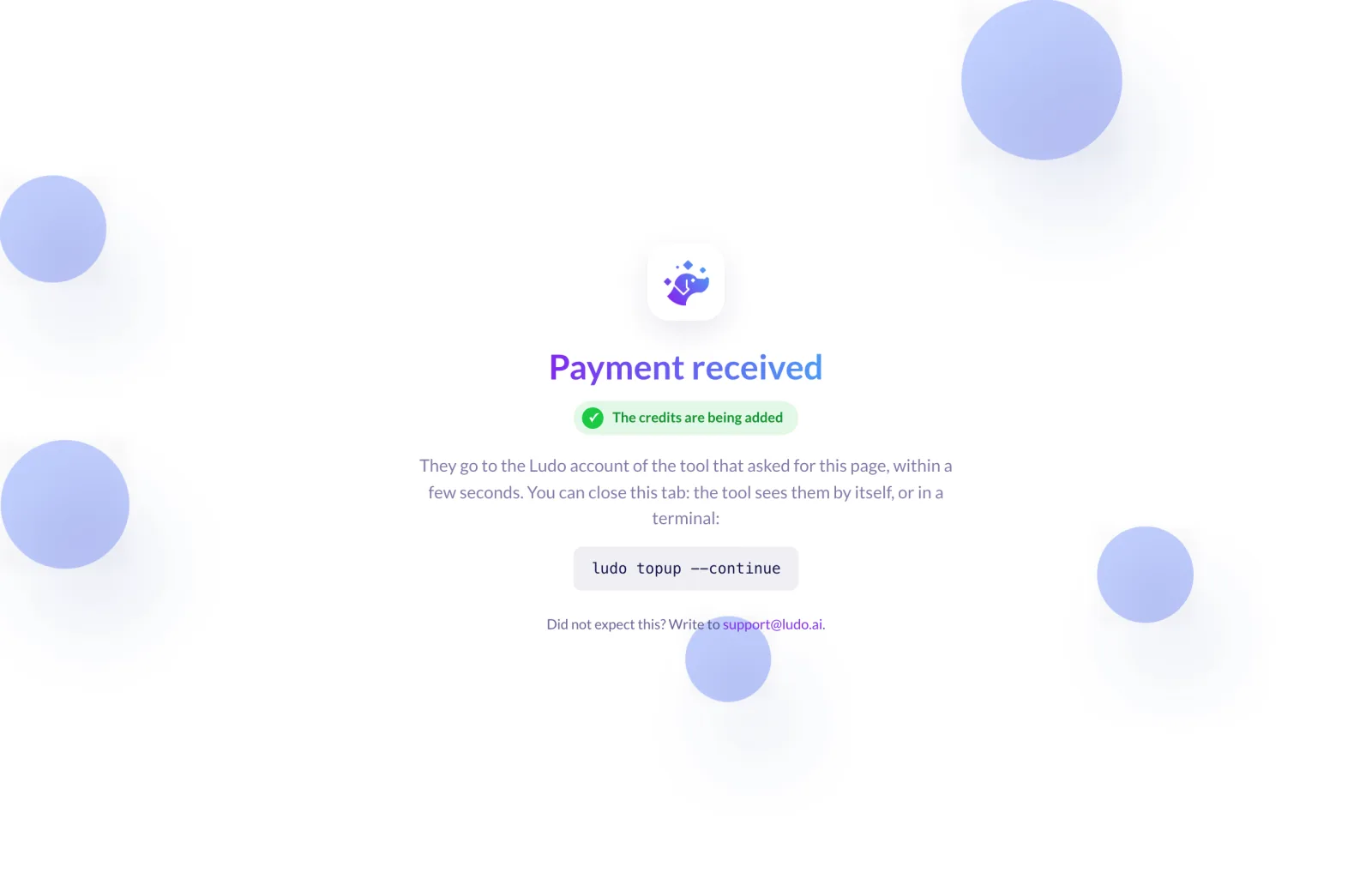
Change plan or auto top-up: https://app.ludo.ai/account/billingWithout Link, ludo topup --credits 1000 prints a payment page for that amount and waits. You pay it, and the browser lands here:
Agents connected through Ludo's MCP server get the same thing as tools: getTopupQuote, createTopupLink (the payment page), getTopupLink and payTopup. They are the same endpoints the CLI calls, so they work from the REST API too.
What you approve, and where
- The email and the plan: you, in your chat with the agent.
- Each signup or top-up payment: you, on the Stripe page or in Link on your phone.
- Monthly renewals with Link: the limit you approved once, which you can revoke in Link at any time.
- Running the commands, waiting and logging in: the agent, in your terminal.
What stops an agent from overspending?
- No payment without you. A link needs you to pay it; a token needs you to approve it in Link.
- Exact amounts. A top-up token has to match the quoted price to the cent. A token approved for something else is refused.
- One purchase per token. A token that bought an account or a top-up cannot buy another.
- Never your saved card. These commands do not charge the card on your account. That stays with auto top-up, which only you turn on, in the web app.
- Renewals inside your limit. Link enforces the monthly cap you approved, and revoking the token stops it.
What it costs
| Plan | Credits | Price |
|---|---|---|
| Indie | 250 a month | $20 a month, or $180 a year |
| Pro | 1,000 a month | $50 a month, or $420 a year |
| Top-up on Indie | 1,000 extra | $59.08 |
Only single-user plans with API access can be bought this way; team plans are bought in the web app. A credit costs 6¢ on Indie, 3.5¢ on Pro and 3¢ on Studio, less for bigger top-ups. ludo pricing has the live numbers, and is free with no account.
Questions people ask
Can Claude Code create accounts and pay for things? It can run the commands that do, and with Ludo it can create the account and connect its own CLI. The payment itself is always yours to approve: on a Stripe page, or in Link.
Do I need Link? No. The payment link works with any card Stripe accepts. Link is only needed to pay without a browser, and its agent payments are not available in every country yet: Stripe's page on payment tokens lists where.
What is a Shared Payment Token? A permission from your Link wallet for one seller to charge you, up to an amount you approve, once or every month. The seller never sees your card number, and you can revoke it in Link. Stripe explains how they work.
Can the agent use a different email than mine? Only the one you give it. The agent instructions in the CLI say never to guess an address, and on the payment-link path the account only connects with the code sent to that address.
What if the email with the code never arrives? Check the spam folder, then run ludo signup --continue --resend for a new code. The old one stops working.
Can I still use the web app? Yes. Set a password with the link in the email, and the account works in the web app like any other: generations, billing, API keys.
How do I stop the renewals? Cancel the plan in the web app, or revoke the token in Link. With the token revoked, the next renewal asks for a card.
Related guides
- The ludo CLI: install it, log in, generate
- Plans and top-up prices
- We Gave Claude Code 5 Days to Finish Our Game, with the full bill
Let your agent set Ludo up for you: npm install -g @ludoai/cli, then ask it to sign you up.