Kawaii Slime Drop: A Cozy Merge Puzzle Built With No Art Background
- Platform
- Android
- Genre
- Merge puzzle
- Team
- Solo
- Ludo Tools
- Image Generator, Sprite Generator, Audio Generator, MCP
- AI Assistant
- Claude, Codex
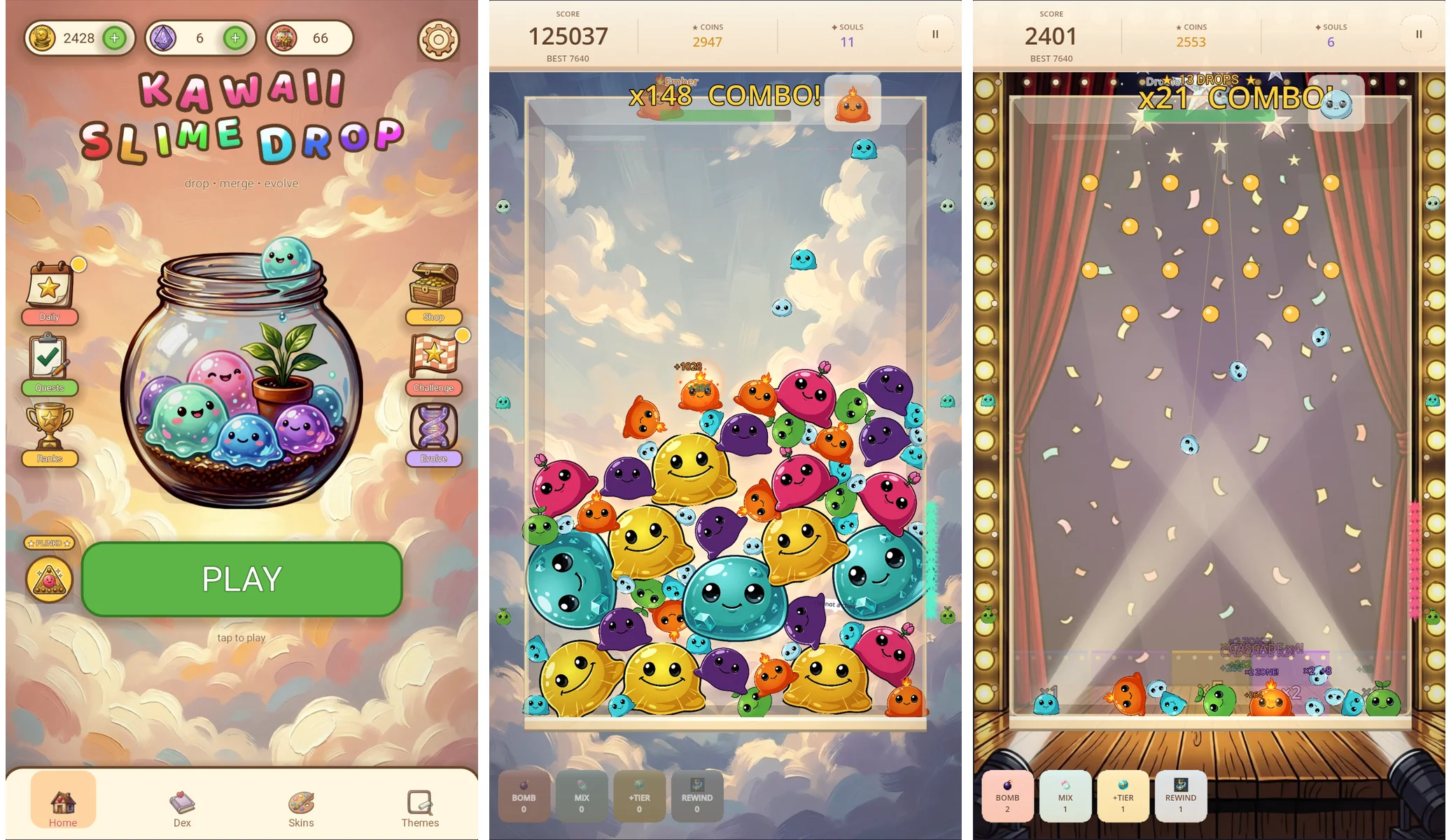
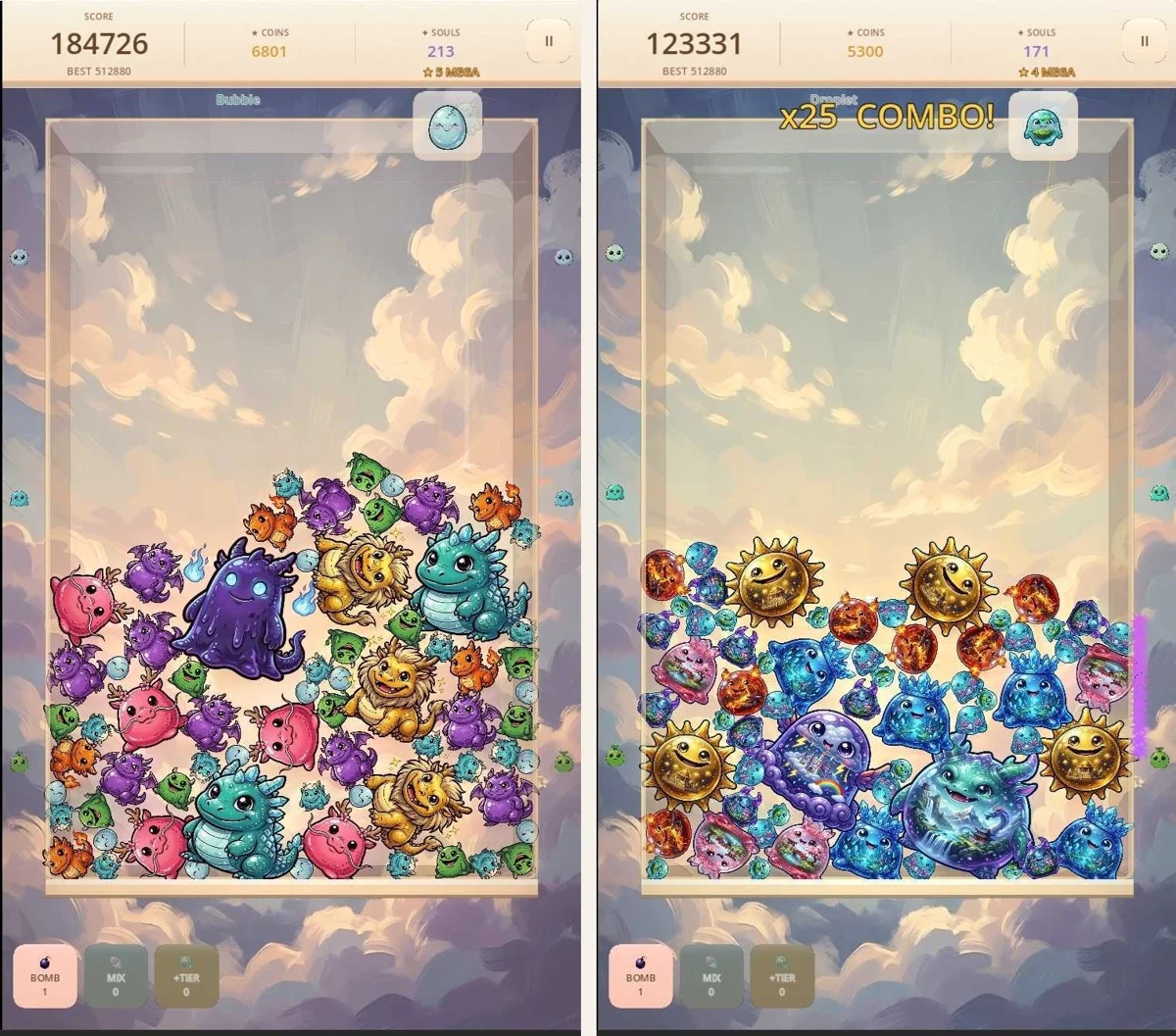
Kawaii Slime Drop: Merge Puzzle is a free Android game where smiling slimes drop into a glass jar, merge into bigger slimes, and chain combos. The home screen states the loop in three words: drop, merge, evolve. Around that loop sits a full collection game: slime skin sets, unlockable arena themes, permanent upgrades bought with souls, login rewards, and a worldwide leaderboard for the most mega merges in one run.
It's built by solo developer Jay Weasel, who describes coming to the project with no background in visual art or programming. That's the interesting part. A merge game with this much meta-content is a content machine, and Jay credits Ludo for almost all of its art and audio, driven remotely through the Ludo MCP from Claude and Codex coding sessions.
This spotlight is a tour of that art. The project used 292 distinct Ludo-generated assets, from single UI icons and sound effects up to complete 11-tier character collections; the tour below covers the art, and the workflow that kept it all looking like one world.
One person, 292 assets
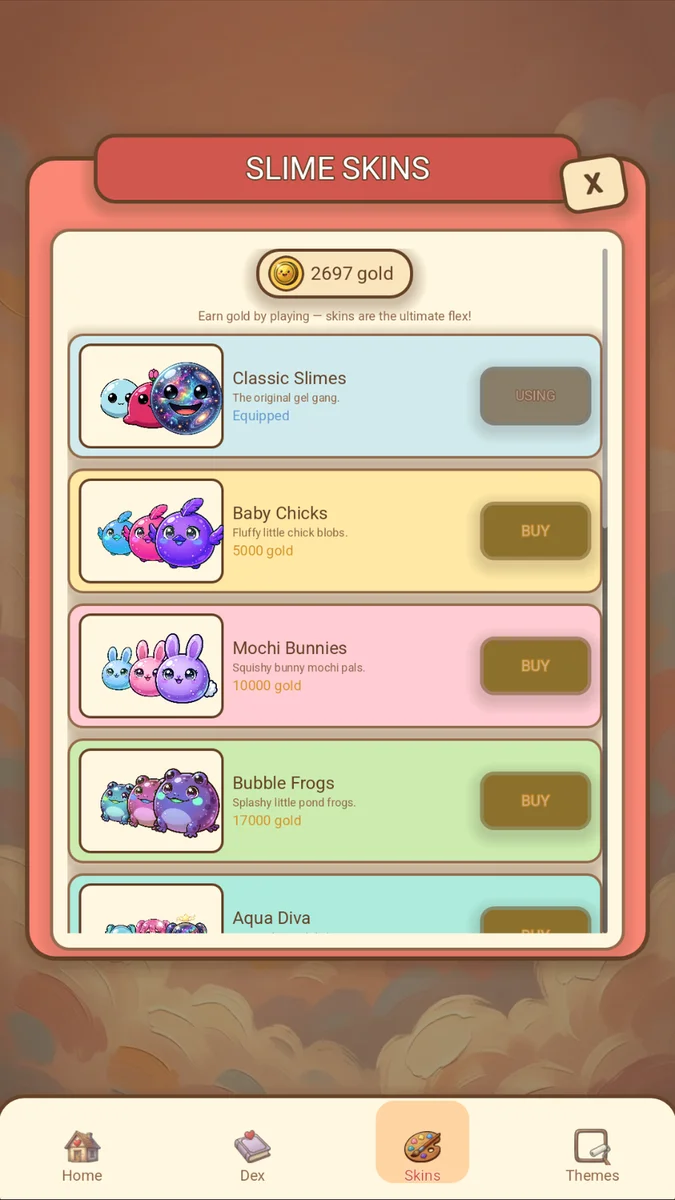
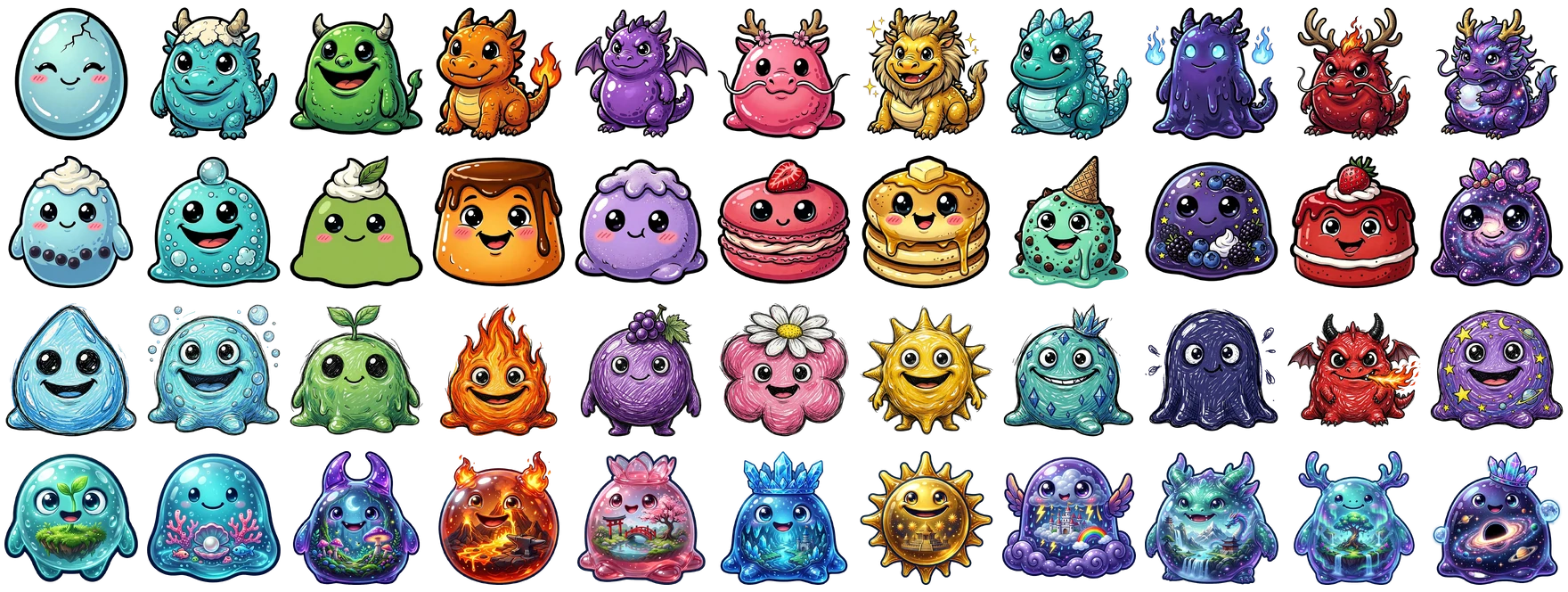
The reason the asset count climbs so fast is the collection meta. In the skins shop, players scroll through named slime collections: Classic Slimes, Baby Chicks, Mochi Bunnies, Bubble Frogs, Aqua Diva. Four more came out of the same pipeline: Ryū Dynasty, Sweet Tooth Café, Doodle Gang, and Pocket Realms. Each is a full progression of 11 tier sprites that has to read as one family, from the tier-1 starter to the top-tier showpiece.
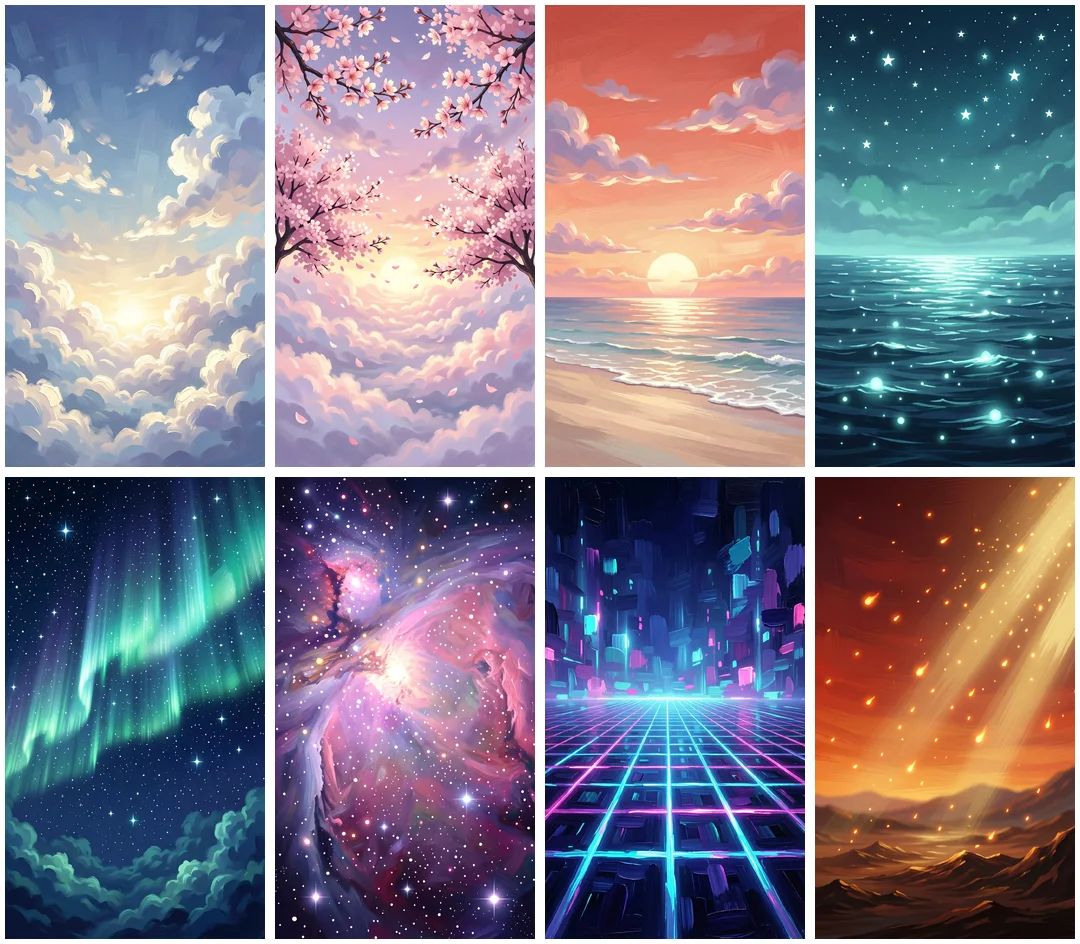
Themes multiply the problem: the theme shop sells full-screen arena backgrounds (Cherry Blossom, Sunset Shores, Twilight Ocean, Aurora Night, Candy Galaxy and more), each a complete 9:16 painting. Then come the modes (a gameshow stage for Plinko Night, a zen backdrop for Dream Mode), 18 menu icons, reward art, power-up icons, an app icon, and a boot splash.
"Ludo let me explore and ship a much broader visual identity for Kawaii Slime Drop especially having no background in visual art or programming. I used it to create art for distinctive game modes, UI moments, collectible skins, and key presentation pieces, then curated and integrated those assets directly into the game. It made it practical to keep iterating while preserving a coherent cozy look."Jay Weasel, developer of Kawaii Slime Drop
Prompts, candidates, and a curator's eye
The portrait backgrounds came out of Ludo's Image Generator, composed for 9:16 mobile screens and prepared at the game's 1080 × 1920 design size. The slime collections went through Ludo's sprite image workflow, with the transparent outputs curated and resized before landing in the game.
The Pocket Realms set shows the curation step most clearly: two candidates were generated for every tier, and the final 11, running from Dew Seed up to Infinity Cosmos, were hand-picked from those 22, then trimmed, square-padded, and prepared as transparent PNGs.

Not everything came out ready to ship. Several of the cozy menu icons arrived with opaque backgrounds and needed a background-removal pass before they could be used. The animated piggy bank went the other direction: generated in Ludo as a static character, animated into a 16-frame idle spritesheet with Ludo's animation tooling, and sized for the game, where it lives in the login-rewards calendar.
"Ludo helped me turn Kawaii Slime Drop's cozy slime world into a consistent visual system: from gameplay and collectible skins to special modes and UI moments almost all of it done remotely through the MCP."Jay Weasel
From skins to stages: what actually shipped
The clearest way to see the scale is to put the collections side by side. Four full sets, 44 sprites in all, each holding a distinct style across all 11 tiers: chibi dragons for Ryū Dynasty, desserts for Sweet Tooth Café, a crayon-sketch look for Doodle Gang, and little worlds-in-jelly for Pocket Realms.
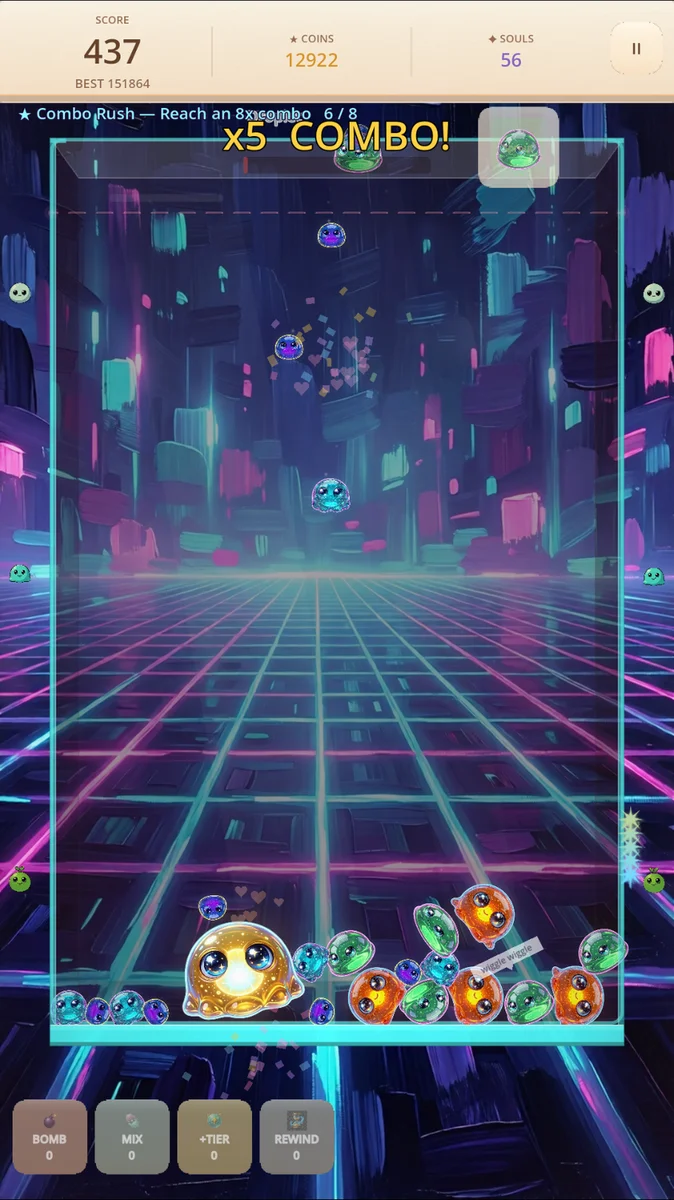
The arena themes got the same treatment: eight full-screen paintings, from soft skies and cherry blossoms to an aurora, a candy galaxy, and a neon grid, plus the cozy clouds behind the home screen.
And below it all sits the unglamorous layer that most players never think about: the menu icons. Daily calendar, quests clipboard, trophies, shop chest, settings gear: 18 pieces of cozy UI art holding the game's screens together.

Ten minutes per set, on a $50 plan
Jay's follow-up answers put numbers on all of it. The 292 assets were produced in about 30 batches, and an average batch of 11 sprites or effects generates in about 3 minutes. The batches were spread over four working days in July only because of his own time constraints; generation was never the bottleneck.
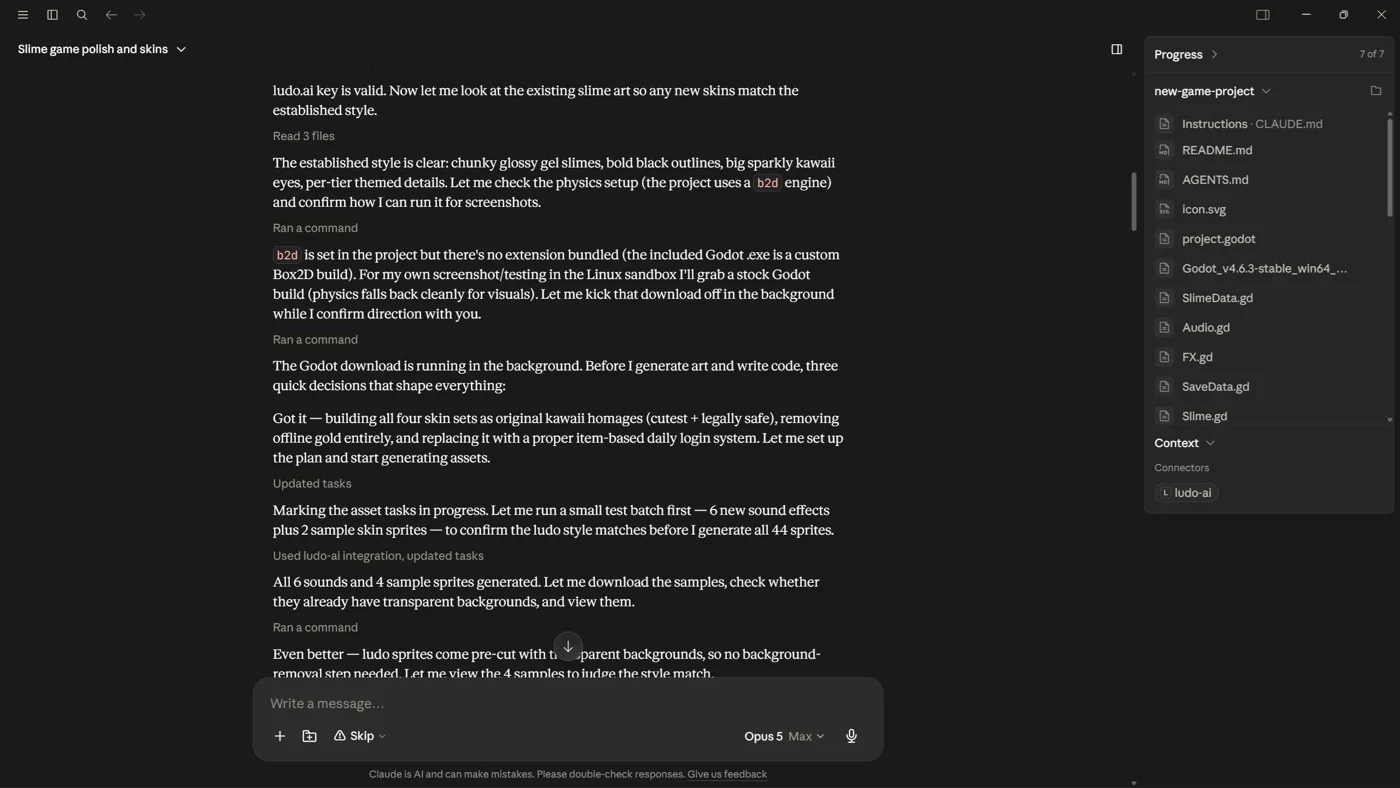
The sets were made end to end from coding sessions: a prompt in Claude or Codex, with Ludo connected through the MCP. Getting one full set into the game, generating the art, downloading it, and wiring it up, takes about 10 minutes, and most of that is waiting on the art.
"As the art generates, Claude or Codex wires up the framing and code so that when the assets download they fall right into place."Jay Weasel
What the tools didn't decide
Look past the generation step and Jay's actual job is visible everywhere: choosing between candidates, trimming and padding sprites, resizing backgrounds to the design resolution, and deciding what fits the game's cozy identity. Generation was one step in a pipeline; the pipeline was the work.
"The value of Ludo for this project was iteration. I could explore mode-specific backgrounds, character variants, and UI art, select the strongest direction, and bring the results into the game without losing the overall art style."Jay Weasel
"Ludo was the most integral part of the production pipeline, not just the concept phase. The assets were curated, prepared for mobile, and integrated into Kawaii Slime Drop's actual gameplay and menus."Jay Weasel
Where to find Kawaii Slime Drop
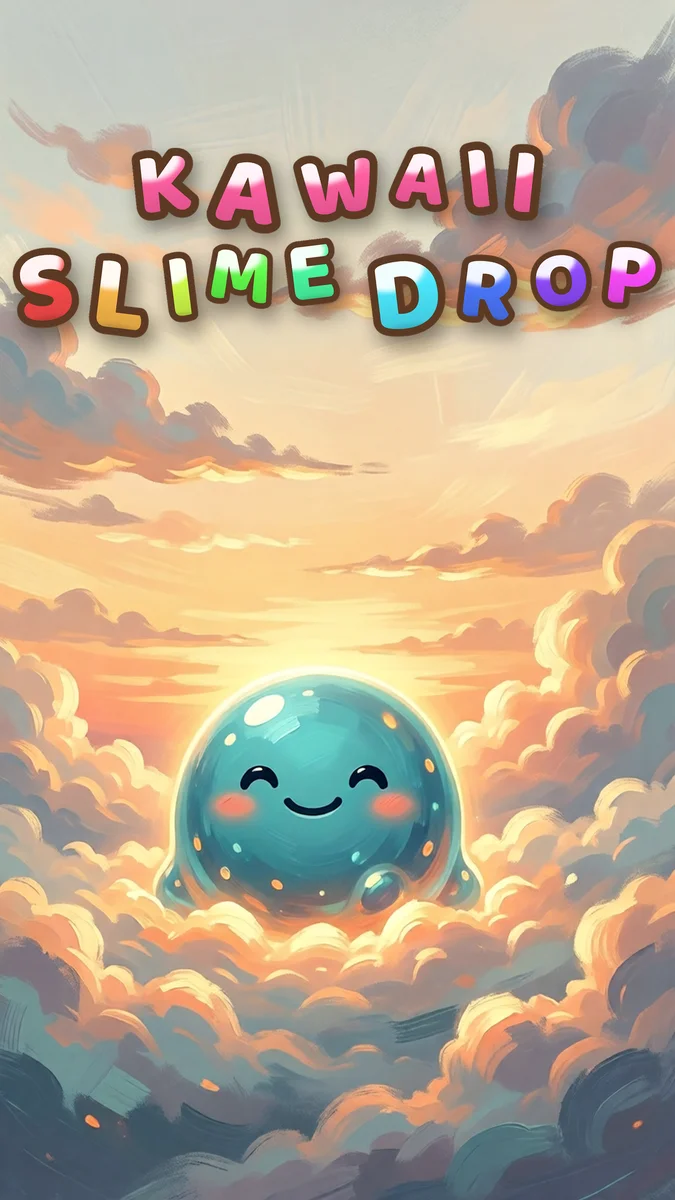
Kawaii Slime Drop: Merge Puzzle is free on Google Play, with ads. In the words of its store listing, it is "a cute merge puzzle with cozy physics, weekly ranks, skins, and rewards."
Google Play: Kawaii Slime Drop: Merge Puzzle